
Processing supplier invoices manually is one of the most repetitive tasks in bookkeeping. Finance teams often spend hours entering invoice details into accounting software, checking for errors, and organizing supporting documents.
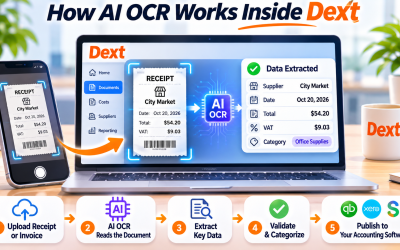
Dext eliminates much of this manual work by combining Artificial Intelligence (AI) with Optical Character Recognition (OCR) technology. Instead of typing invoice information by hand, users can upload a document and let Dext automatically extract the key financial data within seconds.
Here's how the process works.
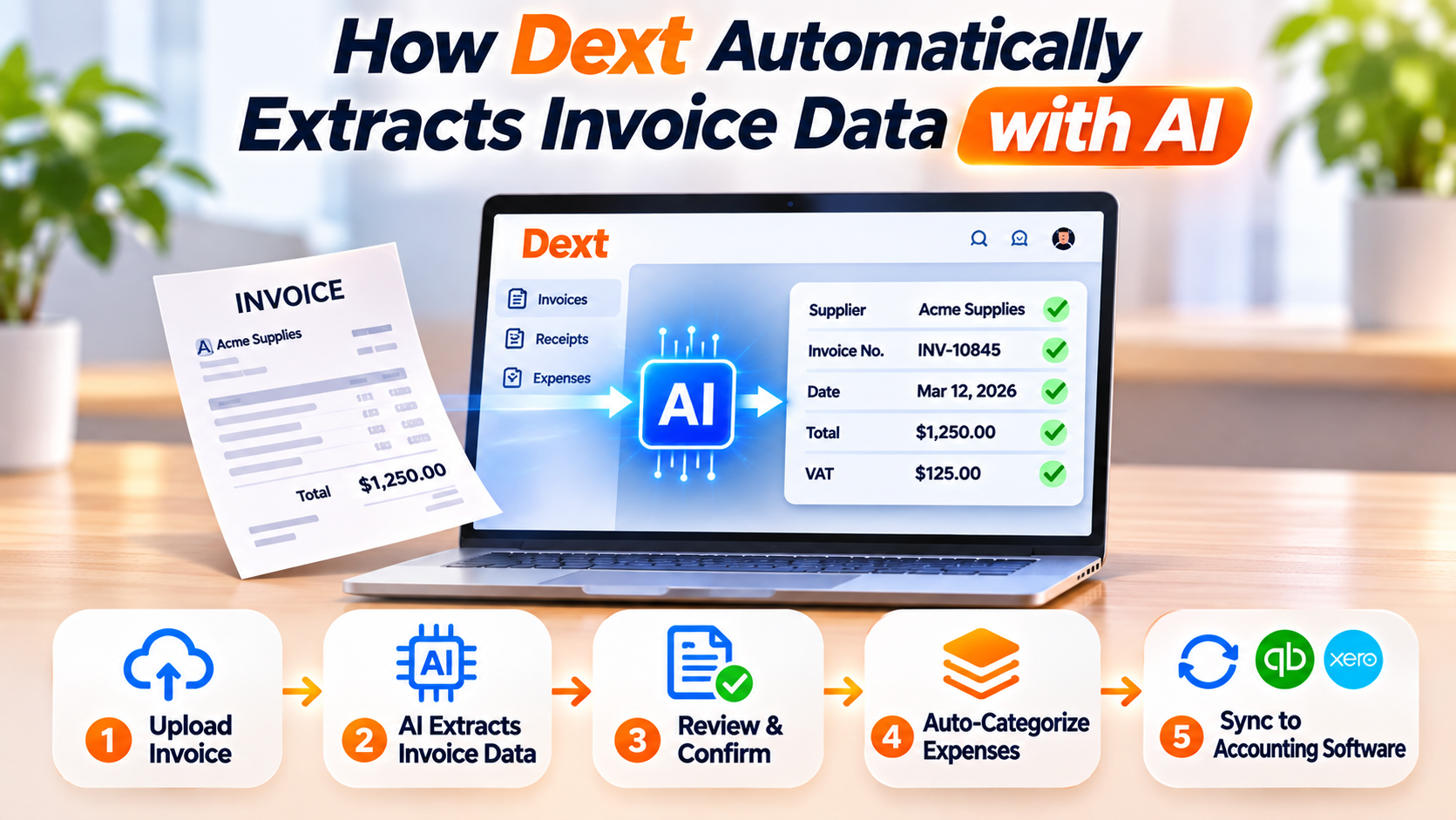
Step 1: Upload Your Invoice
Dext supports multiple ways to submit invoices, making it easy for businesses to digitize financial documents regardless of how they're received.
You can upload invoices through:
- PDF files
- Scanned paper invoices
- Image files (JPEG, PNG)
- Email attachments
- Drag-and-drop uploads
- Mobile app
Whether you receive invoices electronically or on paper, Dext converts them into digital records ready for processing.
Step 2: AI Reads the Invoice
Once the invoice is uploaded, Dext's AI begins analyzing the document.
Using advanced OCR technology, the platform identifies and extracts essential information, including:
- Supplier name
- Invoice number
- Invoice date
- Due date
- Purchase order reference (when available)
- Currency
- Tax or VAT amount
- Subtotal
- Total amount
- Payment details
This automated extraction dramatically reduces manual data entry while improving consistency.
Step 3: Verify the Extracted Information
Although Dext's AI delivers highly accurate results, users can quickly review the extracted data before approving the transaction.
This review allows you to confirm:
- Supplier information
- Financial totals
- Tax values
- Invoice dates
- Payment terms
If necessary, corrections can be made with just a few clicks.
Step 4: AI Suggests Expense Categories
Dext doesn't stop at reading invoices.
Its machine learning technology also recommends appropriate bookkeeping information based on previous transactions, such as:
- Expense categories
- General ledger accounts
- Tax codes
- Supplier records
As the system learns your bookkeeping preferences, its recommendations become increasingly accurate over time.
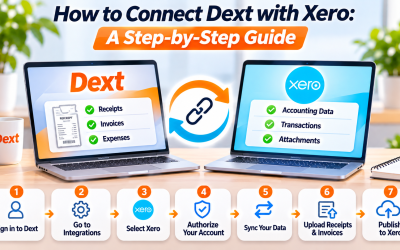
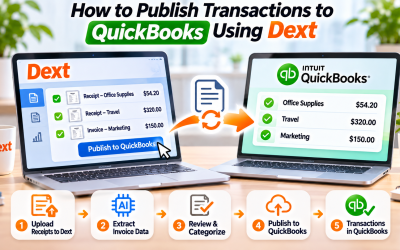
Step 5: Publish to Accounting Software
Once approved, invoice data can be published directly into your accounting software.
Dext integrates with leading accounting platforms, including:
- QuickBooks Online
- Xero
- Sage
- FreeAgent
- Zoho Books
Automatic synchronization eliminates duplicate data entry and helps keep financial records up to date.
Benefits of AI Invoice Extraction
Automating invoice processing provides several business advantages:
- Reduce manual data entry
- Improve bookkeeping accuracy
- Process invoices faster
- Minimize human errors
- Speed up accounts payable workflows
- Improve financial reporting
- Increase productivity for finance teams
For organizations processing large numbers of supplier invoices each month, these efficiency gains can be significant.
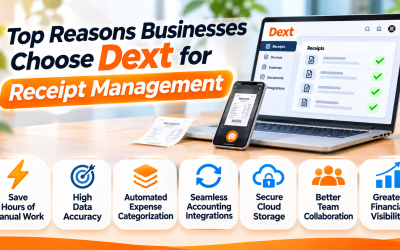
Why Businesses Choose Dext
Traditional invoice processing often requires employees to manually review every document and enter information line by line.
Dext replaces this repetitive work with intelligent automation, allowing businesses to process invoices in minutes rather than hours.
This not only saves time but also improves accuracy and provides a centralized digital archive for every financial document.
Final Thoughts
Dext's AI-powered invoice extraction transforms one of the most labor-intensive bookkeeping tasks into a fast, automated workflow. By combining advanced OCR, machine learning, and seamless accounting software integrations, the platform enables businesses to reduce administrative work while maintaining accurate financial records.
Whether you're a small business owner, accountant, or finance professional, Dext offers a smarter way to manage supplier invoices and modernize your bookkeeping process.
Frequently Asked Questions
What types of invoices can Dext process?
Dext supports PDF invoices, scanned paper invoices, image files, email attachments, and invoices uploaded through its mobile app.
Does Dext automatically extract invoice information?
Yes. Dext uses AI and OCR technology to automatically extract supplier details, invoice numbers, dates, totals, taxes, and other key financial information.
Can Dext categorize invoices automatically?
Yes. Based on previous bookkeeping activity, Dext recommends expense categories, tax codes, and accounting rules to speed up processing.
Is Dext suitable for businesses with high invoice volumes?
Absolutely. Businesses that process dozens or hundreds of invoices each month can significantly reduce manual work and improve efficiency by using Dext's AI-powered invoice automation.



Write Your Review
No reviews yet. Be the first to share your experience!