
monday.com has become one of the most popular work management platforms worldwide, helping businesses organize projects, automate workflows, and improve team collaboration.
With its visual interface, customizable boards, automation capabilities, and flexible workflows, monday.com is an excellent solution for many organizations.
However, no software platform is perfect for every team.
Some businesses may need:
- More advanced developer features
- Lower pricing
- Simpler task management
- Stronger document collaboration
- More specialized workflows
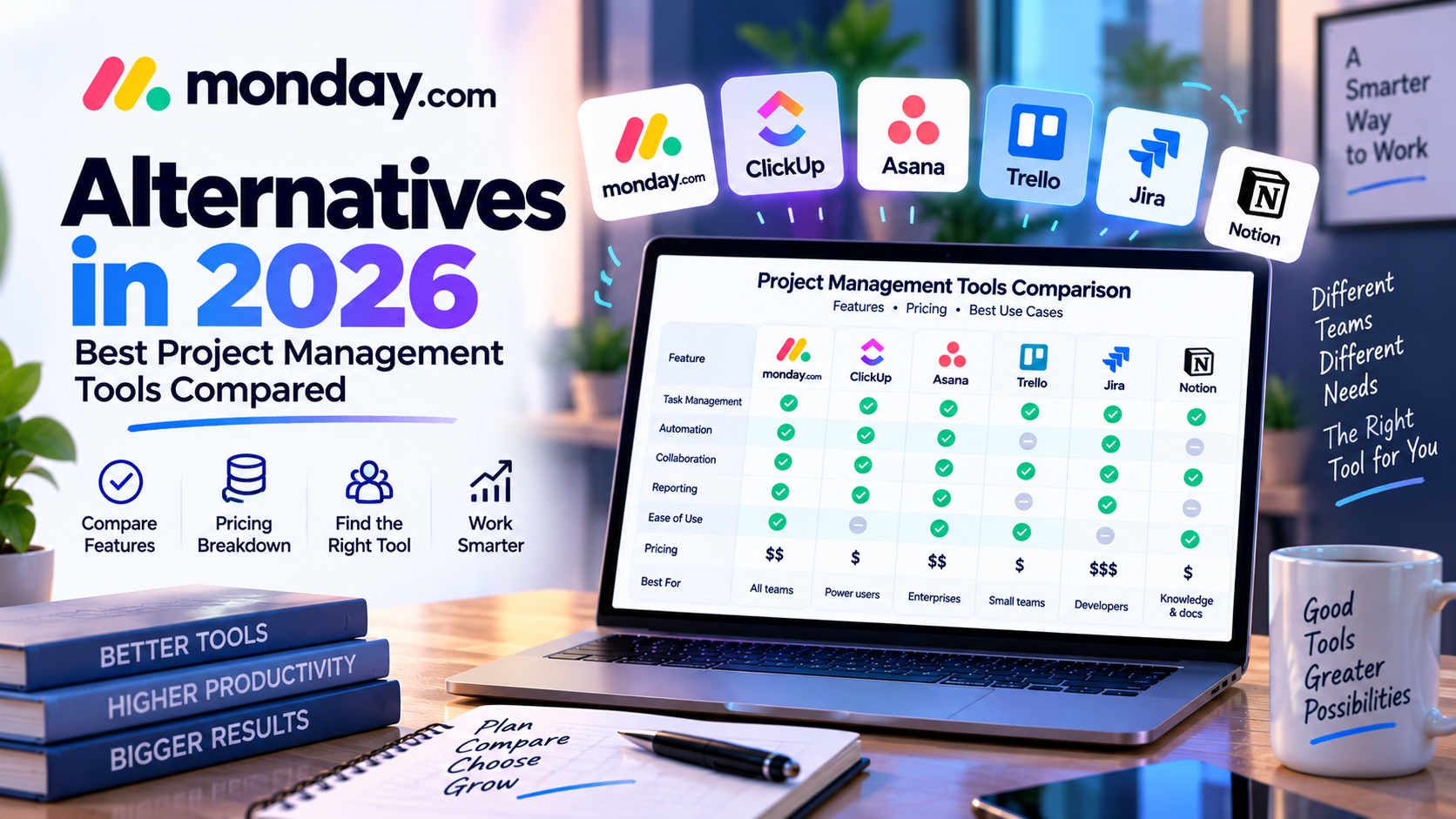
For these reasons, many companies explore alternatives before making a final decision.
In this guide, we compare the best monday.com alternatives in 2026, including:
- ClickUp
- Asana
- Trello
- Jira
- Notion
We analyze their features, advantages, disadvantages, and ideal users to help you choose the right project management solution.
Why Consider monday.com Alternatives?
Before comparing competitors, it is important to understand why some teams look beyond monday.com.
1. Pricing Concerns
monday.com provides strong functionality, but costs can increase as organizations add more users.
Large teams may find alternative platforms with more features included at similar price points.
2. Specialized Requirements
Different teams have different needs.
Examples:
- Developers need issue tracking and agile workflows
- Content teams need document management
- Small teams need simple task management
A specialized tool may provide a better experience.
3. Feature Preferences
Some users prefer platforms with:
- More built-in features
- More customization
- Simpler interfaces
The best choice depends on business requirements.
1. ClickUp: The Feature-Rich monday.com Alternative


ClickUp is one of the strongest competitors to monday.com.
It positions itself as an all-in-one productivity platform combining:
- Project management
- Documents
- Goals
- Whiteboards
- Automation
- Time tracking
ClickUp Key Features
Task Management
ClickUp provides advanced task organization with:
- Custom statuses
- Priorities
- Dependencies
- Subtasks
Documents and Knowledge Management
One advantage of ClickUp is built-in document management.
Teams can create:
- Project documentation
- Knowledge bases
- Meeting notes
without needing separate tools.
Advanced Customization
ClickUp offers extensive customization options.
Users can configure:
- Views
- Fields
- Workflows
- Automations
ClickUp Advantages
✅ More features included
✅ Strong customization
✅ Better value for feature-heavy teams
✅ Built-in documents and goals
ClickUp Disadvantages
❌ More complex interface
❌ Longer learning curve
❌ Can feel overwhelming for beginners
ClickUp vs monday.com
| Category | monday.com | ClickUp |
|---|---|---|
| Ease of use | ⭐⭐⭐⭐⭐ | ⭐⭐⭐⭐ |
| Features | ⭐⭐⭐⭐ | ⭐⭐⭐⭐⭐ |
| Customization | ⭐⭐⭐⭐⭐ | ⭐⭐⭐⭐⭐ |
| Learning curve | Easier | More complex |
Best Choice:
Choose monday.com if you want simplicity and fast adoption.
Choose ClickUp if you want maximum features and customization.
2. Asana: The Enterprise Project Management Alternative
Asana is another major competitor focused on structured project management.
Many large companies use Asana to organize workflows, goals, and team collaboration.
Asana Key Features
Task Management
Asana provides:
- Tasks
- Projects
- Milestones
- Dependencies
Timeline Planning
Teams can visualize projects through:
- Timeline views
- Gantt charts
- Project calendars
Goals Management
A unique strength of Asana is connecting daily work with business objectives.
Managers can track:
- Company goals
- Team objectives
- Project outcomes
Asana Advantages
✅ Excellent project organization
✅ Strong enterprise adoption
✅ Good workflow structure
✅ Powerful collaboration tools
Asana Disadvantages
❌ Less visual customization than monday.com
❌ Some advanced features require premium plans
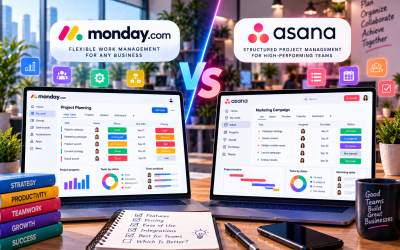
Asana vs monday.com
| Category | monday.com | Asana |
|---|---|---|
| Visual customization | Better | Good |
| Enterprise workflows | Good | Excellent |
| Ease of use | Excellent | Excellent |
| Flexibility | Higher | Structured |
Best Choice:
Choose monday.com for flexible workflows.
Choose Asana for structured enterprise project management.
3. Trello: The Simple and Affordable Alternative
Trello is one of the simplest project management tools available.
It uses a Kanban board system based on cards and lists.
Trello Key Features
Users organize work using:
- Boards
- Lists
- Cards
Example:
To Do → Doing → Done
Trello Advantages
✅ Extremely easy to use
✅ Affordable
✅ Great for simple projects
✅ Fast setup
Trello Disadvantages
❌ Limited advanced reporting
❌ Less suitable for complex projects
❌ Fewer automation options compared with monday.com
Trello vs monday.com
| Category | monday.com | Trello |
|---|---|---|
| Simplicity | Good | Excellent |
| Advanced features | Excellent | Limited |
| Automation | Strong | Basic |
| Large teams | Better | Limited |
Best Choice:
Choose Trello for simple task management.
Choose monday.com for business workflows.
4. Jira: The Developer-Focused Alternative
Jira is designed primarily for software development teams.
It is widely used for:
- Agile development
- Bug tracking
- Sprint planning
- Issue management
Jira Key Features
Agile Boards
Supports:
- Scrum
- Kanban
- Sprint management
Issue Tracking
Developers can manage:
- Bugs
- Features
- Technical tasks
Development Integration
Jira connects well with:
- Code repositories
- Development tools
- Engineering workflows
Jira Advantages
✅ Best for software development
✅ Powerful agile features
✅ Strong technical workflows
Jira Disadvantages
❌ Less friendly for non-technical teams
❌ More difficult setup
❌ Not ideal for general business workflows
Jira vs monday.com
| Category | monday.com | Jira |
|---|---|---|
| Business teams | Excellent | Limited |
| Developers | Good | Excellent |
| Agile workflows | Medium | Excellent |
| Ease of use | Better | More complex |
Best Choice:
Choose Jira for software engineering.
Choose monday.com for cross-functional business teams.
5. Notion: The Knowledge Management Alternative
Notion combines:
- Notes
- Databases
- Documentation
- Task management
It is popular among startups and creative teams.
Notion Advantages
✅ Excellent documentation
✅ Flexible databases
✅ Great for knowledge management
Notion Disadvantages
❌ Less powerful project management
❌ Requires more manual setup
monday.com vs Notion
Choose:
monday.com for workflow automation and project execution.
Notion for documentation and team knowledge management.
Best monday.com Alternative Based on Business Needs
| Business Need | Best Tool |
|---|---|
| Best overall flexibility | monday.com |
| Maximum features | ClickUp |
| Enterprise project management | Asana |
| Simple task tracking | Trello |
| Software development | Jira |
| Documentation & knowledge | Notion |
How to Choose the Right Tool?
Before selecting a platform, consider:
Team Size
Small teams may prefer:
- Trello
- Notion
- monday.com
Large organizations may prefer:
- monday.com
- Asana
- Jira
Workflow Complexity
Simple workflows:
→ Trello
Advanced workflows:
→ monday.com / ClickUp
Technical workflows:
→ Jira
Budget
Budget-focused teams should compare:
- Required features
- Number of users
- Long-term scalability
Final Verdict: Which monday.com Alternative Is Best?
monday.com remains one of the strongest work management platforms because of its combination of:
- Ease of use
- Customization
- Automation
- Collaboration






Write Your Review
No reviews yet. Be the first to share your experience!