
What Is monday.com? A Complete Beginner’s Guide to the Work OS Platform
Modern businesses are facing increasing challenges in managing projects, communication, and daily operations. Teams often rely on multiple disconnected tools, spreadsheets, emails, and messaging applications, making it difficult to maintain visibility and collaboration.
As companies adopt remote work and digital transformation strategies, the demand for flexible work management platforms has grown rapidly. Businesses need solutions that can help them organize tasks, automate workflows, track progress, and improve team productivity from one centralized platform.
This is where monday.com has become one of the most recognized names in the SaaS productivity market.
monday.com is a cloud-based Work Operating System (Work OS) designed to help organizations manage projects, workflows, customer relationships, and business operations. Instead of forcing companies into a fixed workflow structure, monday.com provides customizable tools that allow teams to build processes that match their unique needs.
But what exactly is monday.com, how does it work, and is it the right platform for your business?
This complete guide explores everything beginners need to know about monday.com.

What Is monday.com?
monday.com is a digital work management platform that enables teams to plan, organize, execute, and monitor their work in a visual workspace.
Unlike traditional project management tools that focus mainly on task lists and deadlines, monday.com provides a flexible environment where companies can manage different types of workflows.
Teams can use monday.com for:
- Project management
- Marketing campaigns
- Sales pipelines
- Customer relationship management
- Product development
- Human resources processes
- Business operations
- Team collaboration
The platform is built around the concept of a Work OS, meaning it acts as a foundation where businesses can create customized applications and workflows without needing technical programming skills.
For example:
A marketing team can create a campaign management workflow:
Campaign Planning → Content Creation → Review → Approval → Publishing → Performance Tracking
A software team can build:
Feature Request → Development → Testing → Release → Monitoring
A sales team can manage:
Lead Generation → Contact → Negotiation → Deal Closed
The flexibility of monday.com allows different departments to use the same platform while maintaining their own workflows.
How Does monday.com Work?
The core structure of monday.com is built around four main components:
1. Workspaces
A workspace represents a major business area or organization.
Examples:
- Marketing Department
- Sales Team
- Product Development
- Human Resources
Large companies can create multiple workspaces to separate projects while maintaining centralized management.
2. Boards
Boards are the foundation of monday.com's workflow system.
A board represents a project, process, or database.
Examples:
- Website redesign project
- Social media calendar
- Customer pipeline
- Employee onboarding process
Each board can be customized with different columns and information.
3. Items
Items represent individual tasks, activities, or records.
Examples:
- Write blog article
- Contact customer
- Complete product testing
- Prepare presentation
Each item can include:
- Owner
- Status
- Deadline
- Priority
- Attachments
- Comments
4. Columns
Columns allow users to customize how information is displayed.
Common column types include:
- Status
- Date
- Person responsible
- Numbers
- Progress tracking
- Files
- Timeline
This structure allows businesses to create workflows that match their operational requirements.
Key Products Within monday.com
monday.com has expanded beyond simple project management and now provides several specialized products.
monday Work Management
This is the main platform used for managing business workflows.
It helps teams organize:
- Projects
- Tasks
- Processes
- Collaboration
Typical users include:
- Marketing teams
- Operations teams
- Business managers
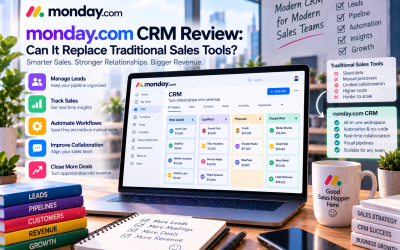
monday CRM
monday CRM is designed for sales teams and customer management.
Features include:
- Lead tracking
- Sales pipelines
- Contact management
- Deal management
- Customer communication
It provides businesses with a flexible alternative to traditional CRM platforms.
monday dev
monday dev focuses on software development teams.
It supports:
- Product roadmaps
- Feature planning
- Sprint management
- Development workflows
However, teams requiring advanced agile development features may still prefer specialized platforms such as Jira.
monday service
monday service helps customer support teams manage:
- Customer requests
- Support tickets
- Service workflows
- Response tracking
It enables organizations to create more efficient customer service operations.
Why Do Businesses Use monday.com?
1. Better Team Collaboration
One of the biggest challenges in modern organizations is communication fragmentation.
Employees often work across:
- Chat applications
- Documents
- Spreadsheets
monday.com centralizes project information into one workspace.
Team members can:
- Comment on tasks
- Share files
- Mention colleagues
- Track updates
- View progress
This improves transparency and reduces unnecessary meetings.
2. Increased Productivity Through Automation
Many business processes involve repetitive tasks.
Examples:
- Sending reminders
- Updating statuses
- Assigning tasks
- Notifying managers
monday.com automation allows teams to reduce manual work.
Example:
“When a project reaches 90% completion → notify the project manager.”
Automation helps employees focus on strategic work instead of administrative tasks.
3. Flexible Customization
Every company has different processes.
A marketing agency, software company, and manufacturing business will require different workflows.
monday.com allows users to customize:
- Boards
- Views
- Templates
- Automations
- Dashboards
This flexibility is one of the platform's biggest competitive advantages.
4. Improved Business Visibility
Managers often struggle to understand project performance across multiple teams.
monday.com dashboards provide:
- Project status
- Team workload
- Deadlines
- Performance metrics
Executives can quickly understand what is happening across the organization.
Real-World Use Cases of monday.com
Marketing Teams
Marketing departments use monday.com to manage:
- Content calendars
- SEO campaigns
- Advertising projects
- Social media planning
Example workflow:
Keyword Research → Content Writing → SEO Review → Publishing → Promotion
Software Companies
Technology companies use monday.com for:
- Product planning
- Feature requests
- Release management
It helps connect developers, designers, and product managers.
Agencies
Creative agencies often manage multiple clients simultaneously.
monday.com helps them track:
- Client requests
- Deadlines
- Team responsibilities
- Project progress
Small Businesses
Small companies use monday.com to replace:
- Excel spreadsheets
- Manual tracking
- Disconnected communication
It provides a simple system for organizing business operations.
Advantages of monday.com
User-Friendly Interface
monday.com is known for its attractive visual design and easy navigation.
Even users without technical backgrounds can quickly understand the platform.
Highly Customizable
Businesses can adapt monday.com to many industries and workflows.
Strong Integration Ecosystem
monday.com connects with popular tools including:
- Google Workspace
- Microsoft Teams
- Slack
- Salesforce
- Zapier
This allows businesses to integrate existing systems.
Limitations of monday.com
Can Become Expensive
While monday.com offers strong value, pricing can increase as teams grow and require advanced features.
Large organizations should carefully evaluate long-term costs.
Requires Workflow Planning
Because monday.com is highly flexible, companies need time to design effective workflows.
Poorly structured boards can become complicated.
Not Always Ideal for Specialized Teams
Engineering teams requiring advanced agile development features may prefer dedicated developer platforms.
Who Should Use monday.com?
monday.com is best suited for:
✅ Small and medium businesses
✅ Marketing teams
✅ Remote teams
✅ Agencies
✅ Operations departments
✅ Companies looking to replace spreadsheets
It may not be ideal for:
❌ Individuals needing only simple task lists
❌ Teams requiring highly specialized software development tools
❌ Companies looking for the cheapest solution at scale
Final Verdict: Is monday.com Worth Using?
monday.com is one of the most flexible and user-friendly work management platforms available today.
Its biggest strengths include:
- Simple visual workflow management
- Powerful customization
- Automation capabilities
- Strong collaboration features
- Support for multiple business functions
While pricing and complexity at scale can be concerns, the platform provides significant value for organizations looking to improve productivity and workflow visibility.
For businesses seeking a modern alternative to spreadsheets and disconnected productivity tools, monday.com is a strong choice in 2026.
Overall Rating: 8.8/10
Best For:
Businesses that need a flexible platform to manage projects, teams, and operations.
Final Recommendation:
monday.com is highly recommended for companies that prioritize usability, customization, and scalable workflow management.








Write Your Review
No reviews yet. Be the first to share your experience!