
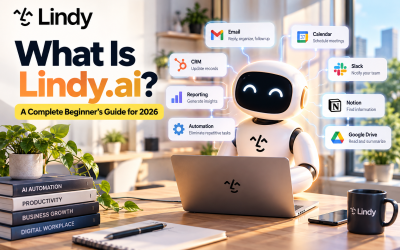
Every business relies on workflows. Whether it's responding to emails, updating CRM records, scheduling meetings, or generating weekly reports, employees spend countless hours completing repetitive administrative tasks.
While these activities are essential, they rarely contribute directly to innovation or business growth. Instead, they consume valuable time that could be spent on strategic work.
This is where Lindy.ai Workflow Automation comes in.
Unlike traditional automation tools that simply follow predefined rules, Lindy.ai combines AI-powered decision-making with workflow automation. The result is an intelligent digital teammate capable of understanding context, interacting with multiple applications, and completing entire business processes with minimal human intervention.
In this guide, we'll explore how Lindy.ai Workflow Automation works, its key benefits, and practical ways businesses can use it to eliminate repetitive tasks.
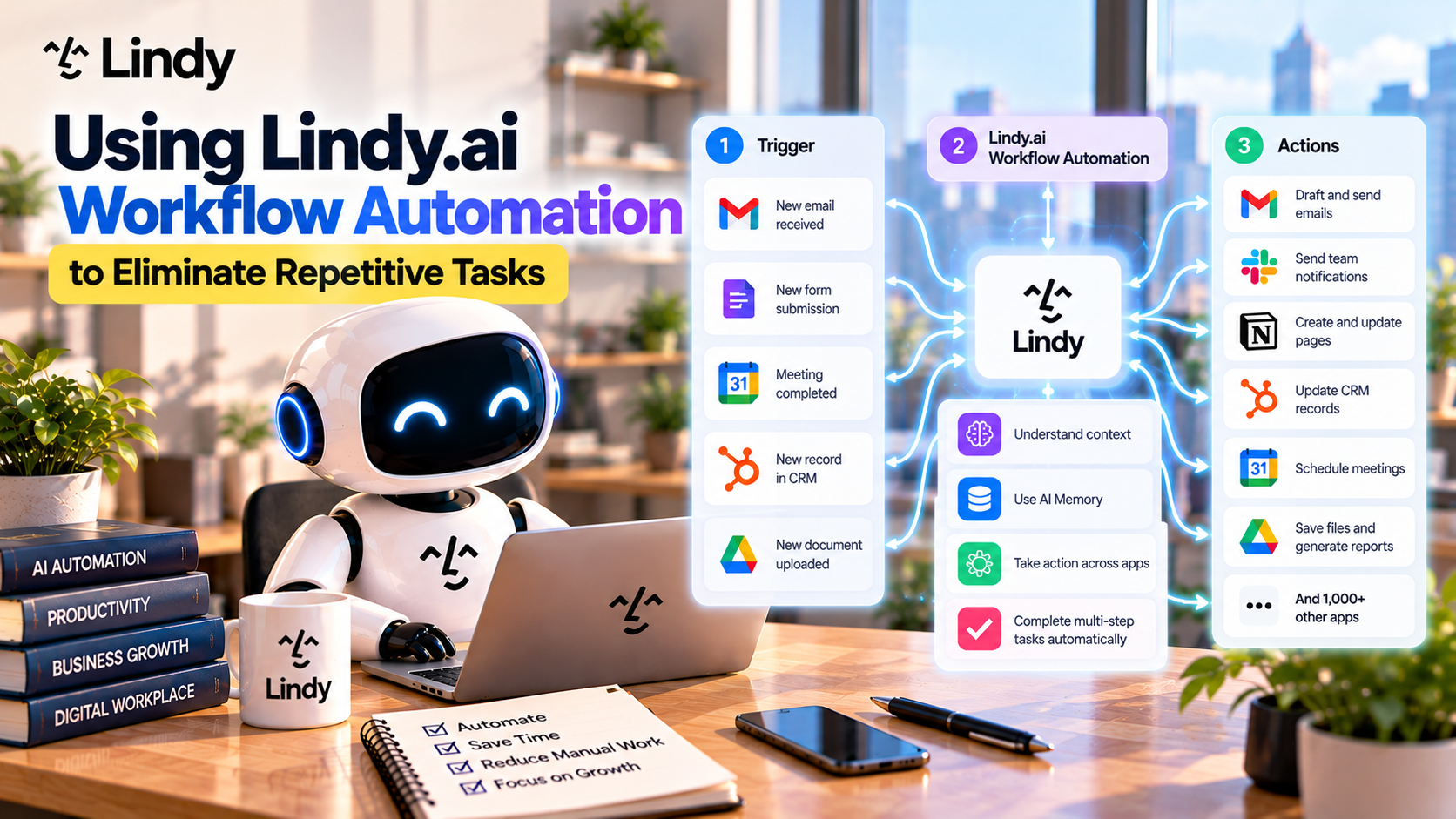
Table of Contents
- What Is Workflow Automation?
- How Lindy.ai Workflow Automation Works
- Key Workflow Components
- Common Business Workflows
- Benefits of AI-Powered Automation
- Best Practices
- Final Thoughts
- Frequently Asked Questions
What Is Workflow Automation?
Workflow automation is the process of using software to perform repetitive tasks automatically.
Instead of manually completing each step, an automated workflow executes actions based on predefined triggers and conditions.
Traditional automation platforms are excellent for simple “if-this-then-that” scenarios.
For example:
- When a customer submits a form → Send a confirmation email.
- When a file is uploaded → Save it to cloud storage.
- When a meeting ends → Create meeting notes.
However, many real business processes require more than simple rules.
They require understanding, reasoning, and decision-making.
That's exactly where Lindy.ai stands apart.
How Lindy.ai Workflow Automation Works
Lindy.ai combines workflow automation with intelligent AI agents.
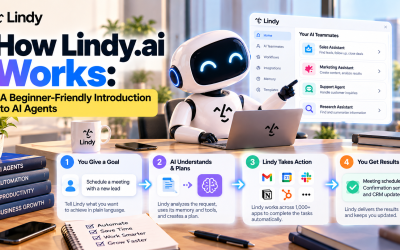
A typical workflow follows five simple stages.
Step 1 – Trigger
Every workflow begins with an event.
Examples include:
- A new email arrives
- A customer submits a contact form
- A meeting is scheduled
- A CRM deal changes stage
- A document is uploaded
- A Slack message is received
- A scheduled time is reached
The trigger tells Lindy.ai when to begin working.
Step 2 – Gather Information
Once activated, Lindy.ai collects relevant information from connected applications.
For example, it may retrieve:
- Customer information from HubSpot
- Calendar availability from Google Calendar
- Documents from Google Drive
- Internal knowledge from Notion
- Messages from Slack
- Contact information from Salesforce
Instead of manually searching across different systems, AI gathers everything automatically.
Step 3 – AI Understands the Context
This is what separates Lindy.ai from traditional automation software.
Rather than simply executing predefined rules, AI analyzes the available information before deciding what action should happen next.
For example, AI can:
- Prioritize urgent customer requests
- Classify incoming emails
- Summarize documents
- Analyze meeting discussions
- Personalize communications
- Recommend next steps
Because AI understands context, workflows become much more flexible.
Step 4 – Execute Actions
After analyzing the situation, Lindy.ai performs the required actions.
Examples include:
- Sending emails
- Updating CRM records
- Scheduling meetings
- Posting Slack notifications
- Creating project tasks
- Generating reports
- Saving files
- Assigning responsibilities
Multiple actions can occur automatically within a single workflow.
Step 5 – Continue the Process
Many workflows don't end after one task.
Lindy.ai can continue working by:
- Monitoring follow-ups
- Sending reminders
- Updating records
- Triggering additional workflows
- Notifying team members
This creates fully automated end-to-end business processes.
Key Workflow Components
AI Decision-Making
Unlike rule-based automation, Lindy.ai uses AI to determine the best action based on available information.
This enables workflows to adapt to changing situations.
Multi-App Integration
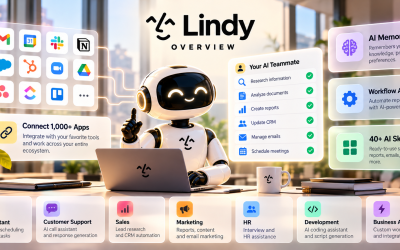
Lindy.ai integrates with more than 1,000 applications, including:
- Gmail
- Google Calendar
- Slack
- Notion
- HubSpot
- Salesforce
- Zoom
- Airtable
- ClickUp
- GitHub
- Google Drive
- Dropbox
- monday.com
- Stripe
- Asana
AI workflows can move seamlessly across these platforms.
Persistent Memory
AI Memory allows workflows to remember:
- Customer preferences
- Company policies
- Previous conversations
- Team instructions
- Workflow history
This makes automation smarter over time.
AI Teammates
Businesses can build specialized AI teammates responsible for different workflows.
Examples include:
- Sales Assistant
- Marketing Assistant
- HR Coordinator
- Customer Support Agent
- Executive Assistant
Each AI teammate handles tasks relevant to its role.
Common Business Workflows
Email Management
Instead of manually managing inboxes, Lindy.ai can:
- Categorize incoming emails
- Draft replies
- Send responses
- Schedule follow-ups
- Notify team members
Sales Automation
Sales teams can automate:
- Lead qualification
- CRM updates
- Meeting scheduling
- Sales summaries
- Follow-up emails
This allows sales representatives to spend more time closing deals.
Customer Support
Customer support workflows include:
- Classifying tickets
- Drafting responses
- Escalating urgent requests
- Retrieving knowledge articles
- Updating support records
Support becomes faster and more consistent.
Marketing Operations
Marketing teams can automate:
- Campaign reporting
- Competitor research
- Content summaries
- Email campaigns
- Performance dashboards
Routine reporting requires much less manual effort.
Human Resources
HR workflows include:
- Interview scheduling
- Candidate communication
- Employee onboarding
- Document collection
- Recruitment tracking
AI reduces administrative work while improving employee experiences.
A Practical Example
Imagine a potential customer requests a product demonstration through your website.
Without automation, someone typically needs to:
- Read the inquiry
- Check the calendar
- Schedule the meeting
- Send a confirmation email
- Create a CRM record
- Notify the sales representative
- Prepare meeting notes
- Schedule follow-up reminders
With Lindy.ai Workflow Automation, the process happens automatically:
- Detect the new inquiry.
- Retrieve customer details.
- Qualify the lead using AI.
- Find available meeting times.
- Schedule the demo.
- Send confirmation emails.
- Update the CRM.
- Notify the sales team in Slack.
- Create follow-up tasks.
- Generate meeting summaries after the call.
What once required multiple manual steps is completed by an AI agent in minutes.
Benefits of Lindy.ai Workflow Automation
Save Time
Routine administrative work is completed automatically, allowing employees to focus on higher-value activities.
Reduce Human Error
Automation minimizes mistakes caused by manual data entry or missed follow-ups.
Improve Consistency
Every workflow follows the same standards, ensuring reliable execution across teams.
Increase Productivity
Teams spend less time switching between applications and more time delivering meaningful results.
Scale Operations
As businesses grow, AI workflows can handle increasing workloads without requiring additional administrative staff.
Best Practices
To maximize the value of Lindy.ai Workflow Automation:
Start Small
Begin with one repetitive process, such as email follow-ups or meeting scheduling, before automating larger workflows.
Connect Your Core Applications
Integrate the software your team already uses to reduce manual work and improve data flow.
Use AI Memory
Store company knowledge, customer preferences, and internal documentation to improve workflow accuracy.
Monitor and Optimize
Regularly review automated workflows and refine them as business needs evolve.
Final Thoughts
Workflow automation is no longer just about connecting applications—it is about enabling AI to understand work, make decisions, and complete tasks autonomously.
Lindy.ai represents this next generation of business automation by combining intelligent AI agents, persistent memory, workflow orchestration, and deep software integrations into a single platform.
Whether you're a startup looking to save time or an enterprise seeking to streamline operations, Lindy.ai Workflow Automation provides a scalable way to eliminate repetitive tasks and empower teams to focus on work that truly matters.

Write Your Review
No reviews yet. Be the first to share your experience!