
Artificial intelligence has become an essential tool for businesses, but not all AI platforms are built the same. While most people are familiar with AI chatbots that answer questions or generate content, a new category of software—AI agents—is changing how work gets done.
Lindy.ai is one of the leading AI agent platforms designed to automate complex business tasks instead of simply responding to prompts. It acts like a digital teammate that can interact with your business applications, make decisions, and complete workflows with minimal human involvement.
If you're new to AI agents, this guide explains how Lindy.ai works, what makes it different from traditional AI assistants, and how businesses use it to save time and increase productivity.
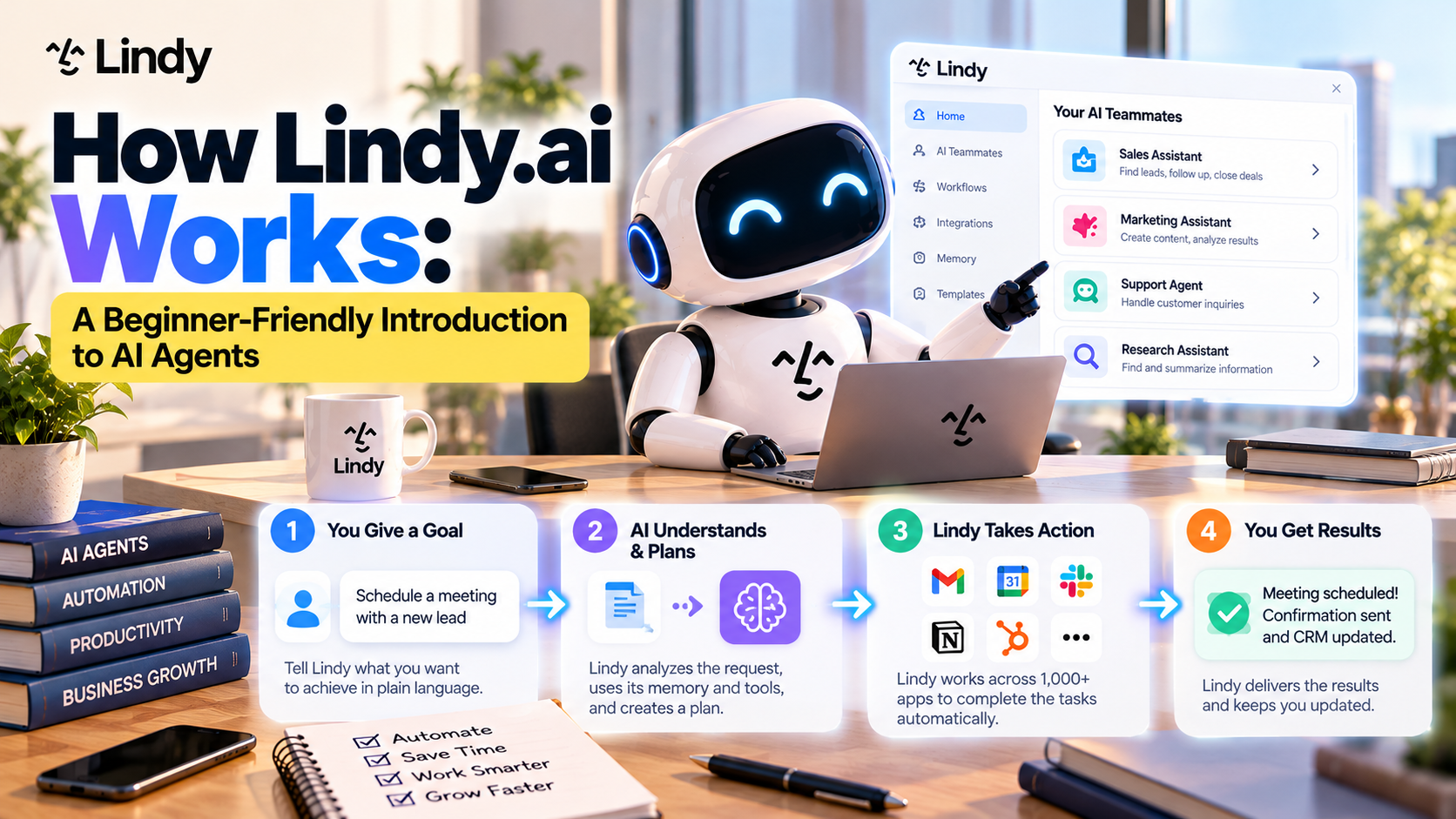
Table of Contents
- What Is an AI Agent?
- How Lindy.ai Works
- The Four-Step Workflow
- Core Components of Lindy.ai
- Real-World Examples
- AI Agents vs Traditional Chatbots
- Benefits of Using Lindy.ai
- Who Should Use Lindy.ai?
- Final Thoughts
- Frequently Asked Questions
What Is an AI Agent?
An AI agent is an intelligent software assistant that can perform tasks on your behalf.
Unlike a chatbot that simply answers questions, an AI agent can:
- Understand instructions
- Access business information
- Make decisions
- Use connected applications
- Complete multi-step workflows
- Deliver results automatically
Think of an AI agent as a digital employee rather than a digital search engine.
Instead of asking AI for help every few minutes, you assign it a responsibility, and it carries out the work.
How Lindy.ai Works
Lindy.ai combines artificial intelligence with workflow automation and software integrations.
Rather than operating in a single chat window, Lindy.ai connects with your business tools and performs actions across them.
A typical workflow follows this process:
Step 1: Receive a Trigger
Every workflow begins with an event.
Examples include:
- A new email arrives
- A customer books a meeting
- A new CRM lead is created
- A Slack message is received
- A document is uploaded
- A scheduled time is reached
These triggers tell Lindy.ai when to begin working.
Step 2: Gather Information
Once triggered, Lindy.ai collects the information it needs from connected applications.
For example, it may retrieve:
- Customer details from HubSpot
- Calendar availability from Google Calendar
- Documents from Google Drive
- Meeting history from Zoom
- Team messages from Slack
- Notes from Notion
Instead of asking users to manually copy and paste information, Lindy.ai gathers it automatically.
Step 3: AI Understands the Context
This is where artificial intelligence becomes valuable.
Rather than following rigid automation rules, Lindy.ai analyzes the available information and determines what should happen next.
For example, it can:
- Summarize documents
- Classify customer requests
- Prioritize tasks
- Generate personalized emails
- Analyze meeting discussions
- Create reports
- Decide which workflow to execute
This allows workflows to adapt intelligently instead of relying only on fixed conditions.
Step 4: Take Action
After making a decision, Lindy.ai completes the required actions.
Examples include:
- Sending emails
- Scheduling meetings
- Updating CRM records
- Posting Slack notifications
- Creating tasks
- Generating reports
- Saving files
- Notifying team members
The workflow finishes automatically without requiring users to switch between multiple applications.
The Core Components of Lindy.ai
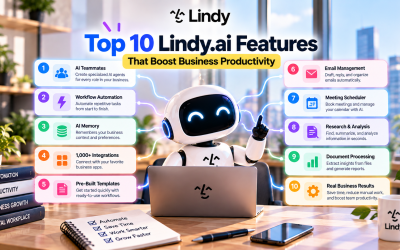
AI Teammates
Lindy.ai enables businesses to create specialized AI teammates for different roles.
Examples include:
- Sales Assistant
- Marketing Coordinator
- Executive Assistant
- Customer Support Agent
- Recruiting Assistant
- Operations Manager
Each teammate can have unique responsibilities and workflows.
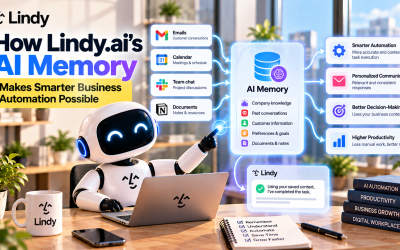
AI Memory
One of Lindy's most powerful capabilities is persistent memory.
Instead of starting every conversation from scratch, AI agents can remember:
- Company knowledge
- Business processes
- Customer preferences
- Team instructions
- Previous interactions
This makes automation more accurate and personalized over time.
Workflow Automation
Lindy.ai combines AI reasoning with automation.
Users can automate repetitive tasks such as:
- Email follow-ups
- Lead qualification
- Meeting summaries
- Daily reports
- CRM updates
- Calendar management
- Internal approvals
Unlike traditional automation platforms, AI can understand context before deciding what action to take.
Integrations
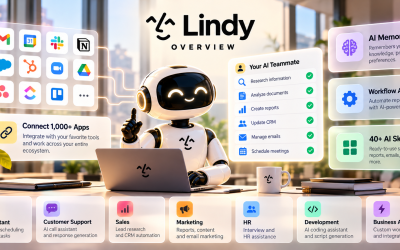
Lindy.ai works with more than 1,000 business applications.
Popular integrations include:
- Gmail
- Google Calendar
- Slack
- Notion
- Zoom
- HubSpot
- Salesforce
- Airtable
- ClickUp
- GitHub
- Google Drive
- Dropbox
- monday.com
- Asana
- Stripe
Because information flows between connected apps, teams spend less time manually transferring data.
A Real-World Example
Imagine a sales representative receives a meeting request from a potential customer.
Without automation, the workflow might look like this:
- Check email
- Open calendar
- Schedule meeting
- Send confirmation
- Update CRM
- Notify sales manager
- Prepare meeting agenda
- Write follow-up reminders
Each step requires manual effort.
With Lindy.ai, the AI agent can:
- Detect the meeting request.
- Check calendar availability.
- Schedule the meeting automatically.
- Send confirmation emails.
- Update the CRM.
- Notify the sales team in Slack.
- Generate meeting notes after the call.
- Schedule follow-up emails.
The employee simply attends the meeting while Lindy.ai handles the administrative work.
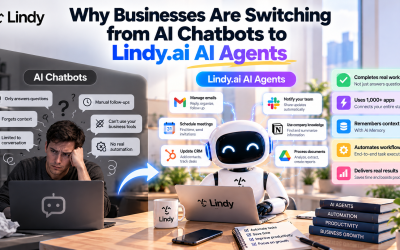
AI Agents vs Traditional Chatbots
Although both use artificial intelligence, their purposes are different.
| Traditional Chatbot | Lindy.ai AI Agent |
|---|---|
| Answers questions | Completes business tasks |
| Waits for prompts | Works automatically |
| Limited application access | Connects with 1,000+ apps |
| Temporary conversations | Persistent memory |
| Generates text | Executes workflows |
| One task at a time | Multi-step automation |
This shift from conversation to execution is what makes AI agents particularly valuable for businesses.
Benefits of Using Lindy.ai
Organizations adopt Lindy.ai for several reasons.
Save Time
Routine administrative work can be completed automatically, allowing employees to focus on strategic initiatives.
Reduce Human Error
Automated workflows help eliminate mistakes caused by manual data entry or forgotten follow-up tasks.
Improve Collaboration
By integrating with communication and project management tools, Lindy.ai keeps everyone informed without extra effort.
Increase Productivity
Teams spend less time switching between applications and more time completing meaningful work.
Scale Operations
As businesses grow, AI agents can handle increasing workloads without requiring proportional increases in staffing.
Who Should Use Lindy.ai?
Lindy.ai is suitable for professionals and organizations of all sizes, including:
- Entrepreneurs
- Freelancers
- Startups
- Small businesses
- Marketing agencies
- Sales teams
- Customer support departments
- HR professionals
- Operations managers
- Enterprise organizations
If your work involves repetitive processes across multiple software platforms, Lindy.ai can significantly improve efficiency.
Final Thoughts
Lindy.ai represents a new generation of AI-powered productivity tools that move beyond simple conversations. By combining intelligent AI agents, workflow automation, persistent memory, and deep software integrations, it enables businesses to automate real work instead of just generating answers.
As organizations continue to embrace AI-driven operations, platforms like Lindy.ai are becoming essential for reducing manual effort, improving collaboration, and scaling business processes. Whether you're a solo entrepreneur or part of a large enterprise, understanding how AI agents work is the first step toward building a more efficient and productive workplace.
Write Your Review
No reviews yet. Be the first to share your experience!