
Artificial intelligence is rapidly transforming the way businesses operate. While many AI tools focus on generating text or answering questions, a new generation of platforms is designed to perform actual work. Lindy.ai is one of the leading solutions in this category.
Instead of acting as a simple chatbot, Lindy.ai functions as an AI teammate that can automate repetitive tasks, manage workflows, connect business applications, and assist teams across multiple departments.
Whether you're exploring AI automation for the first time or looking to replace manual processes with intelligent agents, this guide provides everything you need to know before getting started with Lindy.ai.
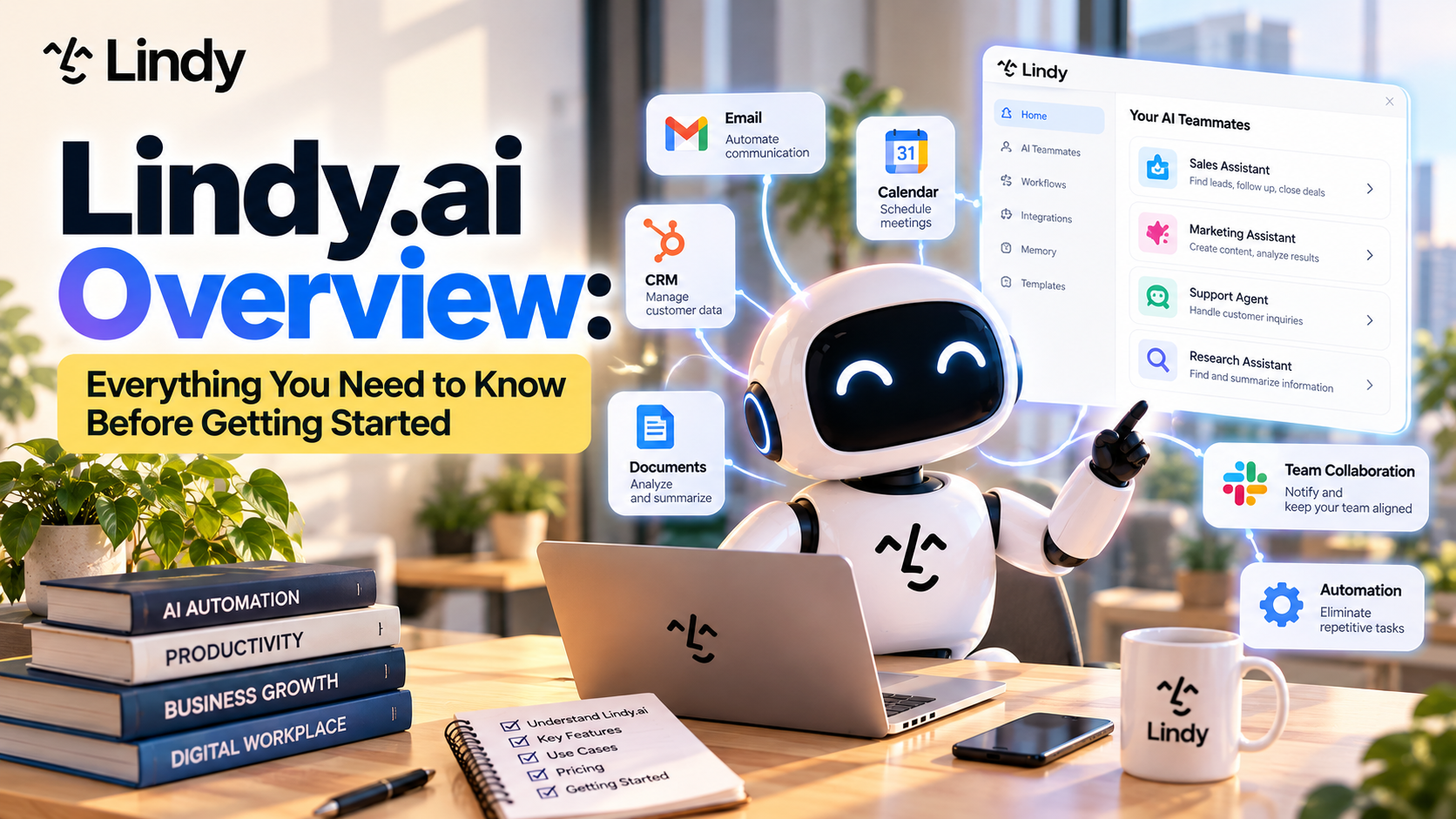
Table of Contents
- What Is Lindy.ai?
- Why Lindy.ai Is Different
- Core Features
- Business Use Cases
- Integrations
- Pricing Overview
- Benefits and Limitations
- Who Should Use Lindy.ai?
- Final Thoughts
- Frequently Asked Questions
What Is Lindy.ai?
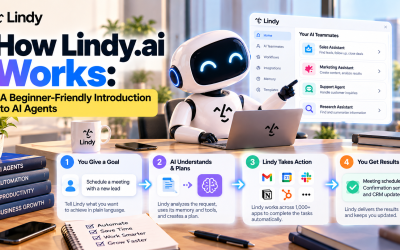
Lindy.ai is an AI-powered automation platform that enables users to create intelligent AI agents capable of completing business tasks across multiple applications.
Unlike traditional AI assistants that require continuous prompting, Lindy.ai can work independently by following predefined workflows, making decisions based on context, and interacting with external tools.
You can think of Lindy.ai as a digital employee that helps automate daily operations, improve productivity, and reduce manual work.
Typical tasks include:
- Writing and replying to emails
- Scheduling meetings
- Updating CRM records
- Researching information
- Generating reports
- Summarizing meetings
- Managing customer communications
- Coordinating internal workflows
The goal is to help businesses save time while allowing employees to focus on strategic work.
Why Lindy.ai Is Different
Many AI platforms provide excellent conversational capabilities, but Lindy.ai extends beyond conversations by combining AI reasoning with workflow automation.
Its biggest differentiator is the ability to perform complete tasks instead of simply generating responses.
For example, instead of asking AI to write an email and then manually sending it, Lindy.ai can:
- Draft the email
- Personalize the content
- Send it automatically
- Update your CRM
- Notify your team in Slack
- Schedule follow-up reminders
This end-to-end automation makes Lindy.ai much more than an AI writing assistant.
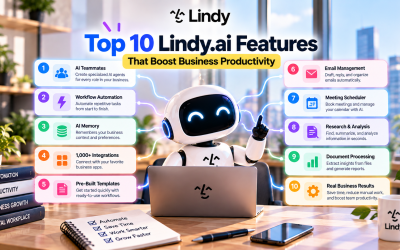
Core Features
AI Teammates
Lindy.ai allows users to build specialized AI teammates that handle different responsibilities within an organization.
Examples include:
- Sales Assistant
- Marketing Assistant
- Customer Support Agent
- Executive Assistant
- Recruiting Assistant
- Operations Coordinator
Each AI teammate can be customized with its own workflows, knowledge, and responsibilities.
Workflow Automation
Automation is at the heart of Lindy.ai.
The platform enables users to build workflows that combine AI decision-making with automated actions.
Common examples include:
- Lead qualification
- Customer follow-ups
- Meeting scheduling
- Daily reports
- CRM synchronization
- Internal notifications
- Task assignments
Because AI understands context, workflows can adapt to different situations rather than following rigid rules.
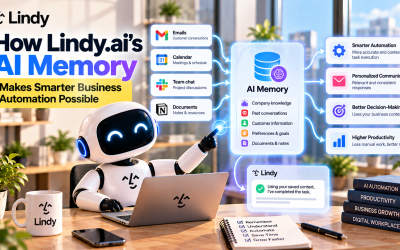
AI Memory
Lindy.ai includes a persistent memory system that helps AI agents retain useful information over time.
The platform can remember:
- Company policies
- Product information
- Customer preferences
- Internal documentation
- Workflow history
- Team instructions
This reduces repetitive prompting and enables more personalized automation.
AI Skills
Lindy.ai provides dozens of built-in AI skills to help users complete common business tasks.
Examples include:
- Research
- Report generation
- Email drafting
- Meeting summaries
- Document analysis
- CRM updates
- Data extraction
- Coding assistance
Businesses can also create reusable custom skills tailored to their operations.
Extensive Integrations
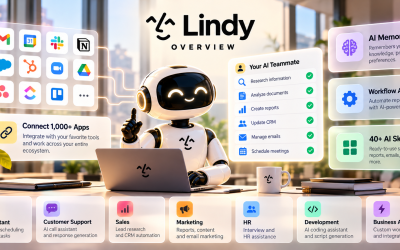
One of Lindy.ai's greatest strengths is its ability to connect with over 1,000 applications.
Popular integrations include:
- Gmail
- Google Calendar
- Slack
- Notion
- Zoom
- HubSpot
- Salesforce
- Airtable
- Google Drive
- Dropbox
- ClickUp
- GitHub
- monday.com
- Stripe
- Asana
These integrations allow AI agents to access information, trigger actions, and synchronize data without manual intervention.
Business Use Cases
Lindy.ai supports a wide variety of industries and teams.
Sales
Sales professionals can automate:
- Lead qualification
- CRM updates
- Meeting scheduling
- Sales call summaries
- Follow-up emails
Marketing
Marketing teams use Lindy.ai to:
- Research competitors
- Draft campaign content
- Generate performance reports
- Organize marketing assets
- Coordinate projects
Customer Support
Support teams benefit from:
- Automated responses
- Ticket summaries
- Knowledge retrieval
- Customer follow-ups
- Internal documentation
Human Resources
HR departments can streamline:
- Candidate screening
- Interview scheduling
- Employee onboarding
- Internal communications
- Recruitment workflows
Operations
Operations teams automate:
- Process documentation
- Daily reporting
- Workflow approvals
- Team coordination
- Administrative tasks
Why Businesses Choose Lindy.ai
Organizations increasingly adopt Lindy.ai because it helps reduce repetitive work while improving consistency and productivity.
Key advantages include:
- Faster task completion
- Reduced manual data entry
- Improved collaboration
- Better workflow visibility
- Consistent execution
- AI-powered decision support
- Scalable automation
Instead of replacing employees, Lindy.ai enables teams to spend more time on creative and strategic work.
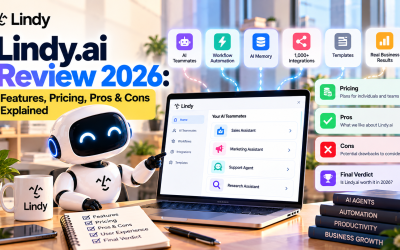
Pricing Overview
Lindy.ai uses a flexible credit-based pricing model.
Available plans typically include:
- Free
- Plus / Team
- Pro
- Max
- Enterprise
Each plan offers different levels of credits, integrations, collaboration features, and enterprise capabilities.
This pricing structure allows businesses to scale usage based on workload rather than paying only for AI conversations.
Benefits and Limitations
Benefits
- Easy-to-use interface
- AI-powered workflow automation
- More than 1,000 integrations
- Persistent AI memory
- Flexible AI agents
- Enterprise security
- Team collaboration features
Limitations
- Advanced workflows require planning
- Credit usage may vary depending on automation complexity
- Some premium features are limited to higher-tier plans
- New users may need time to understand workflow design
Who Should Use Lindy.ai?
Lindy.ai is suitable for organizations of all sizes, including:
- Entrepreneurs
- Freelancers
- Small businesses
- Startups
- Marketing agencies
- Sales organizations
- Customer support teams
- HR departments
- Operations managers
- Large enterprises
If your daily work involves repetitive processes across multiple applications, Lindy.ai can significantly reduce manual effort.
Final Thoughts
Lindy.ai is part of a growing movement toward AI-powered digital coworkers that do much more than generate content.
By combining intelligent AI agents, workflow automation, persistent memory, and extensive integrations, the platform helps businesses automate complex processes without sacrificing flexibility.
For companies looking to improve productivity, reduce repetitive work, and embrace AI-driven operations, Lindy.ai offers a powerful and future-ready solution.
As AI agents become increasingly common in modern workplaces, platforms like Lindy.ai are likely to play a central role in how teams collaborate and automate work in the years ahead.

Write Your Review
No reviews yet. Be the first to share your experience!