
Building a high-converting landing page is only the first step in a successful digital marketing strategy. Once visitors submit a form or sign up for an offer, businesses need an efficient way to capture, organize, and nurture those leads. Manually exporting contact lists and importing them into email marketing or CRM systems is time-consuming, error-prone, and can delay follow-up.
This is where integrations become essential.
Leadpages connects seamlessly with many of the world's leading marketing platforms, allowing businesses to automate lead management and create a smooth workflow from visitor acquisition to customer conversion. Whether you're growing an email list, managing sales opportunities, or tracking campaign performance, integrating Leadpages with your existing marketing stack can significantly improve productivity.
In this guide, we'll explain how to connect Leadpages with Mailchimp, HubSpot, Salesforce, Zapier, Google Analytics, and other popular tools, along with best practices for building an efficient marketing automation workflow.
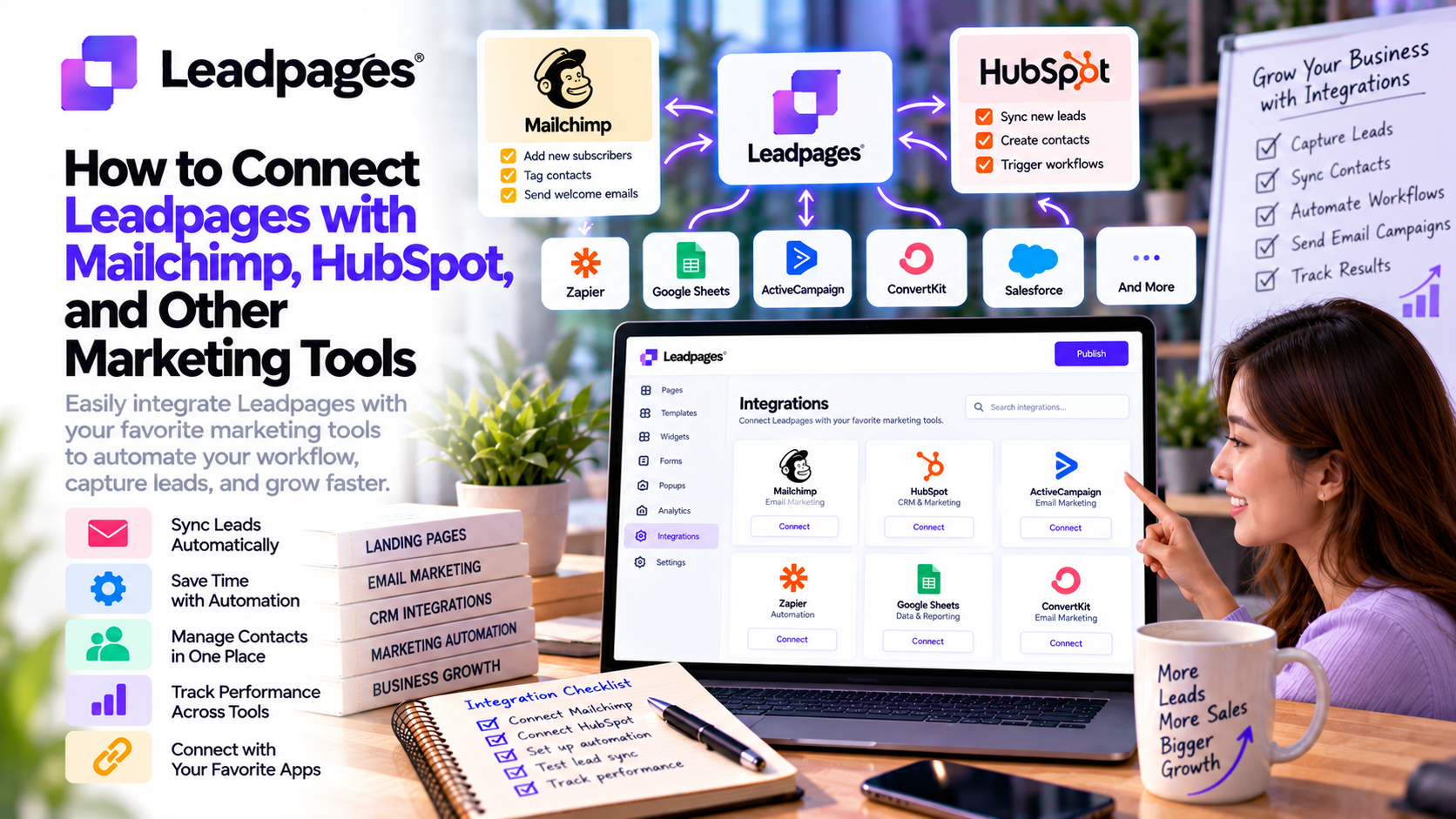
Why Integrate Leadpages with Marketing Tools?
Without integrations, marketers often have to:
- Export CSV files manually
- Upload contact lists into email platforms
- Copy leads into CRM systems
- Track conversions using multiple dashboards
- Repeat the same administrative tasks every day
Automation eliminates these repetitive processes.
By connecting Leadpages with your marketing tools, every new lead can automatically flow into your preferred platform, ensuring faster follow-up and better customer experiences.
Benefits of Leadpages Integrations
Businesses that connect Leadpages with their marketing ecosystem can:
- Automate lead collection
- Reduce manual data entry
- Improve response times
- Trigger email sequences instantly
- Synchronize CRM records
- Measure campaign performance
- Increase sales efficiency
Instead of spending time managing data, teams can focus on nurturing leads and closing more deals.
Connecting Leadpages with Mailchimp
Mailchimp is one of the most widely used email marketing platforms for small and medium-sized businesses.
Integrating Leadpages with Mailchimp allows every new subscriber captured through a landing page to be automatically added to a selected email audience.
Common Use Cases
- Newsletter subscriptions
- Lead magnet downloads
- Webinar registrations
- Product launch announcements
- Promotional campaigns
Benefits
- Automatic contact synchronization
- Welcome email automation
- Audience segmentation
- Email campaign tracking
- Reduced manual work
This integration helps businesses start nurturing leads immediately after they subscribe.
Connecting Leadpages with HubSpot
HubSpot combines CRM, email marketing, sales automation, and customer service into a single platform.
When connected with Leadpages, new leads can be automatically added to your HubSpot CRM.
Common Use Cases
- Free trial registrations
- Demo requests
- Consultation bookings
- B2B lead generation
- Sales pipeline management
Benefits
- Automatic contact creation
- Lead scoring
- Workflow automation
- Sales notifications
- Personalized follow-up
For growing businesses, this integration creates a seamless connection between marketing and sales teams.
Connecting Leadpages with Salesforce
Salesforce is one of the world's leading enterprise CRM platforms.
Businesses can connect Leadpages to Salesforce to streamline lead management across larger sales teams.
Typical Workflows
- Landing page submission
- Lead creation
- Sales assignment
- Follow-up automation
- Opportunity tracking
Sales representatives receive qualified leads immediately without manual imports.
Connecting Leadpages with Zapier
Zapier extends Leadpages' functionality by connecting it with thousands of applications.
Instead of building custom integrations, marketers can automate workflows between Leadpages and tools such as:
- Slack
- Google Sheets
- Trello
- Asana
- Airtable
- Notion
- Microsoft Teams
- Discord
Example Automation
Visitor submits a Leadpages form →
Contact added to Mailchimp →
Lead added to HubSpot →
Slack notification sent →
Google Sheet updated automatically.
This level of automation significantly reduces repetitive administrative work.
Connecting Leadpages with Google Analytics
Understanding visitor behavior is essential for improving conversion rates.
Integrating Leadpages with Google Analytics helps businesses monitor:
- Landing page traffic
- Conversion rates
- User engagement
- Traffic sources
- Campaign performance
- Device usage
- Bounce rates
These insights enable marketers to make informed decisions and continually optimize their campaigns.
Other Popular Leadpages Integrations
Leadpages also supports integrations with numerous marketing and business tools, including:
Email Marketing
- ActiveCampaign
- ConvertKit
- AWeber
- Constant Contact
- Drip
- GetResponse
CRM Platforms
- Zoho CRM
- Pipedrive
- Keap (formerly Infusionsoft)
Scheduling Tools
- Calendly
- Acuity Scheduling
Payment Platforms
- Stripe
Webinar Platforms
- Zoom
- GoTo Webinar (via integrations)
These integrations allow businesses to build complete marketing and sales workflows around their landing pages.
Best Practices for Leadpages Integrations
Connect Before Launching
Always test integrations before publishing a landing page.
Verify that:
- Form submissions are received
- Contacts are added correctly
- Email automations trigger
- CRM records are created
- Notifications are delivered
Testing prevents lost leads.
Organize Contacts with Tags
As leads enter your CRM or email platform, apply tags based on:
- Campaign
- Lead magnet
- Traffic source
- Product interest
- Customer segment
Segmentation enables more personalized follow-up campaigns.
Automate Welcome Emails
Respond quickly when someone submits a form.
An automated welcome email can:
- Deliver the promised resource
- Introduce your brand
- Explain next steps
- Encourage further engagement
Fast communication improves the overall customer experience.
Track Every Campaign
Use analytics and CRM reporting to monitor:
- Landing page conversions
- Email open rates
- Lead quality
- Sales pipeline performance
- Customer acquisition costs
Continuous measurement helps identify opportunities for optimization.
Review Integrations Regularly
As your marketing stack evolves, periodically review your integrations to ensure:
- APIs remain connected
- Automations function correctly
- Contact data stays synchronized
- New marketing tools are incorporated where appropriate
Routine maintenance prevents workflow disruptions.
Common Integration Mistakes
Avoid these common errors:
❌ Publishing pages before testing integrations
❌ Sending all leads to one generic email list
❌ Forgetting to tag contacts
❌ Not creating automated follow-up emails
❌ Ignoring CRM updates
❌ Using duplicate workflows
❌ Failing to monitor analytics
A well-planned automation strategy saves time and improves lead quality.
Real-World Use Cases
SaaS Companies
Automatically send free trial sign-ups from Leadpages to HubSpot, where sales teams can track user onboarding and follow-up activities.
Ecommerce Brands
Connect Leadpages with Mailchimp to deliver discount codes and launch personalized email campaigns for new subscribers.
Marketing Agencies
Use Zapier to distribute leads to CRM systems, project management tools, and internal communication platforms for faster client onboarding.
Coaches and Consultants
Integrate Leadpages with Calendly and ActiveCampaign to automate consultation bookings, reminders, and nurture sequences.
Local Businesses
Capture service inquiries through Leadpages and automatically assign leads to sales representatives using Salesforce or Zoho CRM.
Why Leadpages Integrations Matter
Marketing today relies on connected systems rather than isolated tools.
Leadpages serves as the entry point for many customer journeys, while integrations ensure every lead moves efficiently through your marketing and sales funnel.
Instead of manually transferring data between platforms, businesses can automate repetitive tasks, improve response times, and create a more consistent customer experience.
For growing companies, these integrations save valuable time while supporting scalable marketing operations.
Final Verdict
Leadpages becomes significantly more powerful when integrated with your broader marketing ecosystem. Whether you're using Mailchimp for email marketing, HubSpot or Salesforce for CRM, Zapier for workflow automation, or Google Analytics for performance tracking, seamless integrations help transform simple landing pages into complete lead generation systems.
By automating contact management, triggering follow-up campaigns, synchronizing customer data, and providing actionable insights, Leadpages allows businesses to focus on building relationships instead of handling repetitive administrative tasks. These integrations not only improve operational efficiency but also increase the likelihood of converting leads into loyal customers.
For businesses looking to streamline their marketing processes and maximize the value of every lead, connecting Leadpages with the right tools is an essential step toward sustainable growth.


Write Your Review
No reviews yet. Be the first to share your experience!