
Email marketing is one of the most effective ways to build relationships and generate sales, but manually sending emails to every new subscriber quickly becomes impossible as your audience grows. Fortunately, automation can handle repetitive tasks while delivering a personalized experience.
One of the biggest reasons creators choose Kit (formerly ConvertKit) is its Visual Automation feature. Instead of manually managing every subscriber, Kit lets you build intelligent workflows that automatically respond to user behavior.
Whether you're a blogger, affiliate marketer, YouTuber, coach, or course creator, Visual Automation can save hours of work every week while improving engagement and conversions.
In this guide, we'll explore how Kit's Visual Automation works, its key features, and how you can use it to grow your business more efficiently.
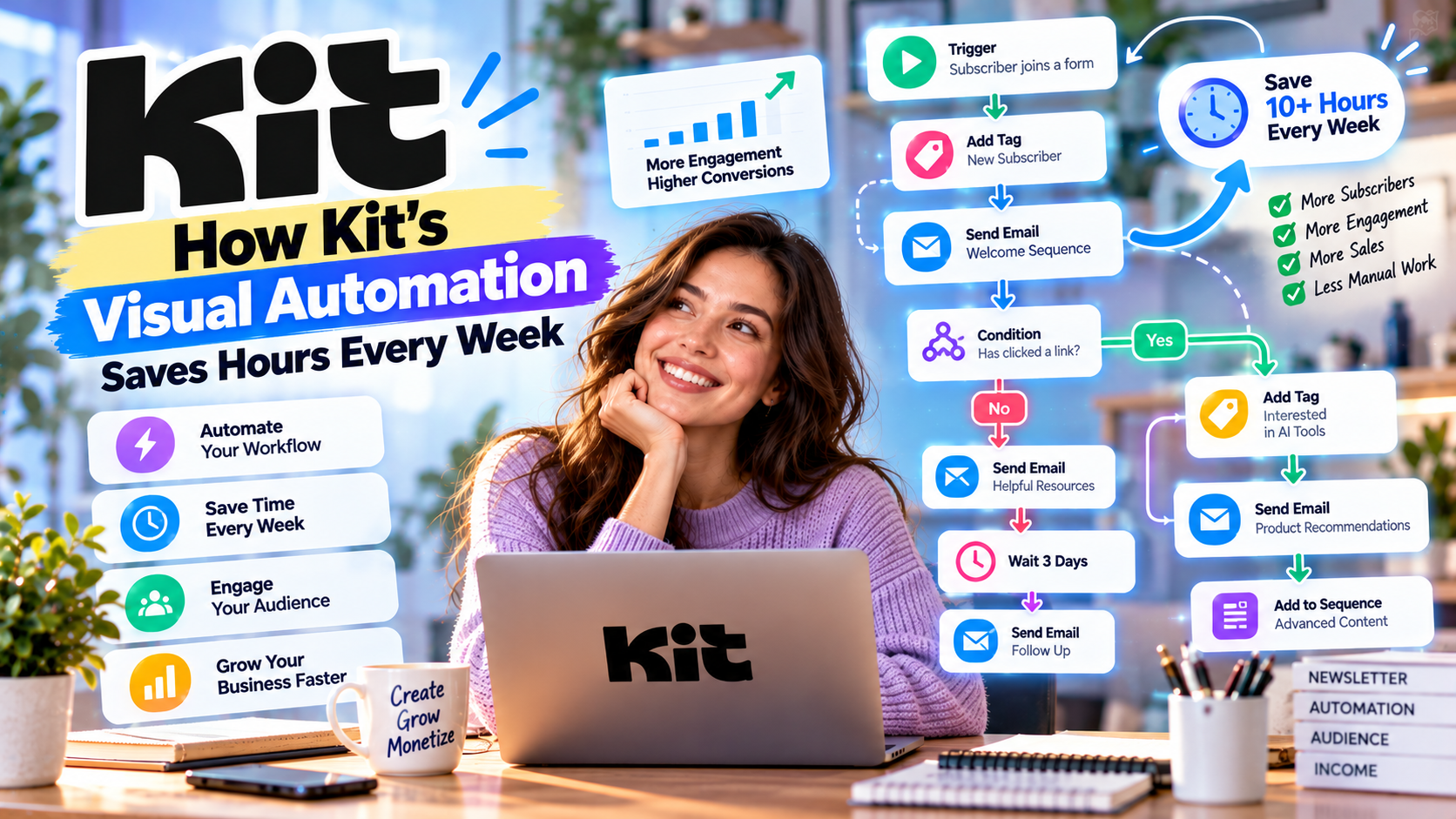
What Is Kit's Visual Automation?
Visual Automation is Kit's drag-and-drop workflow builder that allows creators to automate their email marketing without writing code.
Rather than creating individual email campaigns every time someone subscribes, purchases a product, or clicks a link, Kit performs these actions automatically based on predefined rules.
Think of it as your personal marketing assistant working 24/7.
Instead of asking:
“Who should receive this email?”
Kit already knows.
How Visual Automation Works
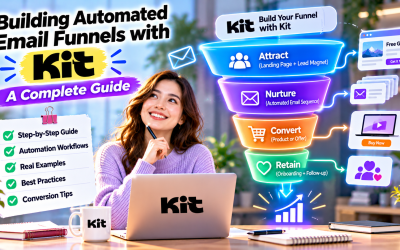
Every automation starts with a trigger.
Common triggers include:
- Someone subscribes to your newsletter
- A visitor downloads a free resource
- A customer purchases a product
- Someone clicks a specific email link
- A tag is added to a subscriber
- A form is completed
Once triggered, Kit automatically performs the actions you've designed.
For example:
Visitor signs up for your newsletter
↓
Receives a welcome email immediately
↓
Waits two days
↓
Receives educational content
↓
Clicks a product link
↓
Receives a promotional email sequence
↓
Purchases a product
↓
Moves into a customer onboarding workflow
Everything happens automatically.
Why Automation Matters
Without automation, creators often spend hours each week:
- Sending welcome emails
- Delivering lead magnets
- Following up with subscribers
- Promoting products
- Organizing contacts
- Managing customer onboarding
As your audience grows, these repetitive tasks become increasingly difficult.
Automation allows you to:
- Save time
- Reduce manual work
- Improve consistency
- Increase engagement
- Scale your business
Instead of working harder, you create systems that work for you.
Five Ways Creators Use Kit Automation
1. Welcome Email Sequences
First impressions matter.
Instead of sending one generic email, Kit can automatically introduce new subscribers to your brand through a carefully planned sequence.
Example:
Day 1
Welcome and thank your subscriber.
Day 3
Share your most popular content.
Day 5
Introduce your products or services.
Day 7
Invite readers to join your community.
This builds trust before any sales pitch.
2. Lead Magnet Delivery
Offering free resources is one of the fastest ways to grow an email list.
Examples include:
- eBooks
- Checklists
- Templates
- Guides
- Free courses
Instead of manually sending downloads, Kit delivers them instantly after someone subscribes.
Subscribers receive value immediately while you save valuable time.
3. Product Launch Campaigns
Launching a new course or digital product often requires multiple emails.
Kit automates this process.
Example launch sequence:
Announcement
↓
Educational content
↓
Case study
↓
Customer testimonial
↓
Special offer
↓
Last chance reminder
Every subscriber receives the correct email at the right time.
4. Customer Onboarding
Automation doesn't stop after the sale.
When someone purchases your product, Kit can automatically:
- Send a thank-you email
- Deliver login information
- Share tutorials
- Recommend additional resources
- Request feedback
- Introduce complementary products
A smooth onboarding experience increases customer satisfaction and retention.
5. Re-Engagement Campaigns
Inactive subscribers reduce email performance.
Kit can automatically identify subscribers who haven't opened emails for a certain period.
It can then:
- Send re-engagement emails
- Offer exclusive content
- Request updated preferences
- Remove inactive subscribers if necessary
Maintaining an engaged email list improves deliverability and campaign performance.
Visual Workflow Builder
One reason creators love Kit is its simple interface.
Unlike traditional automation platforms that require complicated flowcharts and technical setup, Kit uses an intuitive visual builder.
You simply connect:
Trigger
↓
Action
↓
Delay
↓
Condition
↓
Next Action
This makes even advanced automation accessible to beginners.
Subscriber Tagging Inside Automation
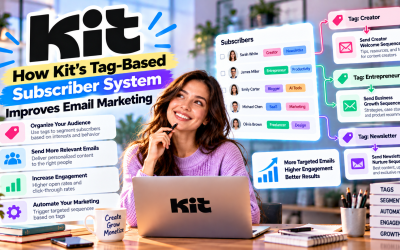
Automation becomes much more powerful when combined with Kit's tagging system.
Subscribers can automatically receive tags such as:
- Customer
- VIP
- Affiliate
- Webinar Attendee
- Purchased Course
- Downloaded eBook
These tags allow future campaigns to become increasingly personalized.
For example:
Subscribers interested in AI tools receive AI newsletters.
Affiliate marketers receive affiliate-related content.
Course buyers receive educational updates.
Personalized communication consistently produces higher engagement than mass emails.
Automation for Affiliate Marketing
Affiliate marketers benefit enormously from automation.
Typical workflows include:
Visitor downloads a buying guide
↓
Receives educational emails
↓
Receives product comparison articles
↓
Receives affiliate recommendations
↓
Receives follow-up content
↓
Receives exclusive offers
Instead of constantly promoting products manually, automation builds trust before making recommendations.
Automation for Course Creators
Course creators often automate:
- Student onboarding
- Lesson reminders
- Bonus content
- Community invitations
- Upsells
- Certification reminders
This creates a better student experience while reducing administrative work.
Automation for Bloggers
Bloggers commonly use Kit automation to:
- Deliver free resources
- Recommend related articles
- Promote affiliate products
- Grow newsletter engagement
- Build long-term reader relationships
Even small blogs can create sophisticated marketing funnels using Visual Automation.
Best Practices
To get the most from Kit Automation:
- Start with one simple workflow.
- Focus on solving one subscriber problem at a time.
- Use subscriber tags instead of creating multiple lists.
- Write conversational, value-driven emails.
- Monitor automation performance regularly.
- Test different subject lines and delays.
- Continuously improve based on subscriber behavior.
Small optimizations can significantly improve conversion rates over time.
Pros
- Extremely easy to use
- Beginner-friendly visual builder
- Powerful workflow customization
- Saves significant time
- Improves personalization
- Supports advanced audience segmentation
- Integrates with forms, landing pages, and products
- Scales as your audience grows
Cons
- Advanced enterprise automation is more limited than some CRM-focused platforms.
- Large subscriber lists increase monthly costs.
- Some premium automation features require paid plans.
Write Your Review
No reviews yet. Be the first to share your experience!