
Successful email marketing isn't about sending more emails—it's about sending the right message to the right person at the right time.
Many businesses struggle because they treat every subscriber the same. New subscribers receive the same emails as loyal customers, beginners get advanced content, and inactive users continue receiving promotions they no longer care about. The result is lower engagement, higher unsubscribe rates, and missed sales opportunities.
Kit (formerly ConvertKit) solves this problem with its tag-based subscriber management system. Instead of organizing contacts into multiple email lists, Kit uses flexible tags to classify subscribers based on their interests, behavior, and activity.
This modern approach gives creators far greater control over audience segmentation while keeping subscriber management simple and efficient.
In this guide, you'll learn how Kit's tag-based system works, why it's superior to traditional list-based email marketing, and how it can significantly improve your campaigns.
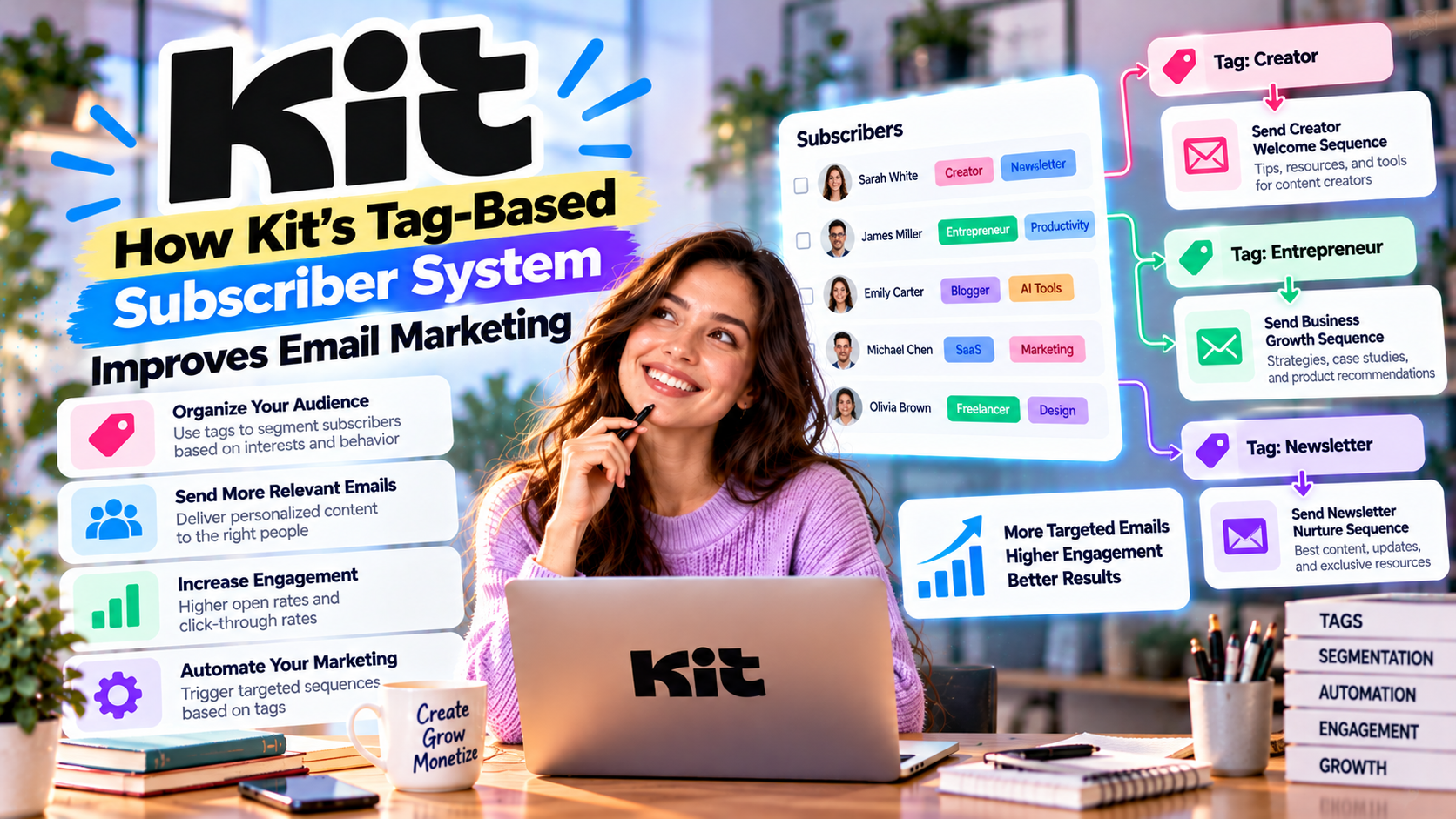
What Is a Tag-Based Subscriber System?
A tag is a label attached to a subscriber.
Instead of creating multiple email lists, you assign descriptive tags to a single subscriber profile.
For example, one subscriber could have the following tags:
- Newsletter Subscriber
- AI Enthusiast
- Affiliate Marketer
- Purchased eBook
- Webinar Attendee
- VIP Customer
All of this information is stored in one subscriber record.
This creates a much cleaner and more organized database.
The Problem with Traditional Email Lists
Many older email marketing platforms rely on multiple lists.
Imagine this scenario:
John subscribes to your newsletter.
↓
Later he downloads a free guide.
↓
He registers for a webinar.
↓
He purchases your online course.
Using a list-based platform, John might exist in four different lists.
Problems include:
- Duplicate subscribers
- Higher subscription costs
- Complicated management
- Repeated emails
- Poor customer experience
As your audience grows, these issues become increasingly difficult to manage.
How Kit Solves the Problem
Kit stores every subscriber only once.
Instead of creating multiple copies of the same contact, Kit simply adds new tags whenever a subscriber takes an action.
For example:
John joins your newsletter.
↓
Tag:
Newsletter
↓
Downloads AI Guide.
↓
Tag:
AI Guide
↓
Purchases Course.
↓
Tag:
Course Customer
↓
Attends Webinar.
↓
Tag:
Webinar
One subscriber.
Multiple interests.
No duplicates.
Why Tags Improve Email Marketing
Better Personalization
Modern subscribers expect personalized experiences.
With Kit, you can send emails based on:
- Interests
- Purchase history
- Downloaded resources
- Webinar attendance
- Customer status
- Geographic location
- Engagement level
Instead of broadcasting the same email to everyone, each subscriber receives content that's more relevant to their needs.
Higher relevance leads to higher engagement.
Improved Open Rates
People are far more likely to open emails that match their interests.
For example:
Subscribers interested in AI receive AI newsletters.
Affiliate marketers receive affiliate marketing tips.
Course students receive educational updates.
Because the content is more relevant, open rates and click-through rates often improve significantly.
Smarter Product Promotions
Suppose you're selling an online course.
With traditional email marketing, everyone receives the promotion.
With Kit, you can exclude existing customers automatically.
Instead, you promote the course only to subscribers who haven't purchased it.
This improves user experience while reducing unnecessary emails.
Tags Can Be Added Automatically
One of Kit's greatest strengths is that tags work seamlessly with Visual Automation.
Tags can be applied automatically when subscribers:
- Join a landing page
- Complete a form
- Purchase a product
- Click a specific email link
- Attend a webinar
- Download a lead magnet
- Finish an email sequence
Automation keeps your audience organized without requiring manual updates.
Practical Examples
Example 1: Blogger
A technology blogger offers three lead magnets:
- AI Guide
- Productivity Checklist
- Affiliate Marketing eBook
Each download automatically adds a different tag.
Future newsletters can then match the reader's interests.
Example 2: Affiliate Marketer
Subscribers interested in SEO tools receive:
- Product comparisons
- Tutorials
- Buying guides
- Affiliate recommendations
Subscribers interested in AI software receive completely different content.
This increases both trust and affiliate conversions.
Example 3: Course Creator
Students who purchase a course automatically receive:
- Course updates
- Bonus lessons
- Community invitations
- Certification reminders
Potential customers continue receiving educational content until they're ready to buy.
Segmenting Your Audience
Tags make segmentation incredibly flexible.
Examples include:
By Interest
- AI
- Marketing
- Productivity
- Web Design
By Customer Status
- Prospect
- Customer
- VIP
- Returning Customer
By Behavior
- Opened Last Email
- Clicked Sales Page
- Registered Webinar
- Downloaded Free Guide
By Engagement
- Highly Active
- Inactive
- New Subscriber
- Frequent Buyer
These segments allow creators to build highly targeted campaigns with minimal effort.
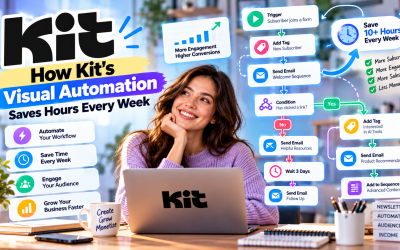
Combining Tags with Automation
The real power of Kit appears when tags and automation work together.
Example workflow:
Visitor downloads an AI guide
↓
Tag:
AI Beginner
↓
Receives AI education sequence
↓
Clicks “Advanced AI Tools”
↓
Tag changes to:
Advanced AI
↓
Receives premium AI software recommendations
↓
Purchases product
↓
Tag changes to:
Customer
Every step happens automatically.
No manual organization is required.
Benefits for Different Creators
Bloggers
Deliver more relevant articles based on reader interests.
Newsletter Publishers
Personalize newsletters for different subscriber groups.
Affiliate Marketers
Recommend products that match each subscriber's preferences.
Coaches
Separate leads from paying clients.
Course Creators
Track student progress and deliver personalized learning experiences.
Best Practices
To maximize the effectiveness of tags:
- Keep tag names clear and consistent.
- Avoid creating unnecessary tags.
- Automate tag assignment whenever possible.
- Review inactive tags regularly.
- Use tags to personalize content—not overwhelm subscribers.
- Combine tags with automation for maximum efficiency.
Well-organized tags create a cleaner database and better marketing performance.
Pros
- No duplicate subscribers
- Better audience organization
- Improved personalization
- Higher email engagement
- Powerful automation integration
- Flexible segmentation
- Easier campaign management
- Lower long-term complexity
Cons
- Requires thoughtful planning as your audience grows.
- Large businesses may need advanced CRM features beyond tagging.
- Poor tag organization can become confusing without consistent naming conventions.
Write Your Review
No reviews yet. Be the first to share your experience!