
Modern businesses depend on a growing ecosystem of software. From email and calendars to CRM systems, project management platforms, cloud storage, and communication tools, employees often switch between dozens of applications every day.
While each application serves a specific purpose, constantly moving information between them creates inefficiencies, duplicates work, and increases the risk of human error.
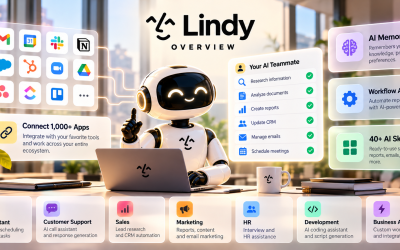
Lindy.ai addresses this challenge by acting as an intelligent AI teammate that connects with more than 1,000 business applications. Instead of simply answering questions, Lindy.ai moves data between systems, automates workflows, and completes tasks across multiple platforms without requiring manual intervention.
In this article, we'll explore how Lindy.ai's integrations work, why they matter, and how businesses can use connected AI workflows to save time and improve productivity.
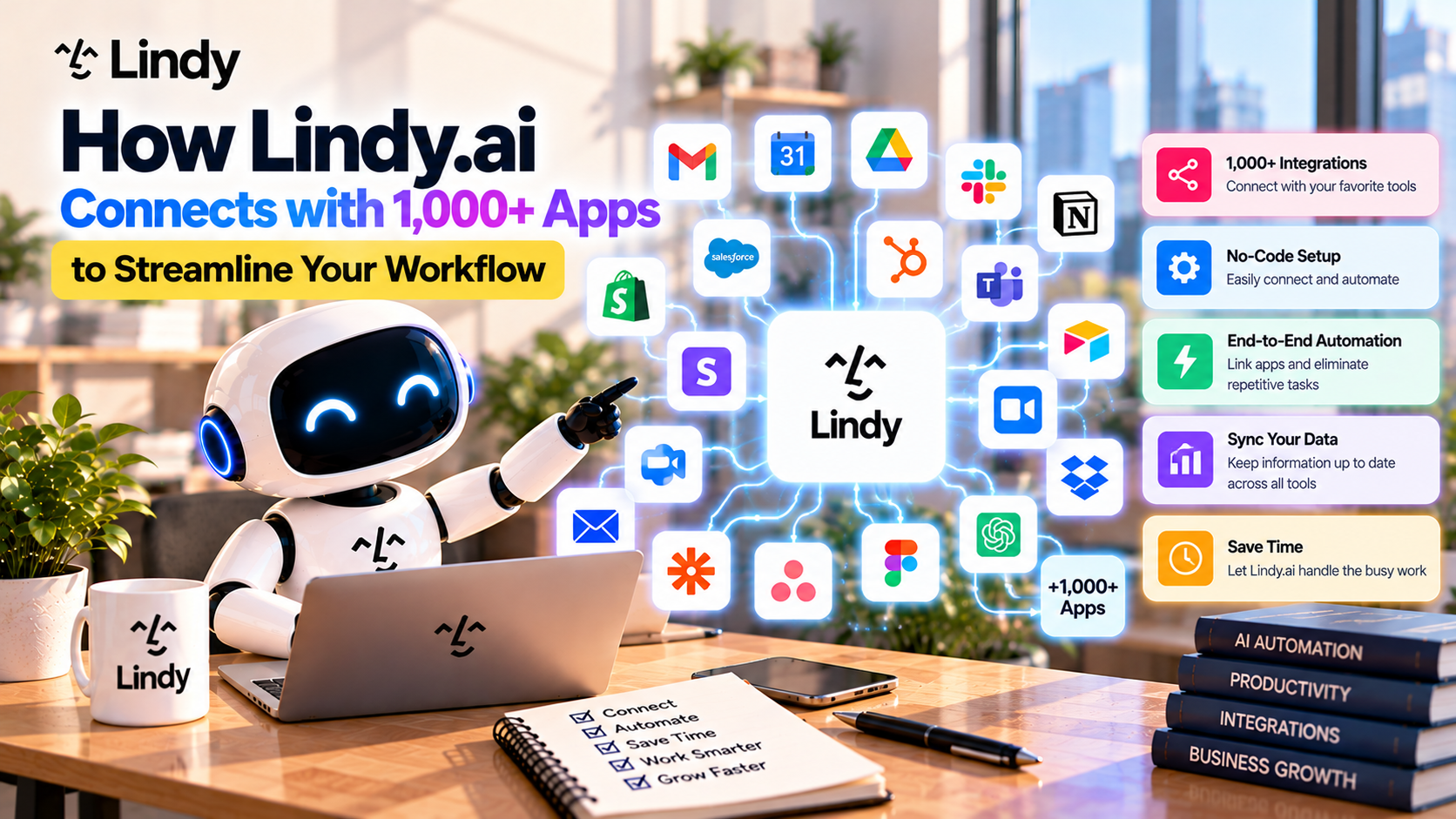
Table of Contents
- Why Integrations Matter
- How Lindy.ai Connects Your Apps
- Popular Integrations
- Real-World Automation Examples
- Benefits of Connected Workflows
- Best Practices
- Final Thoughts
- Frequently Asked Questions
Why Integrations Matter
Most companies don't rely on a single application.
A typical employee may use:
- Gmail for email
- Google Calendar for scheduling
- Slack for communication
- Notion for documentation
- HubSpot for customer management
- Zoom for meetings
- Google Drive for file storage
- ClickUp or Asana for project management
Unfortunately, these tools often operate independently.
Employees spend valuable time:
- Copying information
- Updating multiple systems
- Searching for documents
- Switching between browser tabs
- Sending repetitive notifications
This is where intelligent integrations become essential.
Rather than forcing employees to coordinate everything manually, Lindy.ai acts as the central AI layer connecting your entire software ecosystem.
How Lindy.ai Connects Your Apps
Lindy.ai integrates with business applications through secure connections that allow AI agents to retrieve information, analyze data, and perform actions automatically.
A typical workflow looks like this:
- An event occurs in one application.
- Lindy.ai detects the trigger.
- AI gathers relevant information from connected apps.
- The AI agent decides what should happen next.
- Actions are executed across multiple platforms.
- Team members receive updates automatically.
Instead of requiring employees to complete each step manually, Lindy.ai manages the entire process.
Popular Lindy.ai Integrations
One of Lindy.ai's strengths is its broad compatibility with modern business software.
Some of the most commonly used integrations include:
Gmail
Automate email workflows by:
- Drafting replies
- Sending follow-ups
- Organizing inboxes
- Classifying messages
- Forwarding important emails
Google Calendar
Manage schedules more efficiently by:
- Booking meetings
- Checking availability
- Sending invitations
- Creating reminders
- Rescheduling appointments
Slack
Keep teams informed automatically by:
- Posting notifications
- Sharing workflow updates
- Alerting team members
- Delivering AI-generated summaries
Notion
Lindy.ai can:
- Retrieve documentation
- Search internal knowledge
- Update workspace content
- Generate documentation
This allows AI agents to answer questions using your organization's knowledge base.
HubSpot
Sales teams can automate:
- Lead creation
- Contact updates
- Deal tracking
- Meeting summaries
- Customer follow-ups
Reducing manual CRM updates helps sales professionals spend more time selling.
Salesforce
Enterprise organizations can automate:
- Opportunity updates
- Customer records
- Sales activities
- Pipeline reporting
AI ensures CRM information stays accurate and up to date.
Zoom
Meeting workflows become much simpler by automatically:
- Recording meetings
- Generating transcripts
- Creating summaries
- Identifying action items
- Sharing notes with participants
Google Drive & Dropbox
Lindy.ai can:
- Retrieve files
- Organize documents
- Search business knowledge
- Save generated reports
- Share documents automatically
Project Management Tools
Integrations with platforms like:
- ClickUp
- Asana
- monday.com
allow AI to:
- Create tasks
- Update project status
- Assign work
- Notify team members
- Track deadlines
Stripe
Finance and operations teams can automate workflows related to:
- Payment notifications
- Invoice tracking
- Customer billing updates
- Financial reporting
Real-World Automation Examples
Example 1: Lead Management
A potential customer fills out a contact form.
Without automation:
- Marketing receives the lead.
- Sales manually creates a CRM record.
- A meeting is scheduled.
- Confirmation emails are sent.
- The team is notified.
With Lindy.ai:
- The lead is detected automatically.
- AI qualifies the prospect.
- A CRM record is created.
- A meeting invitation is scheduled.
- Confirmation emails are sent.
- Slack notifications are delivered.
- Follow-up reminders are created.
The entire process happens automatically.
Example 2: Meeting Workflow
Before Lindy.ai:
Employees need to:
- Schedule meetings
- Send invitations
- Take notes
- Write summaries
- Create follow-up tasks
With Lindy.ai:
- Calendar invitations are created.
- Meeting reminders are sent.
- AI generates meeting notes.
- Action items are identified.
- Tasks are assigned.
- Reports are distributed.
No manual note-taking is required.
Example 3: Customer Support
When a customer submits a support request:
Lindy.ai can:
- Retrieve customer history.
- Search internal documentation.
- Draft a response.
- Route the request to the correct department.
- Update the CRM.
- Notify support managers.
Support teams respond faster while maintaining consistency.
Benefits of Connected Workflows
Save Time
Employees spend less time switching between applications and completing repetitive administrative work.
Improve Data Accuracy
Because information is synchronized automatically, businesses reduce duplicate entries and manual errors.
Increase Collaboration
Team members receive real-time updates through integrated communication tools such as Slack and email.
Reduce Context Switching
Instead of constantly moving between software platforms, AI coordinates workflows behind the scenes.
Scale Operations
As organizations grow, connected workflows handle increasing volumes of work without requiring additional administrative staff.
Best Practices for Using Integrations
To maximize Lindy.ai's capabilities, consider the following recommendations.
Connect Your Most Frequently Used Tools
Start by integrating the software your team relies on every day.
This typically includes:
- Calendar
- CRM
- Communication tools
- Project management software
Automate Repetitive Processes First
Identify repetitive tasks that consume the most time.
Examples include:
- Email follow-ups
- Meeting scheduling
- CRM updates
- Weekly reports
These workflows usually provide the fastest return on investment.
Keep AI Memory Updated
Integrations become even more valuable when combined with AI Memory.
By remembering company knowledge and customer information, Lindy.ai can deliver more personalized and intelligent automation.
Monitor Workflow Performance
Review your automations regularly to identify opportunities for improvement and ensure workflows continue to align with business processes.
Why Connected AI Workflows Are the Future
Businesses continue adopting more specialized software every year.
Rather than replacing these tools, AI platforms like Lindy.ai connect them into one intelligent ecosystem.
Instead of asking employees to coordinate information manually, AI agents become the operational layer that links systems together, understands context, and performs work automatically.
This shift allows organizations to spend less time managing software and more time focusing on customers, innovation, and business growth.
Final Thoughts
One of Lindy.ai's greatest strengths is its ability to integrate with over 1,000 business applications, transforming disconnected software into a unified, AI-powered workflow.
Whether you're managing customer relationships, scheduling meetings, organizing projects, or collaborating across teams, Lindy.ai helps eliminate repetitive work by connecting the tools you already use.
As businesses continue to embrace digital transformation, intelligent integrations will become a critical part of modern productivity—and Lindy.ai provides a powerful foundation for building connected, automated workflows.
Write Your Review
No reviews yet. Be the first to share your experience!