
Artificial intelligence has evolved from a simple writing assistant into a powerful business automation solution. Companies are no longer looking for AI that only answers questions—they want AI that can complete tasks, automate workflows, and collaborate across teams.
That's where Lindy.ai stands out.
Designed as an AI teammate, Lindy.ai combines intelligent AI agents, workflow automation, persistent memory, and deep software integrations to help businesses eliminate repetitive work and focus on high-value activities.
In this article, we'll explore the 10 most valuable Lindy.ai features and explain how each one contributes to better productivity and smarter business operations.
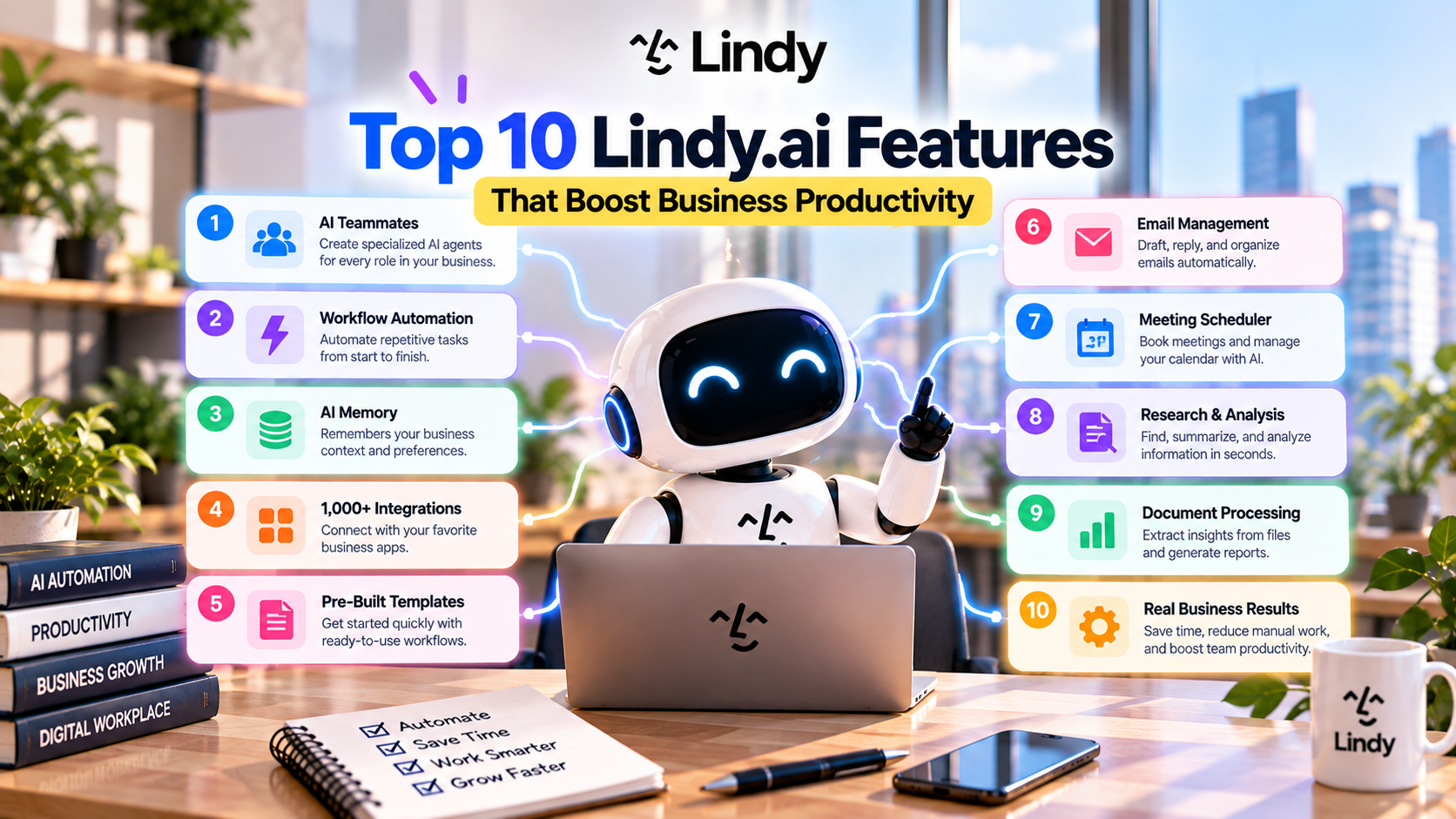
Table of Contents
- Why Businesses Choose Lindy.ai
- Top 10 Lindy.ai Features
- How These Features Work Together
- Who Benefits Most from Lindy.ai?
- Final Thoughts
- Frequently Asked Questions
Why Businesses Choose Lindy.ai
Modern businesses use dozens of software tools every day—email, calendars, CRM systems, project management platforms, cloud storage, and communication apps.
The biggest challenge isn't a lack of tools—it's managing them efficiently.
Lindy.ai solves this problem by acting as an AI-powered teammate that connects these applications, understands business context, and performs repetitive work automatically.
Instead of spending hours switching between software, teams can rely on AI agents to complete tasks from start to finish.
1. AI Teammates
The foundation of Lindy.ai is its AI Teammates.
Rather than using a single general-purpose chatbot, you can create specialized AI agents for different business roles.
Examples include:
- Sales Assistant
- Marketing Coordinator
- Customer Support Agent
- Executive Assistant
- Recruiting Assistant
- Operations Manager
Each AI teammate can have its own instructions, knowledge, and workflows.
This makes automation more organized and allows businesses to scale AI across departments.
Productivity Benefit
- Reduces repetitive administrative work
- Improves task ownership
- Provides role-specific AI assistance
2. Workflow Automation
Automation is one of Lindy.ai's strongest capabilities.
Instead of creating simple rule-based automations, Lindy combines AI reasoning with workflow execution.
Common automated workflows include:
- Email follow-ups
- Lead qualification
- CRM updates
- Calendar scheduling
- Slack notifications
- Task creation
- Report generation
The AI can understand context before deciding what action should happen next.
Productivity Benefit
- Saves hours of manual work every week
- Reduces human error
- Speeds up business processes
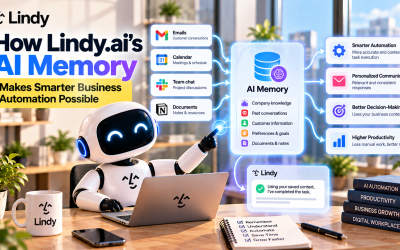
3. AI Memory
Unlike many AI assistants that forget previous interactions, Lindy.ai includes a persistent memory system.
AI teammates can remember:
- Company information
- Product documentation
- Customer preferences
- Internal processes
- Team instructions
- Previous conversations
This allows AI to provide more personalized and consistent assistance over time.
Productivity Benefit
- Eliminates repetitive prompting
- Improves response quality
- Maintains organizational knowledge
4. Connects with 1,000+ Applications
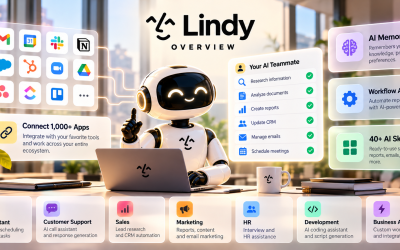
Lindy.ai integrates with more than 1,000 business tools, enabling AI agents to work across your entire software ecosystem.
Popular integrations include:
- Gmail
- Google Calendar
- Slack
- HubSpot
- Salesforce
- Zoom
- Google Drive
- Dropbox
- Notion
- ClickUp
- GitHub
- Airtable
- monday.com
- Asana
- Stripe
Instead of manually moving information between platforms, Lindy.ai keeps everything synchronized.
Productivity Benefit
- Reduces context switching
- Eliminates duplicate data entry
- Connects business processes seamlessly
5. AI Meeting Assistant
Meetings often generate valuable information—but capturing and organizing that information can be time-consuming.
Lindy.ai helps by:
- Recording meeting notes
- Generating summaries
- Identifying action items
- Creating follow-up tasks
- Sharing meeting insights
Instead of spending time writing notes, teams can focus on the discussion.
Productivity Benefit
- Improves meeting efficiency
- Ensures important decisions are documented
- Keeps everyone aligned
6. Email Automation
Email remains one of the largest productivity bottlenecks for professionals.
Lindy.ai automates many email-related tasks, including:
- Drafting emails
- Responding to inquiries
- Scheduling follow-ups
- Organizing conversations
- Sending reminders
AI can even personalize messages based on previous interactions.
Productivity Benefit
- Reduces inbox overload
- Speeds up communication
- Improves response consistency
7. CRM Automation
Keeping CRM systems updated is essential but often repetitive.
Lindy.ai automatically:
- Creates customer records
- Updates opportunities
- Logs meeting notes
- Tracks interactions
- Synchronizes customer data
Sales teams spend less time entering data and more time building customer relationships.
Productivity Benefit
- Improves CRM accuracy
- Reduces administrative work
- Supports better sales visibility
8. AI Research & Knowledge Search
Finding information across multiple platforms can be frustrating.
Lindy.ai can search and analyze information stored in:
- Google Drive
- Notion
- Slack
- Internal documentation
- Shared files
Instead of manually searching through dozens of documents, employees receive quick, AI-generated answers.
Productivity Benefit
- Faster information retrieval
- Better decision-making
- Reduced research time
9. AI Report Generation
Creating reports often involves collecting data from multiple systems.
Lindy.ai simplifies this process by generating:
- Sales reports
- Marketing summaries
- Weekly updates
- Executive dashboards
- Performance reports
Reports can be delivered automatically on a scheduled basis.
Productivity Benefit
- Saves reporting time
- Improves consistency
- Enables faster business insights
10. Enterprise Security & Team Collaboration
Lindy.ai isn't just designed for individuals.
Enterprise organizations benefit from features such as:
- Role-based access control
- Audit logs
- Team workspaces
- Single Sign-On (SSO)
- Team memory
- Administrative controls
These capabilities make it easier to deploy AI across entire organizations while maintaining security and governance.
Productivity Benefit
- Supports secure collaboration
- Simplifies AI management
- Enables company-wide adoption
How These Features Work Together
While each feature is valuable individually, Lindy.ai becomes most powerful when they work together.
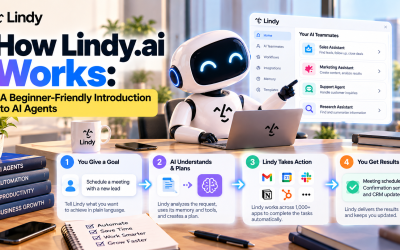
For example:
A customer submits a contact form.
↓
Lindy qualifies the lead.
↓
Updates the CRM.
↓
Schedules a meeting.
↓
Sends a confirmation email.
↓
Creates a Slack notification.
↓
Generates meeting notes.
↓
Stores the information in company memory.
↓
Creates a follow-up reminder.
What previously required multiple employees and several software platforms can now be handled by a single AI workflow.
Who Benefits Most from Lindy.ai?
Lindy.ai is ideal for organizations that rely on collaboration and repetitive processes.
Common users include:
- Entrepreneurs
- Startups
- Small businesses
- Marketing agencies
- Sales teams
- Customer support departments
- Human resources
- Operations managers
- Enterprise organizations
Any business looking to reduce administrative work and improve operational efficiency can benefit from AI-powered automation.
Final Thoughts
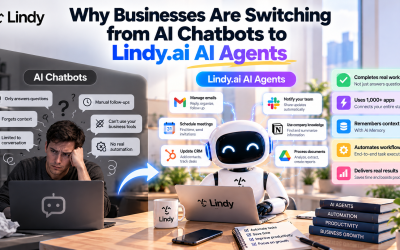
Lindy.ai is more than another AI chatbot—it is a comprehensive AI productivity platform built around intelligent agents that perform real business work.
Its combination of AI teammates, workflow automation, persistent memory, extensive integrations, and enterprise-ready security makes it one of the most versatile AI automation platforms available in 2026.
As organizations continue to adopt AI-driven workflows, Lindy.ai provides the tools needed to streamline operations, eliminate repetitive tasks, and help teams focus on strategic initiatives that drive growth.
Write Your Review
No reviews yet. Be the first to share your experience!