
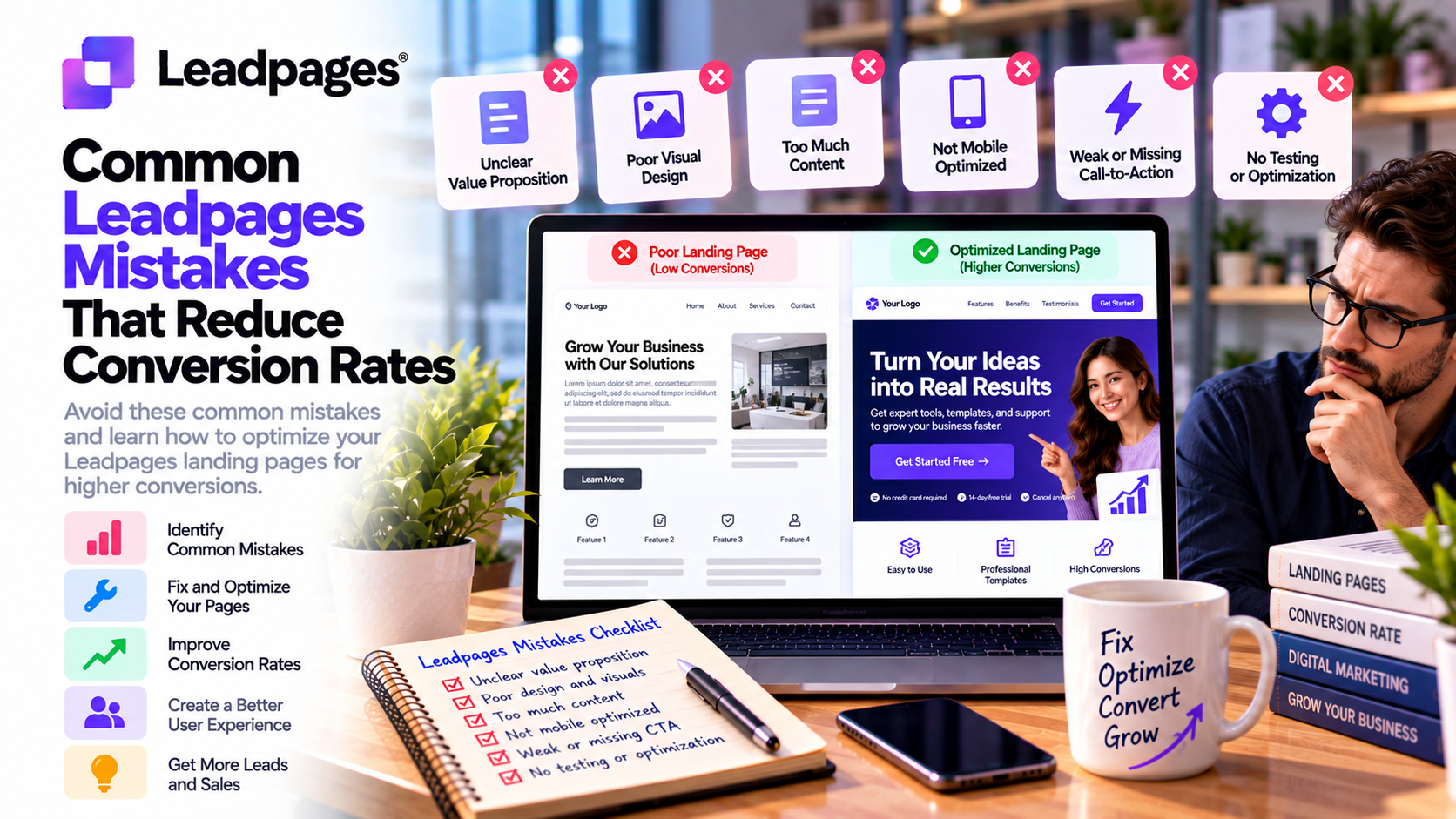
Building a landing page with Leadpages is simple, but creating one that consistently converts visitors into leads or customers requires more than choosing a template and publishing it online.
Many businesses invest heavily in Google Ads, Facebook Ads, email marketing, and SEO to drive traffic to their landing pages. However, even a small mistake in design, messaging, or user experience can dramatically reduce conversion rates and waste valuable marketing budget.
The good news is that most conversion problems are preventable. By understanding the most common Leadpages mistakes and following proven optimization practices, marketers can significantly improve campaign performance without increasing advertising spend.
In this guide, we'll examine the most frequent Leadpages mistakes, explain why they hurt conversions, and provide practical solutions to help you build more effective landing pages.
Why Conversion Optimization Matters
Generating website traffic is only half the challenge.
The true goal of a landing page is to persuade visitors to take a specific action, such as:
- Download an eBook
- Start a free trial
- Book a consultation
- Register for a webinar
- Subscribe to a newsletter
- Purchase a product
Even small improvements in conversion rate can dramatically increase leads and revenue while lowering customer acquisition costs.
Mistake 1: Having Too Many Calls-to-Action
One of the most common mistakes is overwhelming visitors with multiple choices.
For example, a landing page might include buttons to:
- Learn More
- Contact Us
- View Pricing
- Read the Blog
- Watch a Video
- Subscribe
- Book a Demo
Too many options create decision fatigue.
Best Practice
Choose one primary objective.
Every section of the page should guide visitors toward a single call-to-action.
Mistake 2: Weak Headlines
Visitors often decide within seconds whether to continue reading.
A generic headline like:
“Welcome to Our Website”
provides little motivation.
Better Example
“Generate More Qualified Leads with AI-Powered Landing Pages.”
Strong headlines should:
- Address customer problems
- Highlight benefits
- Create curiosity
- Clearly communicate value
Mistake 3: Focusing on Features Instead of Benefits
Many businesses describe their product rather than explaining why customers should care.
Instead of saying:
“Includes AI automation.”
Explain the benefit:
“Automate repetitive tasks and save hours every week.”
Customers buy solutions—not features.
Mistake 4: Long and Complicated Forms
Every additional form field increases friction.
Asking for unnecessary information such as:
- Company size
- Annual revenue
- Job title
- Phone number
- Industry
- Address
can discourage visitors from completing the form.
Best Practice
Only request information you truly need.
For many campaigns:
- Name
- Email address
is enough.
Additional information can be collected later during the sales process.
Mistake 5: Ignoring Mobile Users
Mobile devices now account for a large percentage of website traffic.
Common mobile issues include:
- Small buttons
- Tiny fonts
- Slow loading pages
- Difficult forms
- Poor image scaling
Although Leadpages automatically creates responsive pages, marketers should always review the mobile version before publishing.
Mistake 6: Slow Loading Pages
Every extra second of loading time can reduce conversions.
Common causes include:
- Large images
- Uncompressed videos
- Too many animations
- Heavy scripts
- Cluttered page designs
Best Practice
Optimize media files and keep layouts clean.
Fast pages improve both user experience and SEO.
Mistake 7: No Social Proof
Visitors hesitate when they cannot verify your credibility.
Landing pages without trust signals often struggle to convert.
Include:
- Customer testimonials
- Case studies
- Reviews
- Client logos
- Industry certifications
- Awards
Social proof helps reduce uncertainty.
Mistake 8: Poor Call-to-Action Buttons
Buttons like:
- Submit
- Continue
- Click Here
do little to motivate visitors.
Instead, use action-oriented language.
Examples include:
- Start Free Trial
- Download the Guide
- Book Your Demo
- Get My Free Checklist
- Claim Your Discount
The CTA should clearly communicate what visitors receive.
Mistake 9: Not Using A/B Testing
Many marketers launch a landing page and never optimize it again.
Unfortunately, assumptions often replace data.
Leadpages includes built-in A/B testing that allows businesses to compare:
- Headlines
- Images
- CTA buttons
- Forms
- Testimonials
- Entire page layouts
Continuous testing is one of the fastest ways to improve conversion rates.
Mistake 10: Ignoring Analytics
Without analytics, optimization becomes guesswork.
Leadpages provides insights into:
- Visitors
- Conversion rates
- Traffic sources
- Heatmaps
- Page performance
Businesses should regularly review this data to identify opportunities for improvement.
Mistake 11: Poor Message Match
Visitors expect consistency between an advertisement and its landing page.
If a Google Ad promises:
“50% Off Today Only”
the landing page should immediately reinforce that offer.
When messaging changes unexpectedly, visitors lose confidence and leave the page.
Maintaining message consistency improves both user experience and conversion rates.
Mistake 12: No Sense of Urgency
Visitors often delay taking action unless they have a compelling reason to act now.
Effective urgency techniques include:
- Limited-time discounts
- Countdown timers
- Registration deadlines
- Limited availability
- Early-bird pricing
Use urgency honestly and avoid creating false scarcity, as this can damage trust.
Mistake 13: Ignoring SEO
Many marketers build landing pages exclusively for paid advertising.
However, optimized landing pages can also attract organic traffic.
Basic SEO improvements include:
- Keyword optimization
- Meta titles
- Meta descriptions
- Internal linking
- Image optimization
- Fast loading speeds
SEO extends the long-term value of your landing pages.
Best Practices for Higher Conversion Rates
To maximize landing page performance:
Focus on One Goal
Avoid multiple competing objectives.
Write Benefit-Driven Copy
Explain how your product or service solves customer problems.
Build Trust
Use testimonials, guarantees, and recognizable client logos.
Optimize for Mobile
Review every page on smartphones and tablets before publishing.
Test Continuously
Never assume your first version is the best.
Use A/B testing to improve results over time.
Monitor Performance
Review analytics regularly and make data-driven improvements.
Real-World Examples
SaaS Companies
Improve free trial pages by shortening forms and emphasizing product benefits instead of technical features.
Ecommerce Brands
Increase promotional sales by replacing generic CTAs with compelling offers and adding customer reviews.
Marketing Agencies
Boost client campaign performance through ongoing A/B testing and analytics-driven optimization.
Coaches and Consultants
Generate more consultation bookings by simplifying landing pages and highlighting client success stories.
Bloggers and Content Creators
Grow email lists using focused lead magnet pages with strong value propositions and minimal distractions.
Conversion Optimization Checklist
Before publishing your Leadpages landing page, ask yourself:
✅ Does the page have one clear goal?
✅ Is the headline benefit-focused?
✅ Is the CTA easy to understand?
✅ Are forms as short as possible?
✅ Have you included testimonials or trust signals?
✅ Does the page load quickly?
✅ Is it fully optimized for mobile devices?
✅ Have you reviewed SEO elements?
✅ Are analytics and conversion tracking enabled?
✅ Do you have an A/B testing plan?
Completing this checklist can prevent many common mistakes before your campaign goes live.
Final Verdict
Leadpages provides powerful tools for building high-converting landing pages, but success ultimately depends on how effectively those tools are used. Common mistakes—such as weak headlines, multiple calls-to-action, lengthy forms, poor mobile optimization, slow page speed, and a lack of testing—can significantly reduce conversion rates, even when marketing campaigns generate substantial traffic.
Fortunately, these issues are relatively easy to correct. By focusing on a single conversion goal, writing benefit-driven copy, simplifying forms, building trust with social proof, optimizing for mobile users, and continuously testing page variations, businesses can dramatically improve landing page performance.
Whether you're running paid advertising campaigns, growing an email list, launching a SaaS product, or promoting professional services, avoiding these common Leadpages mistakes will help you convert more visitors into qualified leads and customers while maximizing the return on your marketing investment.
Write Your Review
No reviews yet. Be the first to share your experience!