
When it comes to project management software, monday.com and Trello are two of the most recognized names in the industry. Both platforms help teams organize tasks, improve collaboration, and keep projects moving forward. However, they are designed with different audiences and business needs in mind.
Trello became popular because of its simple Kanban-style boards, making it an excellent option for individuals and small teams. monday.com, on the other hand, has evolved into a comprehensive Work Operating System (Work OS) that combines project management, workflow automation, dashboards, CRM capabilities, and AI-powered productivity.
If you're deciding between monday.com and Trello in 2026, this comparison will help you understand which platform offers the best value for your organization.
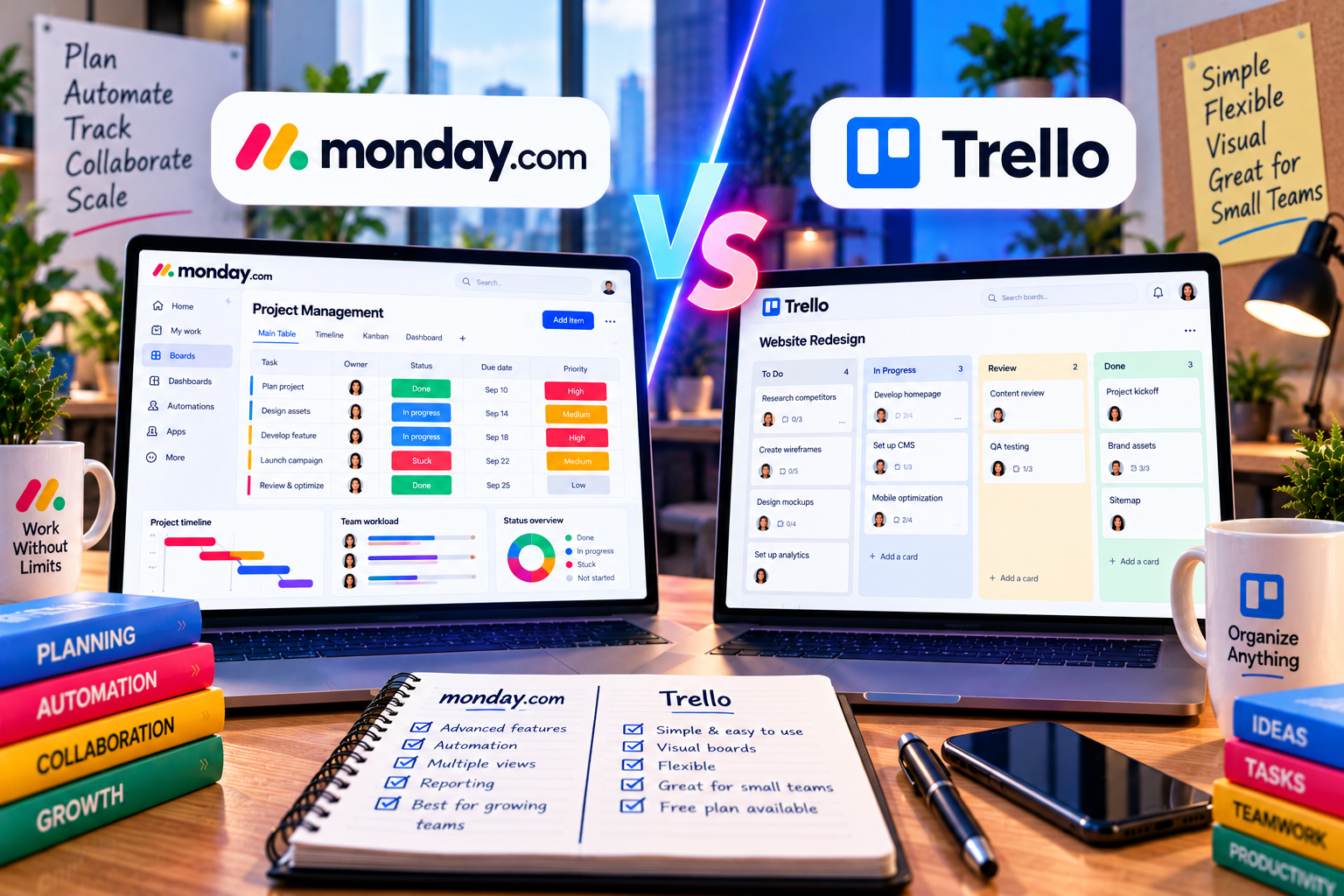
Quick Comparison
| Feature | monday.com | Trello |
|---|---|---|
| Best For | Businesses of all sizes | Individuals & small teams |
| Ease of Use | ⭐⭐⭐⭐⭐ | ⭐⭐⭐⭐⭐ |
| Workflow Customization | ⭐⭐⭐⭐⭐ | ⭐⭐⭐ |
| Automation | ⭐⭐⭐⭐⭐ | ⭐⭐⭐⭐ |
| AI Features | Excellent | Limited |
| Reporting | Advanced | Basic |
| Scalability | Excellent | Moderate |
| Learning Curve | Low | Very Low |
Both tools are user-friendly, but monday.com provides significantly more functionality for growing businesses.
User Interface
monday.com
monday.com offers a modern, colorful interface built around customizable boards. Users can switch between multiple views, including:
- Kanban
- Table
- Timeline
- Calendar
- Gantt
- Dashboard
- Workload
This flexibility allows different departments to visualize projects in the way that best suits their workflow.
Trello
Trello is famous for its intuitive Kanban boards.
Tasks are represented as cards that move between columns such as:
To Do → In Progress → Completed
This simplicity is Trello's greatest strength. New users can become productive within minutes.
Winner: Tie
Trello is simpler, while monday.com offers far greater flexibility.
Project Management Features
monday.com
Beyond basic task management, monday.com includes:
- Custom workflows
- Task dependencies
- Milestones
- Dashboards
- Time tracking
- Resource management
- Portfolio management
- CRM functionality
- AI-powered features
It can support departments ranging from marketing and HR to software development and sales.
Trello
Trello focuses primarily on Kanban project management.
Although Power-Ups extend its functionality, many advanced capabilities require additional configuration or third-party integrations.
Winner: monday.com
Workflow Automation
Automation reduces repetitive administrative work.
monday.com
Automation recipes make it easy to:
- Assign tasks automatically
- Update statuses
- Notify team members
- Trigger approvals
- Create recurring tasks
No programming knowledge is required.
Trello
Trello includes Butler Automation, allowing users to automate common actions.
Examples include:
- Moving cards
- Sending notifications
- Creating recurring cards
While Butler is effective, it offers fewer enterprise workflow capabilities compared to monday.com.
Winner: monday.com
AI Capabilities
Artificial intelligence has become increasingly important in project management.
monday.com AI
AI helps users:
- Draft updates
- Generate task descriptions
- Summarize discussions
- Improve workflows
- Organize information
These features enhance productivity across departments.
Trello
Trello currently offers limited native AI functionality compared with newer enterprise platforms.
Users often rely on external AI tools through integrations.
Winner: monday.com
Collaboration
Both platforms support collaboration through:
- Comments
- File attachments
- Mentions
- Notifications
- Shared workspaces
monday.com
Provides deeper collaboration by connecting projects, dashboards, files, automation, and reporting in one workspace.
Trello
Works well for lightweight collaboration but becomes less efficient as project complexity increases.
Winner: monday.com
Reporting and Analytics
monday.com
Dashboards allow managers to monitor:
- Project progress
- Team workload
- KPIs
- Budgets
- Resource allocation
- Productivity
Reports update automatically, providing real-time insights.
Trello
Reporting capabilities are relatively basic.
Advanced reporting often requires Power-Ups or external tools.
Winner: monday.com
Integrations
Both platforms integrate with popular business applications, including:
- Slack
- Microsoft Teams
- Google Workspace
- Zoom
- Dropbox
- Jira
- Zapier
monday.com also offers strong integrations with CRM, marketing, and enterprise software, making it more suitable for complex business environments.
Winner: monday.com
Pricing
Both monday.com and Trello offer free plans suitable for individuals and small teams.
As organizations grow, paid plans unlock advanced features such as:
- Automation
- Dashboards
- AI tools
- Security
- Administration
- Advanced integrations
Trello is often more affordable for simple task management, while monday.com provides greater value for businesses requiring advanced work management.
Pros and Cons
monday.com
Pros
- Highly customizable
- Excellent automation
- Advanced dashboards
- AI-powered productivity
- Multiple project views
- Scales with business growth
Cons
- Premium features require paid plans
- More functionality than very small teams may need
Trello
Pros
- Extremely easy to use
- Fast setup
- Excellent Kanban boards
- Great for personal productivity
- Affordable for small teams
Cons
- Limited reporting
- Basic workflow management
- Fewer enterprise features
- Less suitable for complex projects
Best Use Cases
Choose monday.com if you:
- Manage multiple departments
- Need advanced automation
- Require dashboards and reporting
- Run a marketing agency or growing business
- Want a scalable platform
Choose Trello if you:
- Need a simple Kanban board
- Manage personal tasks
- Have a very small team
- Prefer minimal setup
- Don't require advanced reporting
Feature Comparison
| Category | monday.com | Trello |
|---|---|---|
| Ease of Use | ⭐⭐⭐⭐⭐ | ⭐⭐⭐⭐⭐ |
| Workflow Flexibility | ⭐⭐⭐⭐⭐ | ⭐⭐⭐ |
| Automation | ⭐⭐⭐⭐⭐ | ⭐⭐⭐⭐ |
| AI Features | ⭐⭐⭐⭐⭐ | ⭐⭐ |
| Reporting | ⭐⭐⭐⭐⭐ | ⭐⭐⭐ |
| Collaboration | ⭐⭐⭐⭐⭐ | ⭐⭐⭐⭐ |
| Scalability | ⭐⭐⭐⭐⭐ | ⭐⭐⭐ |
Final Verdict
Both monday.com and Trello are excellent project management tools, but they serve different audiences.
Trello remains one of the best options for individuals, freelancers, and small teams that need a straightforward Kanban board for organizing daily work. Its simplicity is its greatest advantage.
monday.com, however, is designed for businesses that need much more than task management. With customizable workflows, automation, dashboards, AI capabilities, CRM functionality, and enterprise-grade collaboration tools, it offers a complete work management solution capable of supporting long-term business growth.
If your projects are becoming more complex, your team is expanding, or you need greater visibility into operations, monday.com is the stronger long-term investment.



Write Your Review
No reviews yet. Be the first to share your experience!