
Launching a landing page is only the beginning of a successful marketing campaign. Even a professionally designed page can often perform better with small adjustments to its headline, call-to-action, layout, or form design. The challenge is knowing which changes will actually improve results.
This is where A/B testing becomes essential.
Leadpages includes built-in A/B testing tools that allow marketers to compare different versions of a landing page and identify which one converts more visitors into leads or customers. Instead of relying on assumptions or personal preferences, businesses can use real visitor behavior to make smarter marketing decisions.
Whether you're running Google Ads, growing an email list, or promoting a product launch, A/B testing helps maximize the return on every visitor. In this guide, you'll learn how Leadpages A/B Testing works, what you should test, and how to use data to improve conversion rates.
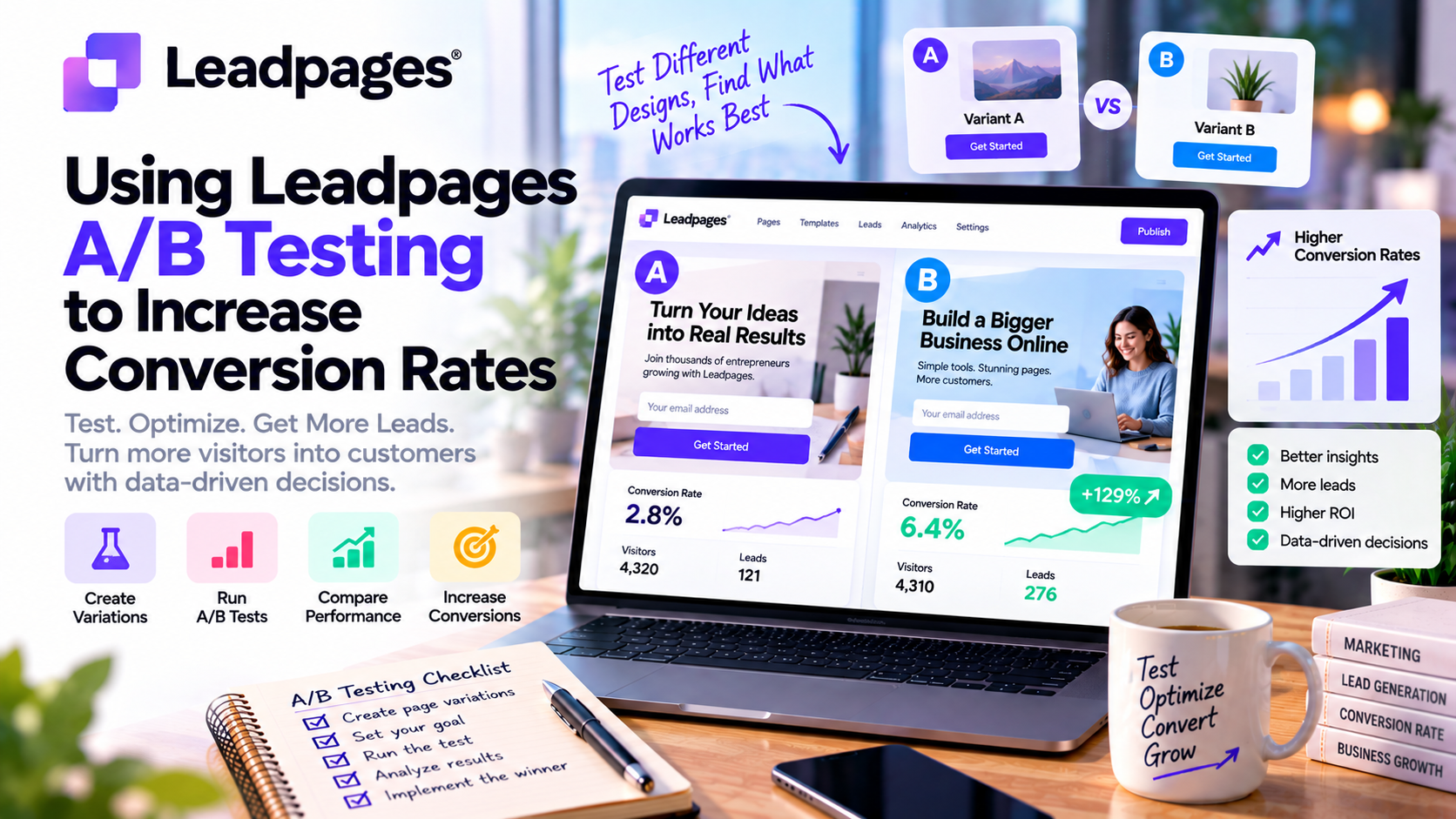
What Is A/B Testing?
A/B testing, also known as split testing, is the process of comparing two versions of the same landing page to determine which one performs better.
The original page is commonly called Version A, while the modified page is Version B.
Visitors are randomly shown one of the two versions, and Leadpages measures which page achieves a higher conversion rate based on your chosen goal.
For example, if your goal is to collect email sign-ups, the version that generates more completed forms is considered the winner.
Rather than making changes based on guesswork, A/B testing allows marketers to make decisions backed by real-world data.
Why A/B Testing Matters
Many businesses invest heavily in advertising but overlook optimization.
Imagine you're spending $2,000 per month on Google Ads. If your landing page converts only 5% of visitors, even a small improvement to 7% could generate significantly more leads without increasing your advertising budget.
A/B testing helps businesses:
- Increase conversion rates
- Lower customer acquisition costs
- Improve return on ad spend (ROAS)
- Better understand customer behavior
- Make confident, data-driven decisions
- Maximize marketing ROI
Even a 10–20% improvement in conversions can have a meaningful impact on business growth.
How Leadpages A/B Testing Works
Leadpages makes A/B testing simple, even for beginners.
The typical process involves:
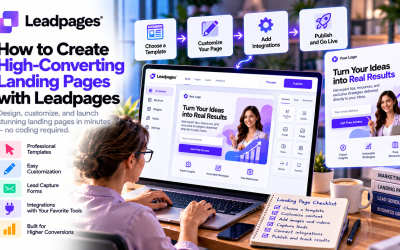
Step 1: Create Your Landing Page
Start by building your original landing page using a template or the drag-and-drop editor.
Step 2: Duplicate the Page
Create a second version that includes one specific change.
For example:
- A different headline
- A new CTA button
- An alternative hero image
Step 3: Split Your Traffic
Leadpages automatically sends visitors to both versions of the page.
Traffic is distributed fairly so each version receives enough visitors for meaningful comparisons.
Step 4: Measure Results
Leadpages tracks key performance metrics such as:
- Visitors
- Conversions
- Conversion rate
- Form submissions
Once enough data has been collected, you can determine which version performs better.
What Should You Test?
Not every page element has the same impact on conversions.
Here are some of the most valuable components to test.
1. Headlines
Your headline is the first thing visitors see.
Compare:
Version A
“Grow Your Business Faster”
Version B
“Generate More Qualified Leads in Just 30 Days”
Benefit-driven headlines often outperform generic messaging.
2. Call-to-Action Buttons
Small wording changes can significantly influence user behavior.
Examples include:
- Start Free Trial
- Get Started Today
- Download Now
- Claim Your Free Guide
- Book a Demo
You can also test button size and placement.
3. Hero Images
Visuals create first impressions.
Experiment with:
- Product screenshots
- Lifestyle photography
- Team photos
- Illustrations
- Videos
Authentic, relevant visuals often outperform generic stock images.
4. Lead Capture Forms
Long forms may provide more information but often reduce completion rates.
Test:
- Two fields vs. five fields
- Optional phone number
- Single-step vs. multi-step forms
Many businesses find that shorter forms generate more leads.
5. Page Layout
The organization of your content affects readability.
Consider testing:
- CTA placement
- Testimonials above or below the fold
- Number of sections
- Feature order
- Pricing presentation
Even subtle layout adjustments can improve conversions.
6. Social Proof
Trust plays a major role in conversion decisions.
Test different trust-building elements such as:
- Customer testimonials
- Star ratings
- Client logos
- Case studies
- Awards
- User statistics
Strong social proof can reduce hesitation and increase credibility.
Best Practices for Successful A/B Testing
Test One Variable at a Time
Changing multiple elements simultaneously makes it difficult to identify what caused the improvement.
Focus on one variable per experiment.
Collect Enough Data
Avoid making decisions after only a handful of visitors.
Wait until both versions receive sufficient traffic before declaring a winner.
Patience leads to more reliable results.
Define Clear Goals
Before launching a test, decide what success looks like.
Common conversion goals include:
- Email subscriptions
- Demo requests
- Product purchases
- Webinar registrations
- Consultation bookings
A clear objective ensures your results are meaningful.
Continue Testing
Optimization never truly ends.
Once you identify a winning headline, test:
- CTA buttons
- Images
- Form length
- Testimonials
- Pricing layout
Small improvements accumulated over time can dramatically increase overall conversion rates.
Common A/B Testing Mistakes
Many marketers fail to achieve meaningful results because of avoidable errors.
Common mistakes include:
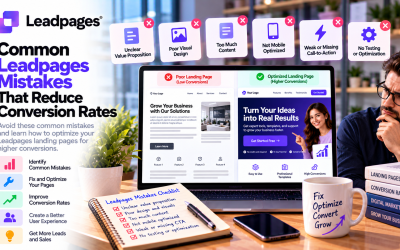
❌ Testing too many changes at once
❌ Ending tests too early
❌ Ignoring mobile performance
❌ Measuring the wrong metrics
❌ Using low-quality traffic
❌ Making decisions based on opinions instead of data
Successful optimization requires consistency and patience.
Real-World Business Examples
SaaS Companies
Test different free trial offers to increase software sign-ups.
Ecommerce Stores
Compare promotional headlines and discount messaging during seasonal campaigns.
Marketing Agencies
Optimize client landing pages to reduce advertising costs and improve campaign performance.
Coaches and Consultants
Test consultation booking forms and webinar registration pages to generate more qualified leads.
Local Businesses
Experiment with appointment booking pages, local offers, and service promotions.
Why Leadpages Makes A/B Testing Easy
Unlike many landing page builders that require third-party tools, Leadpages includes A/B testing directly within the platform.
Benefits include:
- No coding required
- Easy page duplication
- Built-in performance tracking
- Simple traffic distribution
- Seamless integration with analytics tools
- Beginner-friendly interface
This allows businesses of any size to adopt a data-driven approach without technical complexity.
Final Verdict
A/B testing is one of the most effective ways to improve landing page performance, and Leadpages makes the process accessible to businesses of all sizes. By allowing marketers to compare headlines, images, calls-to-action, forms, and layouts using real visitor data, the platform removes the guesswork from conversion optimization.
The greatest advantage of Leadpages A/B Testing is its simplicity. Even users with no technical background can launch experiments, analyze results, and implement winning variations without relying on external tools or developers.
If your goal is to generate more leads, reduce advertising costs, and improve marketing ROI, A/B testing should become a regular part of your optimization strategy. Combined with Leadpages' AI features and analytics, it provides a powerful foundation for building landing pages that continuously perform better over time.



Write Your Review
No reviews yet. Be the first to share your experience!