
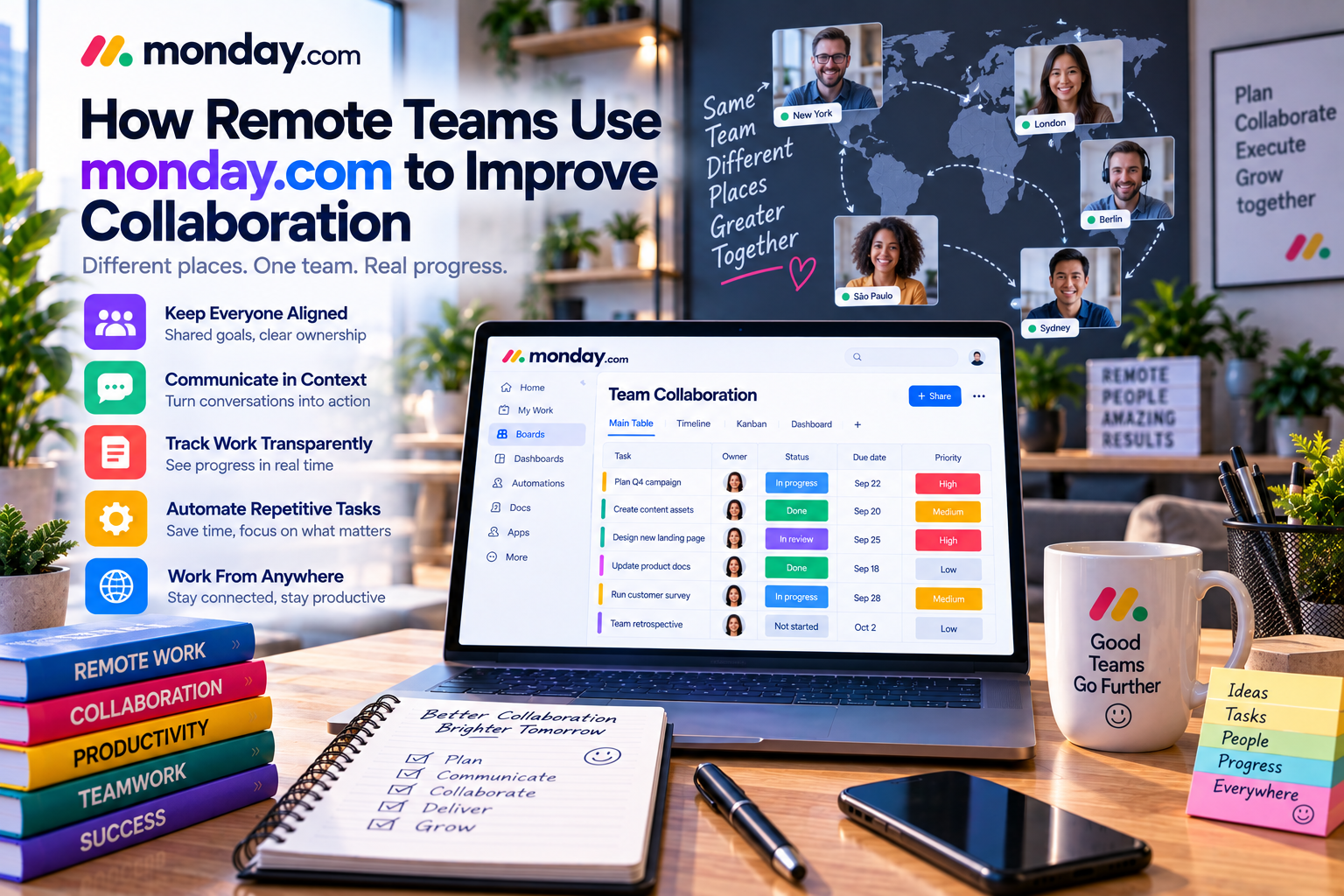
Remote and hybrid work have transformed the way businesses operate. Teams are no longer limited to working in the same office or even the same country. Employees now collaborate across multiple time zones, communicate through digital platforms, and manage projects from virtually anywhere.
While remote work offers greater flexibility and access to global talent, it also introduces new challenges. Communication gaps, scattered information, unclear responsibilities, and limited visibility into project progress can quickly reduce productivity if teams lack the right tools.
According to numerous workplace studies, one of the biggest obstacles facing remote teams is maintaining alignment. Without face-to-face conversations, employees need a centralized workspace where projects, discussions, documents, and deadlines are organized and accessible to everyone.
This is where monday.com stands out.
As a cloud-based Work Operating System (Work OS), monday.com provides remote teams with a single platform for project management, collaboration, automation, reporting, and communication. Rather than switching between multiple applications, teams can organize work, monitor progress, and collaborate in real time from anywhere in the world.
In this article, we'll explore how remote teams use monday.com to improve collaboration, increase productivity, and successfully manage distributed work.
The Challenges of Remote Collaboration
Working remotely is about more than simply replacing the office with video calls. Distributed teams often encounter several operational challenges.
Common issues include:
- Communication delays
- Unclear task ownership
- Missed deadlines
- Duplicate work
- Lack of project visibility
- Difficulty tracking progress
- Information scattered across emails, chats, and documents
As organizations grow, these problems become increasingly difficult to manage.
A centralized collaboration platform helps eliminate these issues by providing one source of truth for every project.
A Centralized Workspace for Every Team
One of monday.com's greatest strengths is its ability to centralize work.
Instead of storing information across multiple systems, remote teams can manage everything within one workspace.
Each project board can include:
- Tasks
- Deadlines
- Assigned team members
- Status updates
- Files
- Discussions
- Priorities
- Timelines
- Dependencies
Whether an employee works from New York, London, Singapore, or Sydney, everyone has access to the same information in real time.
This significantly improves transparency and reduces confusion.
Clear Task Ownership
Remote teams cannot rely on spontaneous office conversations to clarify responsibilities.
Every task needs a clearly assigned owner.
monday.com allows project managers to assign work directly to individual employees while displaying:
- Task owner
- Due date
- Current status
- Priority
- Progress
This ensures everyone understands:
- What needs to be done
- Who is responsible
- When work is due
Clear ownership increases accountability and reduces duplicated effort.
Real-Time Collaboration
Effective collaboration is one of the biggest requirements for distributed teams.
Rather than using lengthy email chains, monday.com enables discussions directly within each task.
Team members can:
- Mention colleagues
- Leave comments
- Upload files
- Share updates
- Provide feedback
- Track revisions
For example, a designer can upload a new website mockup while a product manager reviews it and leaves comments in the same task.
Every conversation remains connected to the project, making information easier to find later.
Multiple Project Views
Every team member works differently.
Some prefer visual boards, while others rely on calendars or timelines.
monday.com supports multiple views, including:
Kanban View
Ideal for Agile workflows.
Tasks move through stages such as:
To Do → In Progress → Review → Completed
Timeline View
Helps remote teams coordinate long-term projects and monitor dependencies.
Calendar View
Perfect for content marketing teams managing publishing schedules and campaign deadlines.
Gantt View
Useful for project managers overseeing complex initiatives involving multiple teams.
Dashboard View
Provides executives with a real-time overview of organizational performance.
These flexible views allow every stakeholder to work using their preferred perspective without changing the underlying data.
Automating Routine Communication
Remote teams often lose productivity because managers spend too much time sending reminders and following up on project updates.
monday.com's no-code automation reduces this administrative workload.
Examples include:
- Notify employees before deadlines.
- Assign new tasks automatically.
- Update project statuses.
- Send approval requests.
- Create recurring tasks.
For example:
When a task status changes to “Ready for Review,” automatically notify the project manager.
Automation ensures work continues moving even when employees are working in different time zones.
AI Features for Distributed Teams
Artificial intelligence further improves remote collaboration.
monday.com's AI capabilities can:
- Summarize project updates
- Draft task descriptions
- Generate meeting summaries
- Improve written communication
- Organize information
Imagine joining a project after several days away.
Instead of reading hundreds of comments, AI generates a concise summary highlighting completed work, current priorities, and outstanding issues.
This saves time while helping employees quickly become productive again.
Managing Documents and Creative Assets
Remote teams frequently exchange:
- Documents
- Images
- Videos
- Contracts
- Presentations
- Design files
Rather than searching through cloud storage or email attachments, monday.com allows files to be attached directly to tasks.
Every version, discussion, and approval remains connected to the project.
This creates a more organized digital workspace.
Monitoring Team Performance with Dashboards
Managers need visibility into remote work without micromanaging employees.
Dashboards provide real-time insights into:
- Project progress
- Team workload
- Completed tasks
- Upcoming deadlines
- Budget utilization
- KPI performance
Instead of requesting daily status reports, leaders can review dashboards whenever needed.
This encourages transparency while giving employees greater autonomy.
Integrating Communication Tools
Remote organizations often use several collaboration platforms simultaneously.
monday.com integrates with popular tools such as:
- Slack
- Microsoft Teams
- Zoom
- Google Workspace
- Outlook
- Dropbox
- Zapier
These integrations reduce context switching while ensuring information flows automatically between systems.
For example, when a task is assigned in monday.com, a notification can automatically appear in Slack or Microsoft Teams.
Real-World Example
Imagine a software company with employees located in five different countries.
The product development team includes:
- Product managers
- Developers
- UX designers
- QA engineers
- Customer success specialists
Using monday.com, every feature request follows a structured workflow:
Idea → Planning → Development → Testing → Release
Automation assigns tasks to the next department, dashboards monitor sprint progress, and AI summarizes weekly updates for leadership.
Despite working across multiple time zones, the team remains aligned because everyone has access to the same real-time information.
Best Practices for Remote Teams
Create Standard Workflows
Develop consistent project templates for recurring work.
Centralize Communication
Keep project discussions inside monday.com rather than scattered across multiple platforms.
Use Automation
Automate reminders, approvals, notifications, and recurring tasks to reduce manual administration.
Monitor Workload
Review workload dashboards regularly to prevent burnout and balance team capacity.
Schedule Regular Reviews
Hold weekly project reviews to discuss priorities, risks, and completed work.
Combining structured meetings with transparent dashboards creates stronger alignment across distributed teams.
Advantages of monday.com for Remote Teams
✔ Centralized collaboration
✔ Cloud-based accessibility
✔ Real-time project visibility
✔ Flexible workflows
✔ Powerful automation
✔ AI-powered productivity
✔ Custom dashboards
✔ Excellent integrations
✔ Scales from startups to enterprises
Potential Limitations
While monday.com is an excellent collaboration platform, organizations should consider a few points:
- Teams may need onboarding to fully utilize advanced features such as automation and dashboards.
- Larger organizations should establish workspace governance to maintain consistency.
- Video conferencing relies on integrations rather than built-in meeting functionality.
These limitations are relatively minor compared to the platform's collaboration capabilities.
monday.com vs Traditional Remote Collaboration
| Feature | monday.com | Email + Spreadsheets |
|---|---|---|
| Centralized Projects | ✔ Yes | ✘ No |
| Real-Time Collaboration | ✔ Excellent | Limited |
| Automation | ✔ Built-in | Manual |
| Dashboards | ✔ Real-time | Manual |
| File Management | ✔ Integrated | Fragmented |
| Project Visibility | ✔ Complete | Limited |
For distributed organizations, replacing disconnected tools with a unified platform significantly improves efficiency.
Final Verdict
Successful remote work depends on more than communication—it requires visibility, accountability, and well-structured workflows.
monday.com provides remote and hybrid teams with a centralized platform where projects, conversations, documents, automation, dashboards, and AI-powered productivity tools work together seamlessly.
Its customizable workflows, multiple project views, automation, integrations, and collaborative features help distributed teams remain organized regardless of location or time zone.
Whether you're managing a fully remote startup, a hybrid enterprise, or an international consulting firm, monday.com offers the flexibility and scalability needed to support modern teamwork.
For organizations looking to improve collaboration, reduce operational complexity, and maintain productivity across distributed teams, monday.com is one of the best work management platforms available in 2026.

Write Your Review
No reviews yet. Be the first to share your experience!