
Choosing the right SaaS platform is not only about features. Pricing is one of the most important factors businesses consider before adopting new software.
A project management tool may provide powerful capabilities, but if the cost grows too quickly as teams expand, it can become difficult to justify the investment.
monday.com is one of the most popular Work Operating System (Work OS) platforms available today, offering solutions for project management, CRM, software development, customer service, and business operations.
The platform provides multiple pricing tiers designed for different types of users, from individuals and small teams to large enterprises.
But which monday.com plan provides the best value?
In this guide, we analyze monday.com's pricing structure, plan features, ideal users, advantages, limitations, and recommendations to help you choose the right option.
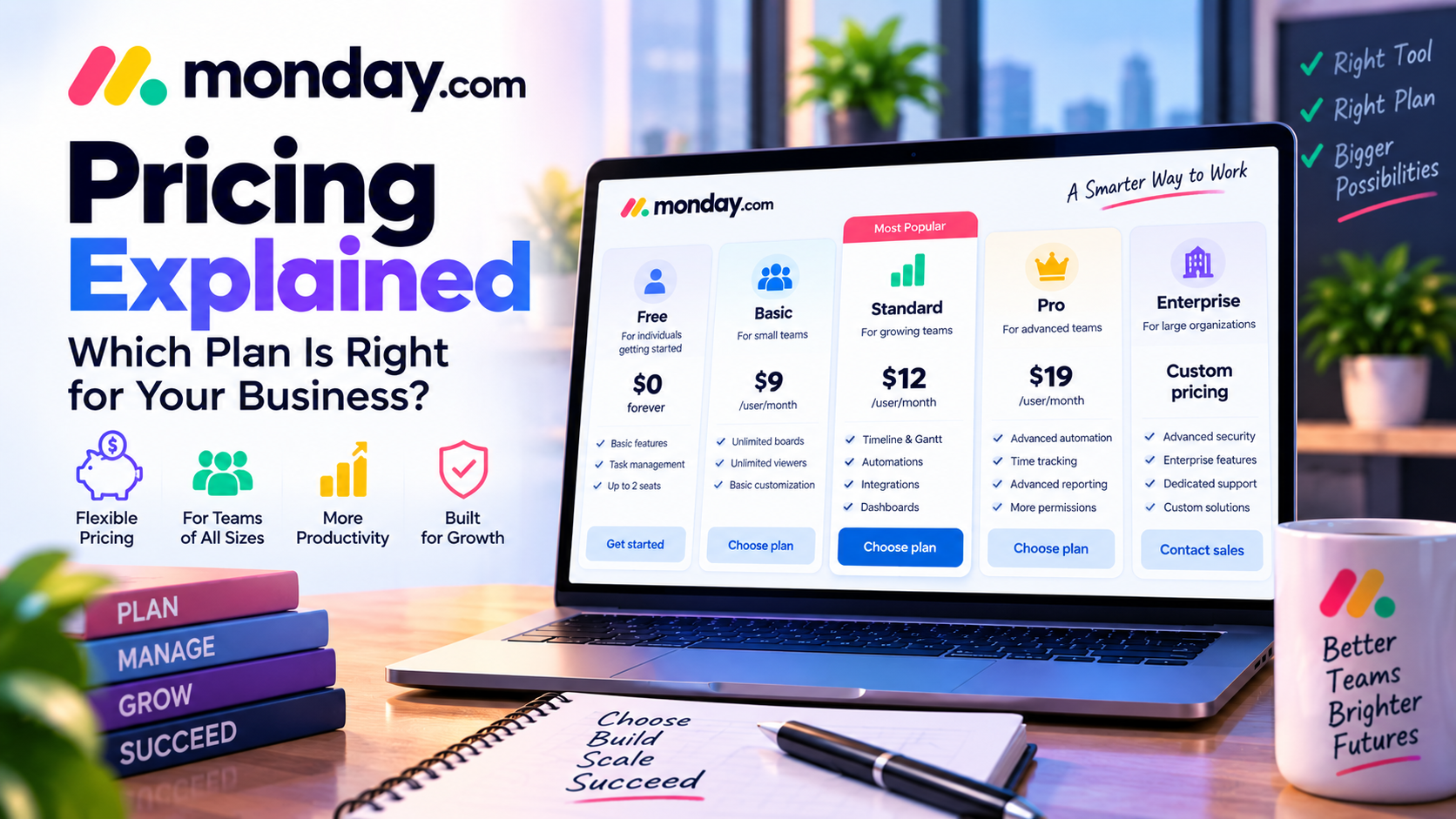
How Does monday.com Pricing Work?
monday.com uses a subscription-based pricing model.
The cost depends on several factors:
- Number of users
- Selected product
- Feature requirements
- Billing cycle
- Business size
Unlike some SaaS platforms that charge a simple monthly fee, monday.com pricing is usually calculated based on user seats.
This means the total cost can increase as more employees join the platform.
For businesses planning long-term adoption, understanding each plan is essential.
monday.com Pricing Plans Overview
monday.com generally offers several pricing tiers:
- Free Plan
- Basic Plan
- Standard Plan
- Pro Plan
- Enterprise Plan
Each plan targets different business needs.
1. monday.com Free Plan
Best For:
- Individuals
- Freelancers
- Small teams testing the platform
The Free plan allows users to explore monday.com's basic capabilities before committing to a paid subscription.
Key Features
The Free plan typically includes:
- Basic project boards
- Task management
- Simple collaboration features
- Limited customization
It allows users to experience the core monday.com workflow.
Advantages
Easy Testing
Users can evaluate whether monday.com fits their workflow without financial commitment.
Good for Simple Projects
The Free plan works well for:
- Personal productivity
- Small projects
- Basic task tracking
Limitations
The Free plan has restrictions.
Users may find limitations in:
- Automation
- Integrations
- Advanced reporting
- Dashboard capabilities
Growing teams will likely need to upgrade.
Who Should Choose the Free Plan?
Choose Free if you are:
✅ A solo user
✅ Testing monday.com
✅ Managing simple projects
Avoid Free if you need:
❌ Advanced automation
❌ Complex team workflows
❌ Business reporting
2. monday.com Basic Plan
Best For:
- Small businesses
- Small project teams
- Basic workflow management
The Basic plan introduces more flexibility compared with the Free version.
Key Features
Includes:
- Unlimited boards
- Unlimited viewers
- More customization options
- Improved project organization
Benefits
The Basic plan is suitable for teams that need a centralized workspace without advanced requirements.
Example:
A small marketing team can manage:
- Content calendars
- Campaign schedules
- Team responsibilities
Limitations
Advanced features such as:
- Automation
- Advanced dashboards
- Detailed reporting
may still require higher plans.
Who Should Choose Basic?
Recommended for:
✅ Small companies
✅ Simple project management needs
✅ Teams replacing spreadsheets
Not ideal for:
❌ Businesses requiring automation
❌ Large teams managing complex operations
3. monday.com Standard Plan
Best For:
- Growing businesses
- Professional teams
- Companies needing automation and reporting
The Standard plan is often considered the best balance between price and functionality.
Key Features
The Standard plan typically includes:
Timeline and Gantt Views
Useful for:
- Project planning
- Deadlines
- Dependencies
Automations
Teams can automate:
- Notifications
- Task assignments
- Status updates
Integrations
Connect monday.com with external tools such as:
- Google Workspace
- Slack
- Microsoft Teams
- Other business applications
Dashboards
Managers can monitor:
- Project progress
- Team workload
- Performance data
Why Standard Is Popular
The Standard plan provides the features most professional teams need without paying enterprise-level prices.
It is suitable for:
- Marketing departments
- Agencies
- Operations teams
- Growing companies
Who Should Choose Standard?
Recommended for:
✅ Growing teams
✅ Businesses managing multiple projects
✅ Teams requiring automation
This is likely the best choice for most small and medium businesses.
4. monday.com Pro Plan
Best For:
- Advanced teams
- Larger organizations
- Complex workflows
The Pro plan unlocks more advanced productivity features.
Key Features
Includes:
Advanced Automation
Useful for companies with complex processes.
Example:
“When a sales deal reaches a specific stage → automatically create follow-up tasks.”
Advanced Reporting
Helps managers analyze:
- Team performance
- Project efficiency
- Business operations
Time Tracking
Useful for:
- Agencies
- Consultants
- Service businesses
More Control
Professional teams gain better workflow management capabilities.
Who Should Choose Pro?
Recommended for:
✅ Medium and large businesses
✅ Agencies managing many projects
✅ Teams requiring advanced analytics
5. monday.com Enterprise Plan
Best For:
- Large organizations
- Global companies
- Enterprise teams
The Enterprise plan focuses on scalability, security, and administration.
Key Features
Enterprise users typically receive:
- Advanced security controls
- Enterprise permissions
- Organization management
- Dedicated support
- Enhanced governance
Who Needs Enterprise?
Suitable for:
✅ Large companies
✅ Organizations with strict security requirements
✅ Companies managing multiple departments
monday.com Pricing: Which Plan Offers the Best Value?
Choosing the right plan depends on your business needs.
| User Type | Recommended Plan |
|---|---|
| Individual user | Free |
| Freelancer | Free / Basic |
| Small business | Basic / Standard |
| Marketing team | Standard |
| Agency | Standard / Pro |
| Enterprise | Enterprise |
Is monday.com Worth the Price?
The answer depends on how your team uses the platform.
Reasons It Is Worth Paying For
1. Saves Time Through Automation
Automation reduces repetitive tasks and improves productivity.
2. Improves Team Visibility
Managers can understand project progress without manual reporting.
3. Replaces Multiple Tools
Many companies use monday.com instead of combining:
- Spreadsheets
- Task management apps
- Communication tools
- Reporting systems
4. Scales With Business Growth
Companies can start small and upgrade as requirements increase.
monday.com Pricing Pros and Cons
Pros
✅ Flexible pricing options
✅ Free plan available for testing
✅ Strong value in Standard plan
✅ Scalable for growing companies
✅ Enterprise support available
Cons
❌ Costs increase with more users
❌ Advanced features require expensive plans
❌ Small teams may find premium plans costly
❌ Some competitors offer more features at similar prices
monday.com vs Competitors Pricing Comparison
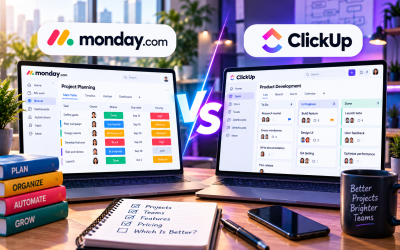
monday.com vs ClickUp
monday.com:
- Better user experience
- Easier adoption
ClickUp:
- More features included
- Often cheaper for feature-heavy users
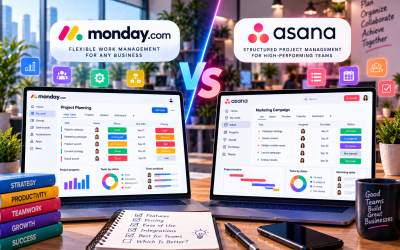
monday.com vs Asana
monday.com:
- More visual customization
Asana:
- Strong project structure
monday.com vs Trello
monday.com:
- More advanced workflows
Trello:
- Lower cost and simpler setup
Expert Recommendation: Which monday.com Plan Should You Choose?
For Beginners
Start with:
Free Plan
Test the workflow before upgrading.
For Small Businesses
Choose:
Standard Plan
It provides the best balance between:
- Features
- Automation
- Price
For Professional Teams
Choose:
Pro Plan
Especially if you need:
- Reporting
- Advanced automation
- Resource management
For Enterprises
Choose:
Enterprise Plan
When security, governance, and scalability matter.
Final Verdict: Is monday.com Pricing Worth It?
monday.com is not the cheapest project management platform available, but it provides strong value through flexibility, usability, and productivity improvements.
The platform is especially valuable for companies that need:
- Custom workflows
- Team collaboration
- Automation
- Business visibility
For most growing businesses, the Standard plan offers the best combination of features and cost.
Large organizations may benefit from Pro or Enterprise plans, while individuals can start with the Free version.
Overall Pricing Rating: 8.5/10
Best Value Choice:
⭐ monday.com Standard Plan
Best For Enterprise:
⭐ monday.com Enterprise Plan
Best For Testing:
⭐ Free Plan
Final Recommendation:
monday.com is a worthwhile investment for businesses that want a flexible and scalable work management solution, but companies should carefully evaluate user numbers and feature requirements before choosing a plan.



Write Your Review
No reviews yet. Be the first to share your experience!