
In modern workplaces, productivity is no longer just about completing more tasks. Businesses need better systems to organize information, automate repetitive processes, improve collaboration, and make faster decisions.
Many companies struggle because their workflows are scattered across spreadsheets, emails, chat applications, and disconnected software tools. This creates problems such as unclear responsibilities, missed deadlines, and limited visibility into project progress.
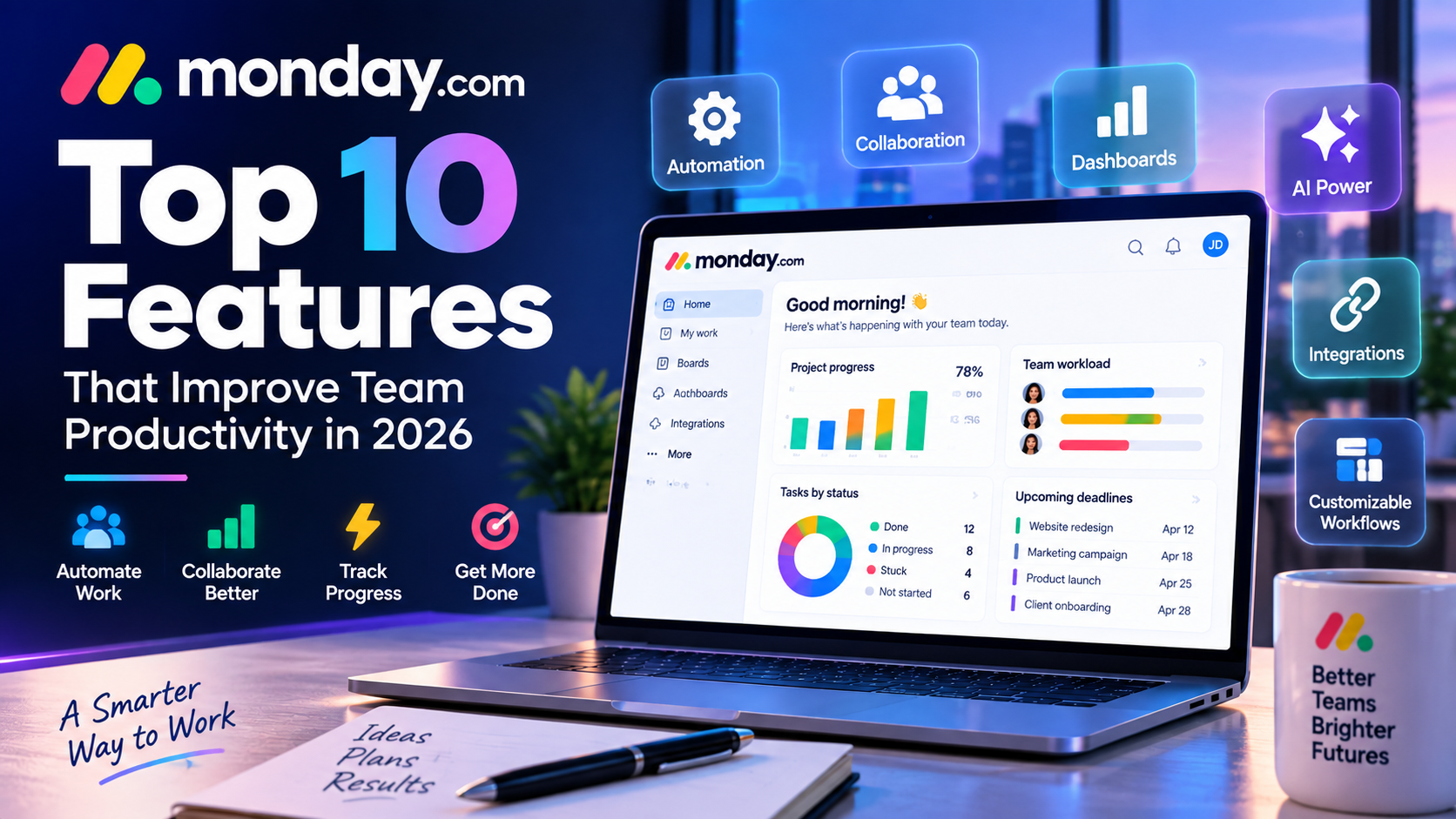
monday.com solves these challenges by providing a flexible Work Operating System (Work OS) where teams can design, manage, and automate their workflows in one centralized platform.
With its combination of visual project management, automation, integrations, dashboards, and AI-powered capabilities, monday.com has become one of the most popular productivity platforms for businesses.
In this article, we analyze the top 10 monday.com features that help teams work more efficiently in 2026.
1. Customizable Project Management Boards
The foundation of monday.com is its customizable board system.
Unlike traditional project management software with fixed structures, monday.com allows teams to create workflows that match their specific business processes.
Each board can include:
- Tasks
- Team members
- Deadlines
- Status updates
- Priority levels
- Progress tracking
- Custom information fields
For example, a content marketing team can create a publishing workflow:
Content Idea → Research → Writing → Editing → SEO Review → Published
A software development team can create:
Feature Request → Development → Testing → Deployment
This flexibility makes monday.com suitable for almost any department.
Why This Feature Matters
Every organization works differently. A customizable workflow prevents teams from adapting their processes to restrictive software.
Instead, monday.com adapts to the way businesses already operate.
2. Multiple Project Views
One of monday.com's strongest advantages is the ability to visualize work in different ways.
Different teams require different perspectives, and monday.com provides multiple views.
Kanban View
Kanban boards are ideal for agile workflows.
Example:
| Status | Tasks |
|---|---|
| To Do | New ideas |
| In Progress | Active projects |
| Review | Quality checking |
| Completed | Finished work |
This view is especially useful for:
- Product teams
- Marketing workflows
- Software development
Timeline View
Timeline view helps teams understand project schedules.
Useful for:
- Product launches
- Marketing campaigns
- Business events
Managers can easily identify overlapping deadlines and potential delays.
Calendar View
Calendar view is valuable for teams managing time-based activities.
Common examples:
- Social media schedules
- Content publishing
- Events
- Campaign launches
Gantt Chart View
Gantt charts provide advanced project planning.
Teams can track:
- Dependencies
- Milestones
- Project duration
- Critical deadlines
This is useful for larger projects requiring detailed planning.
3. Workflow Automation
Automation is one of the most valuable features of monday.com.
Many employees spend significant time performing repetitive administrative tasks.
monday.com automation helps reduce this workload without requiring programming skills.
Examples:
- Automatically assign tasks
- Send deadline reminders
- Update project statuses
- Notify team members
- Create recurring tasks
Example:
“When status changes to Completed → notify the project manager.”
Another example:
“When a deadline is approaching → send a reminder to the task owner.”
Business Benefits of Automation
Automation helps organizations:
- Save time
- Reduce human errors
- Improve consistency
- Increase productivity
For growing companies, automation can significantly improve operational efficiency.
4. AI-Powered Productivity Features
Artificial intelligence has become a major trend in SaaS platforms, and monday.com has integrated AI capabilities to support modern workflows.
AI features help teams handle information faster and improve decision-making.
Common AI applications include:
Content Generation
Teams can use AI assistance to:
- Create task descriptions
- Generate ideas
- Improve written communication
Information Summarization
AI can summarize:
- Project updates
- Long discussions
- Status reports
This helps managers quickly understand important information.
Workflow Assistance
AI can support teams by analyzing information and suggesting improvements.
For businesses adopting AI-powered productivity strategies, monday.com provides additional efficiency benefits.
5. Advanced Dashboards and Reporting
Businesses need accurate information to make better decisions.
monday.com dashboards provide real-time visibility into projects and operations.
Users can monitor:
- Project progress
- Team workload
- Deadlines
- Performance indicators
- Business metrics
Managers can combine information from multiple boards into one dashboard.
Example:
A company manager can view:
- Marketing campaign progress
- Sales performance
- Product development status
from a single location.
6. Team Collaboration Tools
Effective collaboration is critical for modern organizations.
monday.com provides built-in communication features that reduce dependence on external communication tools.
Teams can:
- Comment on tasks
- Mention colleagues
- Share documents
- Discuss updates
- Track conversations
Instead of searching through emails or chat history, project communication remains connected to the actual work.
7. Templates for Faster Setup
Creating workflows from scratch can take time.
monday.com provides hundreds of templates designed for different business needs.
Popular templates include:
Marketing Templates
- Content calendar
- Campaign planning
- Social media management
Sales Templates
- CRM pipeline
- Lead tracking
- Customer management
HR Templates
- Employee onboarding
- Recruitment tracking
- Performance reviews
Product Templates
- Product roadmap
- Feature planning
- Development workflow
Templates help teams start faster and follow proven workflow structures.
8. Powerful Integrations
Modern businesses rarely use only one software platform.
monday.com integrates with many popular business tools.
Examples include:
- Slack
- Google Workspace
- Microsoft Teams
- Zoom
- Salesforce
- HubSpot
- Jira
- Zapier
These integrations allow companies to connect their existing technology ecosystem.
Example:
A sales team can connect monday.com CRM with Salesforce data.
A marketing team can connect workflows with Google Calendar.
9. Resource and Workload Management
Managers need to understand how work is distributed across teams.
monday.com's workload management features help identify:
- Who is overloaded
- Who has available capacity
- Which projects need additional resources
This is especially useful for:
- Agencies
- Large marketing teams
- Enterprise departments
Better workload visibility helps prevent employee burnout and improves project planning.
10. Mobile Application
Modern teams need access to work information anywhere.
The monday.com mobile app allows users to:
- Update tasks
- Check project progress
- Receive notifications
- Communicate with teammates
This supports remote work and flexible business operations.
monday.com Features Compared With Traditional Tools
| Feature | monday.com | Traditional Spreadsheet |
|---|---|---|
| Visual workflow | Excellent | Limited |
| Automation | Strong | None |
| Collaboration | Real-time | Limited |
| Reporting | Advanced | Manual |
| Customization | High | Medium |
The biggest advantage of monday.com is combining flexibility with automation.
Real-World Examples of monday.com Features
Marketing Campaign Management
A marketing team can manage:
- Campaign planning
- Content production
- Advertising schedules
- Performance tracking
Software Development
Development teams can track:
- Feature requests
- Bugs
- Product releases
Customer Relationship Management
Sales teams can manage:
- Leads
- Opportunities
- Customer communication
Pros and Cons of monday.com Features
Pros
✅ Highly customizable workflows
✅ Easy visual management
✅ Strong automation capabilities
✅ Excellent collaboration features
✅ Multiple business applications
Cons
❌ Advanced features require higher plans
❌ Too many customization options can overwhelm beginners
❌ Some specialized industries may need dedicated tools
Final Verdict: Are monday.com Features Worth It?
monday.com's feature set makes it one of the most complete work management platforms available today.
Its strongest advantages are:
- Flexible workflow design
- Powerful automation
- AI productivity support
- Strong collaboration
- Business scalability
For companies looking to replace spreadsheets and disconnected tools, monday.com provides a modern solution that improves productivity and operational visibility.
Overall Feature Rating: 9/10
Best Features:
⭐ Customizable Boards
⭐ Automation
⭐ Dashboards
⭐ Integrations
⭐ Collaboration Tools
Final Recommendation:
monday.com is an excellent choice for businesses that need a flexible, visual, and scalable platform to manage projects and workflows efficiently.


Write Your Review
No reviews yet. Be the first to share your experience!