
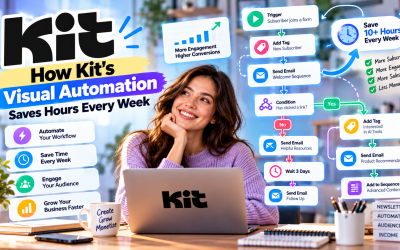
Creating high-quality content consistently is already a full-time job. The last thing content creators want is to spend hours manually sending emails, organizing subscribers, or following up with leads. Fortunately, Kit (formerly ConvertKit) helps automate these repetitive tasks through its powerful Visual Automation feature.
With the right workflows, Kit can welcome new subscribers, deliver lead magnets, promote products, onboard customers, and even re-engage inactive readers—all automatically.
In this guide, we'll explore the best Kit automation workflows every content creator should use in 2026.
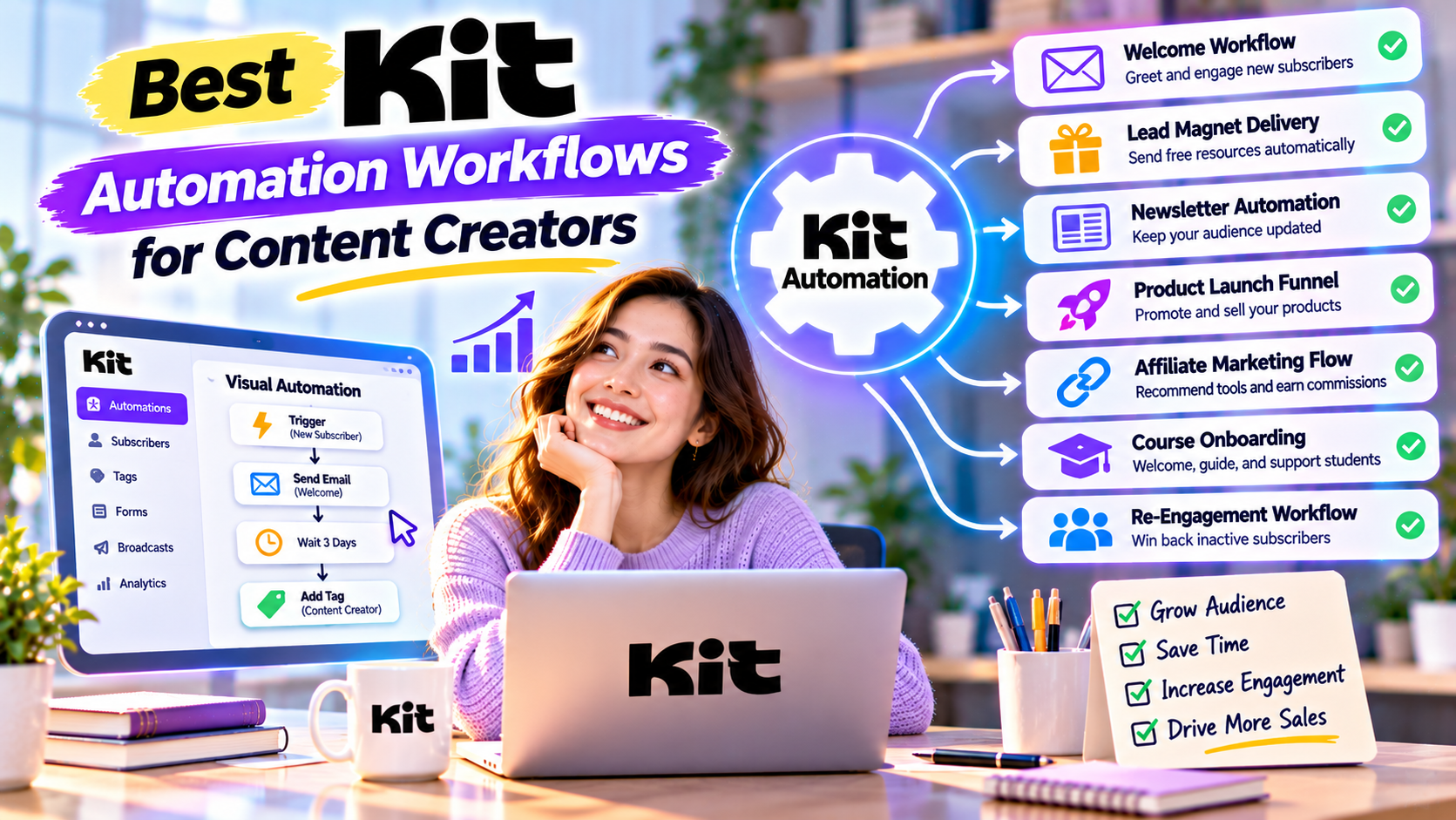
Why Automation Matters for Content Creators
As your audience grows, manual email marketing becomes increasingly difficult.
Automation helps you:
- Save time
- Deliver a consistent subscriber experience
- Increase engagement
- Generate more sales
- Focus on creating content instead of repetitive tasks
Once a workflow is built, it can run continuously with little maintenance.
Workflow 1: Welcome New Subscribers
Every subscriber should receive a warm welcome immediately after joining your email list.
Example Workflow
Visitor subscribes
↓
Receive welcome email
↓
Download lead magnet
↓
Receive your most popular content
↓
Learn about your brand
↓
Invitation to join your community
Benefits
- Builds trust quickly
- Introduces your expertise
- Improves subscriber retention
- Creates a strong first impression
This is the first automation every Kit user should build.
Workflow 2: Lead Magnet Delivery
Lead magnets are one of the fastest ways to grow an email list.
Examples include:
- Free eBooks
- AI prompt libraries
- Templates
- Checklists
- Video tutorials
- Mini courses
Workflow
Subscriber completes signup form
↓
Kit sends download instantly
↓
Subscriber receives educational sequence
↓
Recommended related content
↓
Soft product introduction
Everything happens automatically.
Workflow 3: Weekly Newsletter Automation
Publishing consistently keeps your audience engaged.
Use automation to:
- Welcome new readers
- Recommend previous articles
- Share weekly newsletters
- Highlight popular resources
New subscribers immediately gain access to your best content instead of waiting for the next newsletter.
Workflow 4: Product Launch Funnel
Launching a digital product requires multiple touchpoints.
Example Workflow
Announcement email
↓
Educational content
↓
Case study
↓
Customer testimonial
↓
Product demonstration
↓
Special offer
↓
Final reminder
Automation ensures every subscriber experiences the complete launch sequence.
Workflow 5: Affiliate Marketing Funnel
Affiliate marketers should educate before selling.
Example Workflow
Subscriber downloads buying guide
↓
Educational emails
↓
Product comparison
↓
Best tool recommendations
↓
Exclusive bonuses
↓
Follow-up sequence
This approach builds trust while improving affiliate conversions.
Workflow 6: Webinar Registration
Hosting webinars?
Kit can automate the entire process.
Workflow
Registration confirmation
↓
Reminder email
↓
One-day reminder
↓
One-hour reminder
↓
Replay email
↓
Related product offer
No manual reminders required.
Workflow 7: Course Onboarding
A great onboarding experience improves student satisfaction.
Workflow
Purchase confirmed
↓
Welcome email
↓
Course access instructions
↓
Community invitation
↓
Weekly learning reminders
↓
Progress encouragement
↓
Certificate reminder
Students stay engaged throughout the learning journey.
Workflow 8: Customer Upsell Sequence
Existing customers are often your best future buyers.
Workflow
Customer completes purchase
↓
Thank-you email
↓
Helpful tutorials
↓
Advanced resources
↓
Related product recommendation
↓
Special loyalty offer
This workflow increases customer lifetime value.
Workflow 9: Re-Engagement Campaign
Inactive subscribers reduce email performance.
Kit can automatically identify subscribers who haven't engaged recently.
Workflow
No email opens for 60 days
↓
“We Miss You” email
↓
Offer exclusive content
↓
Ask about preferences
↓
Remove inactive subscriber if necessary
A clean email list improves deliverability.
Workflow 10: Subscriber Interest Segmentation
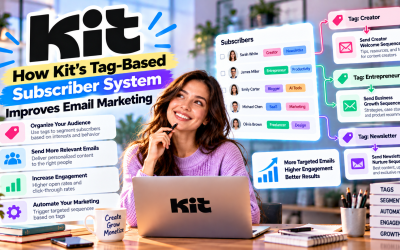
Kit's tag-based system allows automation to personalize content.
Examples:
AI Content
↓
Tag:
AI
Marketing Content
↓
Tag:
Marketing
Affiliate Guide
↓
Tag:
Affiliate
Future emails automatically match subscriber interests.
Combining Multiple Workflows
The real power of Kit comes from connecting workflows together.
Example:
Visitor downloads AI Guide
↓
Receives welcome sequence
↓
Reads AI newsletter
↓
Clicks product review
↓
Receives affiliate funnel
↓
Purchases course
↓
Customer onboarding
↓
VIP newsletter
Every stage happens automatically while maintaining a personalized experience.
Best Practices
To maximize automation success:
- Start with one workflow before building more.
- Use tags instead of multiple email lists.
- Keep emails conversational.
- Focus on educating before selling.
- Review analytics regularly.
- Test subject lines and timing.
- Update workflows as your business grows.
Small improvements compound over time.
Pros
- Saves significant time
- Improves subscriber experience
- Increases personalization
- Supports business growth
- Easy visual workflow builder
- Beginner-friendly
- Powerful audience segmentation
- Scales with your creator business
Cons
- Initial setup requires planning.
- Complex workflows should be reviewed periodically.
- Some advanced automation features require higher-tier plans.
Frequently Asked Questions
Which Kit workflow should I build first?
Start with a Welcome Email Sequence, followed by a Lead Magnet Delivery workflow. These provide the greatest immediate value for most creators.
Can Kit automate affiliate marketing?
Yes. Kit is widely used to automate educational email sequences, product recommendations, and affiliate promotions.
Does automation replace newsletters?
No. Automation handles recurring subscriber journeys, while newsletters keep your audience informed with fresh content and updates.
Can beginners build these workflows?
Absolutely. Kit's drag-and-drop Visual Automation builder makes creating workflows simple, even for users with no technical experience.
Final Verdict
Automation is one of the biggest advantages Kit offers to content creators. From welcoming new subscribers and delivering lead magnets to launching products, onboarding customers, and re-engaging inactive readers, Kit's Visual Automation helps creators build scalable marketing systems that work around the clock.
By combining intelligent workflows with subscriber tagging, landing pages, and email personalization, Kit allows creators to deliver the right message at the right time—without spending hours managing campaigns manually.
Whether you're a blogger, YouTuber, newsletter publisher, coach, affiliate marketer, or online educator, implementing these automation workflows will help you grow your audience, increase conversions, and spend more time doing what you do best: creating outstanding content.
Overall Rating: 5/5 ⭐
Write Your Review
No reviews yet. Be the first to share your experience!