
Email marketing remains one of the most effective digital marketing channels, delivering impressive returns for businesses of all sizes. However, not all email marketing platforms are built with the same audience in mind.
Traditional platforms like Mailchimp, Constant Contact, and ActiveCampaign were originally developed for businesses managing customer databases, promotional campaigns, and sales funnels. Kit (formerly ConvertKit), on the other hand, was built specifically for creators, bloggers, coaches, newsletter publishers, and digital entrepreneurs.
So, what makes Kit different from traditional email marketing software? In this comparison, we'll examine the major differences in features, user experience, automation, audience management, and overall value.
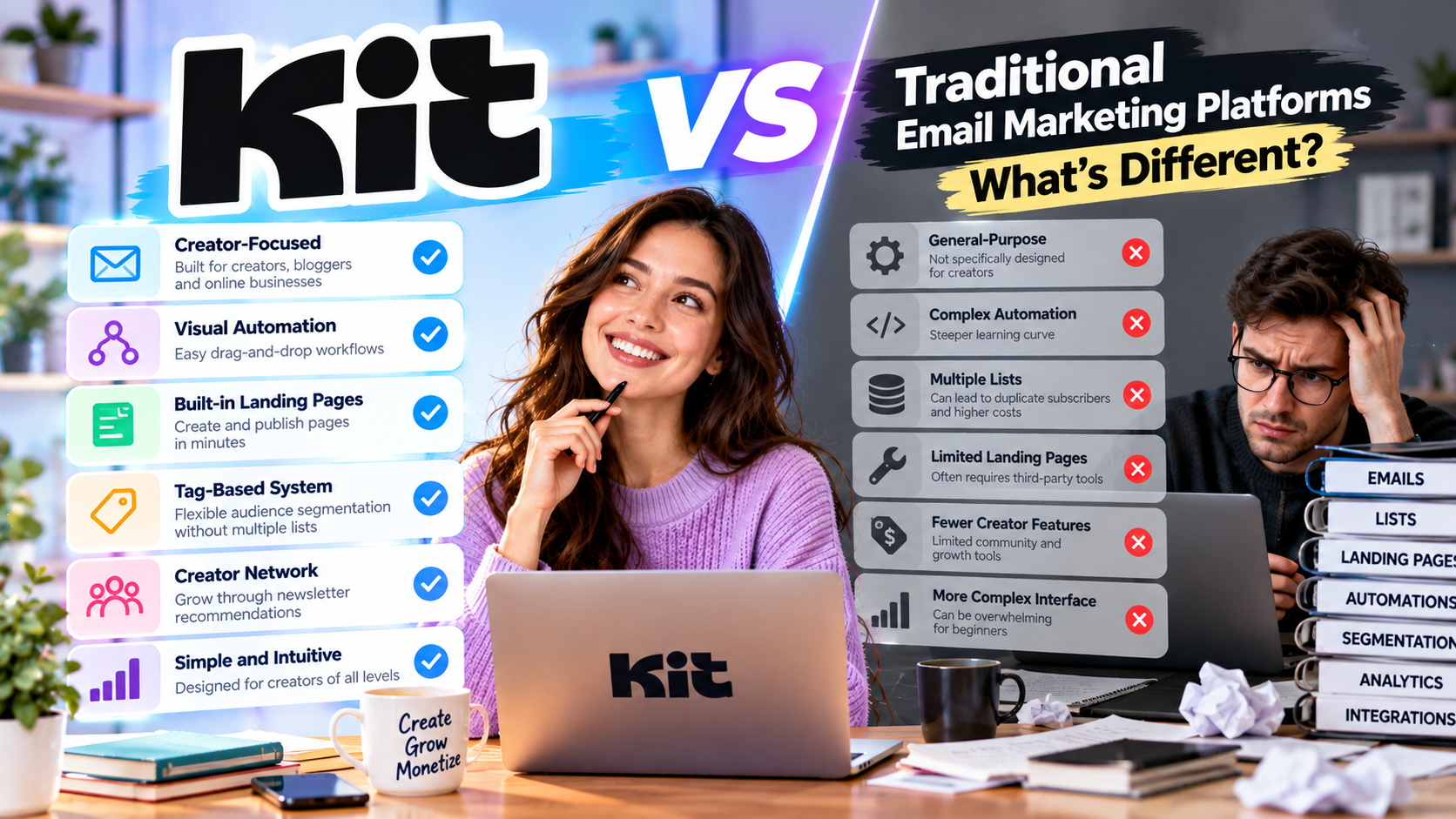
Understanding Traditional Email Marketing Platforms
Traditional email marketing platforms are designed to support a wide variety of businesses.
They often include features such as:
- Customer relationship management (CRM)
- Sales pipeline tracking
- Multi-channel marketing
- Advanced reporting
- Team collaboration
- Large-scale campaign management
- E-commerce integrations
While these tools are powerful, they can also be overwhelming for independent creators who simply want to grow an audience and send engaging emails.
What Makes Kit Different?
Kit was created with one clear goal:
Help creators grow and monetize their audience.
Instead of trying to satisfy every type of business, Kit focuses on the everyday needs of creators.
Its core strengths include:
- Simple email marketing
- Visual automation
- Subscriber tagging
- Landing pages
- Creator-focused monetization
- Newsletter publishing
- Digital product sales
This focused approach makes Kit easier to learn while still providing professional marketing capabilities.
User Experience
Traditional Platforms
Many traditional email platforms feature complex dashboards with dozens of menus, reports, and marketing tools.
While these features benefit large organizations, beginners often face a steep learning curve.
Common challenges include:
- Complicated navigation
- Multiple campaign settings
- Advanced CRM configuration
- Technical terminology
Kit
Kit emphasizes simplicity.
The dashboard is clean and intuitive, allowing users to quickly:
- Create forms
- Build landing pages
- Send newsletters
- Design automations
- Track subscriber growth
Most new users can launch their first email campaign within minutes.
Winner: Kit
Subscriber Management
Traditional Platforms
Many older email marketing systems organize contacts into separate lists.
For example:
- Newsletter subscribers
- Customers
- Webinar attendees
- Course buyers
The same person may exist in multiple lists, creating duplicate records and increasing costs.
Kit
Kit uses a tag-based subscriber system.
Instead of creating duplicate contacts, users apply tags such as:
- Customer
- Affiliate
- VIP
- Downloaded eBook
- Webinar Attendee
- Purchased Course
This approach provides greater flexibility while reducing subscriber duplication.
Winner: Kit
Automation
Automation is essential for modern email marketing.
Traditional Platforms
Most enterprise platforms offer highly advanced automation.
Examples include:
- CRM workflows
- Sales triggers
- Lead scoring
- Multi-channel campaigns
- Behavioral segmentation
These features are extremely powerful but often require significant setup.
Kit
Kit's visual automation builder focuses on simplicity.
Creators can automate:
- Welcome sequences
- Lead magnet delivery
- Product launches
- Newsletter onboarding
- Customer follow-up
- Affiliate campaigns
The drag-and-drop workflow builder is beginner-friendly while remaining powerful enough for most creator businesses.
Winner: Kit for creators
Winner: Enterprise platforms for large organizations
Landing Pages
Traditional email platforms often require third-party landing page builders or offer only basic templates.
Kit includes a built-in landing page builder that lets creators publish:
- Newsletter signup pages
- Webinar pages
- Product launches
- Waitlists
- Lead magnet pages
This reduces the number of tools creators need.
Winner: Kit
Selling Digital Products
Traditional email marketing software typically focuses on promotion rather than direct sales.
Creators often need additional platforms for:
- eBooks
- Courses
- Memberships
- Digital downloads
Kit simplifies this process by allowing creators to sell digital products directly through the platform, making it easier to monetize an audience.
Winner: Kit
Creator Network
One feature that traditional email platforms generally lack is community-driven audience growth.
Kit's Creator Network enables creators to recommend each other's newsletters, helping everyone grow through trusted referrals.
Benefits include:
- Faster subscriber growth
- Organic audience expansion
- Increased discoverability
- Lower advertising costs
This feature is particularly valuable for newsletter publishers and independent creators.
Winner: Kit
Integrations
Both Kit and traditional platforms integrate with popular business tools.
Common integrations include:
- WordPress
- Shopify
- Stripe
- Zapier
- Teachable
- Thinkific
- Slack
- Canva
- Analytics tools
Large enterprise platforms may support a wider range of corporate software, while Kit focuses on creator-friendly applications.
Winner: Tie
Pricing
Pricing structures differ significantly.
Traditional Platforms
Pricing usually depends on:
- Number of contacts
- Features
- Users
- Marketing channels
Enterprise plans can become expensive quickly.
Kit
Kit offers:
- A generous free plan
- Transparent pricing
- Scalable creator-focused plans
While pricing also increases as subscriber numbers grow, many creators find Kit offers better value because several tools are included in one platform.
Winner: Kit for creators
Best Use Cases
Choose Kit If You Are:
- A blogger
- A YouTuber
- A podcaster
- A coach
- An author
- An affiliate marketer
- A newsletter publisher
- A freelancer
- A course creator
- A solopreneur
Choose a Traditional Platform If You Need:
- Enterprise CRM
- Complex sales pipelines
- Large marketing teams
- Multi-department collaboration
- Advanced customer lifecycle management
- Extensive B2B sales automation
Comparison Table
| Feature | Kit | Traditional Platforms |
|---|---|---|
| Ease of Use | ⭐⭐⭐⭐⭐ | ⭐⭐⭐ |
| Creator Focus | ⭐⭐⭐⭐⭐ | ⭐⭐ |
| Visual Automation | ⭐⭐⭐⭐⭐ | ⭐⭐⭐⭐ |
| Subscriber Tagging | ⭐⭐⭐⭐⭐ | ⭐⭐⭐ |
| Landing Pages | ⭐⭐⭐⭐⭐ | ⭐⭐⭐ |
| Digital Product Sales | ⭐⭐⭐⭐⭐ | ⭐⭐ |
| CRM Features | ⭐⭐⭐ | ⭐⭐⭐⭐⭐ |
| Enterprise Support | ⭐⭐⭐ | ⭐⭐⭐⭐⭐ |
| Newsletter Publishing | ⭐⭐⭐⭐⭐ | ⭐⭐⭐ |
| Learning Curve | Easy | Moderate to Advanced |










Write Your Review
No reviews yet. Be the first to share your experience!