
Modern businesses are moving away from traditional office phone systems in favor of cloud-based communication platforms that are easier to manage, more scalable, and packed with intelligent features. Among the leading solutions in this space is CloudTalk.io, an AI-powered business phone system designed to help companies improve sales, customer support, and internal communication.
But how does CloudTalk actually work?
Whether you're a small business owner, a sales manager, or part of a growing customer support team, understanding how CloudTalk operates can help you decide if it's the right solution for your organization.
In this guide, we'll explore CloudTalk's technology, core workflow, AI capabilities, integrations, and how businesses use it to streamline communication.

What Is CloudTalk?
CloudTalk is a cloud-based VoIP (Voice over Internet Protocol) business phone platform. Instead of relying on physical telephone hardware and traditional phone lines, CloudTalk routes calls through the internet.
This means your employees can make and receive business calls from:
- A web browser
- Windows desktop app
- macOS desktop app
- Linux desktop app
- iOS app
- Android app
As long as you have an internet connection, your business phone system is available anywhere in the world.
Step 1: Setting Up CloudTalk
Getting started is straightforward.
After creating an account, businesses typically:
- Choose a subscription plan
- Add team members
- Purchase business phone numbers
- Configure departments
- Set business hours
- Create call routing rules
- Connect CRM software
- Install desktop or mobile apps
Most organizations can complete the initial setup within a few hours, depending on the complexity of their workflows.
Step 2: Purchasing Business Phone Numbers
CloudTalk allows businesses to purchase:
- Local phone numbers
- National numbers
- Mobile numbers
- Toll-free numbers
- International numbers
With coverage in more than 160 countries, companies can establish a local presence without opening physical offices.
For example, a business based in Singapore can purchase phone numbers in the United States, United Kingdom, Australia, or Germany to better serve international customers.
Step 3: Receiving Incoming Calls
When customers call your business number, CloudTalk automatically follows the routing rules you've configured.
A typical call flow looks like this:
Customer calls your business number
↓
Interactive Voice Response (IVR)
↓
Department selection
↓
Call queue
↓
Available agent
↓
Conversation begins
Instead of manually transferring calls between employees, CloudTalk directs callers to the appropriate person automatically.
Step 4: Intelligent Call Routing
One of CloudTalk's biggest strengths is its flexible routing engine.
Businesses can configure routing based on:
Business Hours
Calls can be routed differently during office hours, after hours, weekends, or holidays.
Skills
Customers needing technical support can automatically reach specialized agents.
Language
International callers can be connected to agents who speak their preferred language.
VIP Customers
Important customers can receive priority treatment and skip standard queues.
Agent Availability
Calls are automatically distributed among available representatives to reduce waiting times.
These routing options improve both customer satisfaction and agent productivity.
Step 5: AI Voice Agents
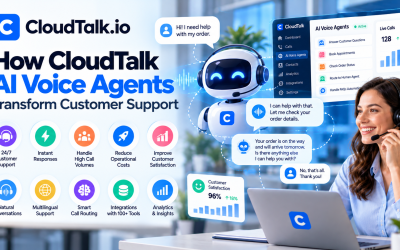
CloudTalk includes AI-powered Voice Agents that automate routine conversations.
Instead of every call requiring a live employee, AI can:
- Welcome callers
- Ask qualifying questions
- Answer frequently asked questions
- Schedule appointments
- Collect customer information
- Route calls intelligently
- Escalate complex requests to human agents
Because AI operates 24/7, businesses never miss important calls—even outside office hours.
This is especially valuable for customer support, healthcare, recruiting, and sales organizations.
Step 6: Live Agent Experience
When a customer is connected to a representative, CloudTalk provides agents with tools that improve efficiency.
Agents can:
- Answer calls through a browser or app
- View customer details instantly
- Record conversations
- Add notes during calls
- Transfer calls
- Place callers on hold
- Start conference calls
- Access previous call history
This unified workspace reduces distractions and helps agents focus on customer conversations.
Step 7: AI Conversation Intelligence
After each call ends, CloudTalk's AI begins analyzing the conversation automatically.
It generates:
- Full call transcription
- AI-generated summaries
- Customer sentiment analysis
- Speaker recognition
- Keyword detection
- Important conversation highlights
- Talk-to-listen ratio
- Coaching recommendations
Managers can quickly review performance without listening to lengthy recordings, making coaching sessions more efficient.
Step 8: CRM Synchronization
CloudTalk integrates with over 100 business applications, including popular CRM and helpdesk platforms.
Once connected, the platform can automatically:
- Log calls
- Create contact records
- Update customer information
- Attach recordings
- Save AI summaries
- Record notes
- Track communication history
Supported integrations include:
- HubSpot
- Salesforce
- Pipedrive
- Zoho CRM
- Zendesk
- Freshdesk
- Microsoft Dynamics
- Intercom
- Zapier
- Make
This automation eliminates manual data entry and keeps customer records up to date.
Step 9: Reporting and Analytics
CloudTalk provides real-time dashboards that help managers monitor team performance.
Available metrics include:
- Total calls
- Missed calls
- Average wait time
- Average handling time
- Call duration
- Agent availability
- Queue performance
- Customer satisfaction trends
- AI-generated insights
These reports help businesses identify bottlenecks, optimize staffing, and improve customer service quality.
Security and Reliability
Because CloudTalk is cloud-based, businesses benefit from enterprise-grade infrastructure without managing servers themselves.
Key advantages include:
- Secure cloud hosting
- Automatic software updates
- Encrypted communications
- Role-based permissions
- Reliable uptime
- Regular feature enhancements
This allows IT teams to spend less time maintaining phone systems and more time supporting business growth.
Who Can Benefit from CloudTalk?
CloudTalk is suitable for a wide range of industries.
Sales Teams
Increase outbound productivity with Power Dialers, CRM integrations, and AI coaching.
Customer Support
Deliver faster, more personalized service using intelligent routing and conversation analytics.
Recruitment Agencies
Manage candidate calls efficiently while keeping communication records organized.
SaaS Companies
Support customers globally with cloud-based calling and seamless CRM integration.
E-commerce Businesses
Handle order inquiries, returns, and customer support across multiple regions.
Why Businesses Choose CloudTalk
Companies adopt CloudTalk because it combines modern cloud telephony with AI-driven automation.
Key benefits include:
- Quick deployment
- No PBX hardware required
- Easy scalability
- AI-powered call handling
- Advanced analytics
- Global phone number support
- Extensive CRM integrations
- Excellent remote work capabilities
Instead of juggling multiple communication tools, businesses can manage voice operations from a single platform.







Write Your Review
No reviews yet. Be the first to share your experience!