
Video has become the most powerful content format on the internet.
From YouTube and TikTok to Instagram Reels and LinkedIn, businesses and creators are using video to educate, market products, and build their brands.
The challenge? Traditional video production requires expensive equipment, editing software, and countless hours of work.
Artificial Intelligence is changing that.
Today, AI can help you generate scripts, create realistic videos from text or images, produce AI voiceovers, generate avatars, edit footage automatically, and even create cinematic scenes—all without advanced editing skills.
In this module, you'll learn how AI video generation works, discover the best AI video tools, and build a complete AI-powered video creation workflow.
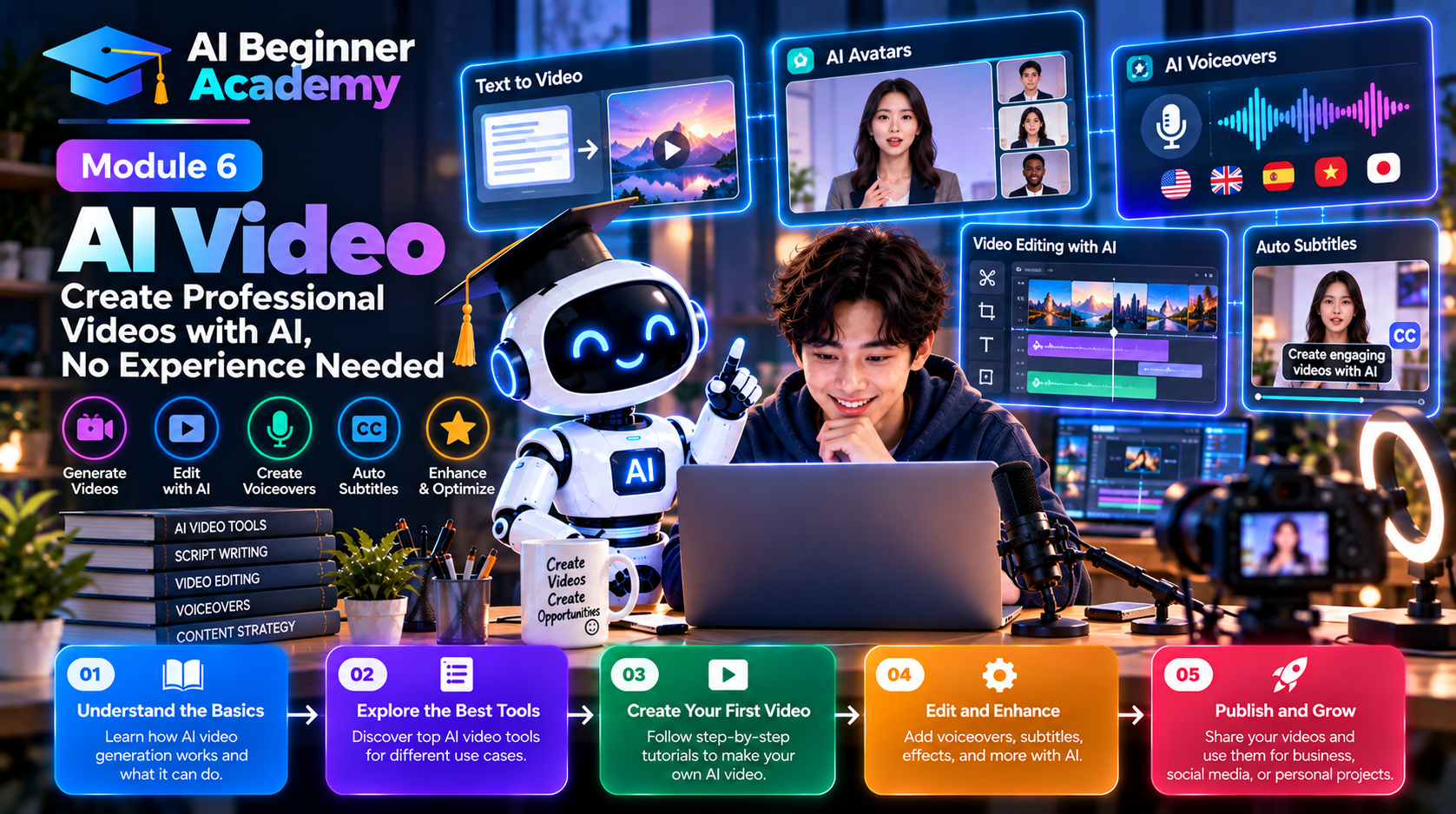
What Is AI Video Generation?
AI video generation uses artificial intelligence to create or edit videos from simple inputs such as:
- Text prompts
- Images
- Existing videos
- Voice recordings
- Documents
- Blog posts
Instead of manually editing every frame, AI automates much of the production process.
Types of AI Video
1. Text-to-Video
Describe a scene, and AI creates a video from your prompt.
Example:
A futuristic city at sunrise with flying vehicles, cinematic camera movement, realistic lighting, ultra-high quality.
Popular tools:
- Google Veo
- Runway
- Kling AI
- Luma Dream Machine
2. Image-to-Video
Upload an image and animate it.
Examples include:
- Character animation
- Camera movement
- Facial expressions
- Product showcases
This is ideal for breathing life into static visuals.
3. AI Avatar Videos
AI avatars present your content as virtual speakers.
Common use cases:
- Training videos
- Product demonstrations
- Customer onboarding
- Internal communications
- Educational content
Popular platforms:
- Synthesia
- HeyGen
- Elai
4. AI Video Editing
AI can automate many editing tasks, including:
- Background removal
- Object removal
- Auto subtitles
- Scene detection
- Noise reduction
- Video enhancement
Tools such as Runway and CapCut AI significantly reduce editing time.
5. AI Voiceovers
Generate realistic narration in multiple languages without recording your own voice.
Popular tools:
- ElevenLabs
- PlayHT
- Murf AI
AI voice generation is useful for tutorials, explainer videos, and marketing campaigns.
The AI Video Creation Workflow
A modern AI-powered workflow typically looks like this:
Idea
   ↓
Research
   ↓
Script
   ↓
Storyboard
   ↓
AI Images
   ↓
Video Generation
   ↓
Voiceover
   ↓
Music
   ↓
Editing
   ↓
Publishing
AI can accelerate every step of this process.
Best AI Video Tools
| Tool | Best For |
|---|---|
| Google Veo | Cinematic video generation |
| Runway Gen-4 | Professional AI video creation and editing |
| Kling AI | Realistic human movement |
| Luma Dream Machine | Storytelling and cinematic scenes |
| CapCut AI | Social media editing and short-form content |
| Pika | Creative animations and visual effects |
| Hailuo AI | Fast AI-generated videos |
| Canva AI | Marketing videos and presentations |
| InVideo AI | Blog-to-video conversion |
| Synthesia | AI avatar presentations |
Each tool has strengths, so choose based on your project goals.
Writing Better Video Prompts
A strong video prompt includes:
Subject
Who or what is the focus?
Example:
- A businesswoman
- A robot assistant
- A product
- A city skyline
Action
What is happening?
Examples:
- Walking
- Talking
- Flying
- Presenting
- Demonstrating
Environment
Where does the action occur?
Examples:
- Office
- Classroom
- Coffee shop
- Space station
- Factory
Camera Movement
Examples:
- Slow zoom
- Drone shot
- Dolly movement
- Tracking shot
- Cinematic pan
Lighting
Examples:
- Sunrise
- Golden hour
- Studio lighting
- Neon
- Soft daylight
Style
Examples:
- Cinematic
- Documentary
- Commercial
- Photorealistic
- Minimalist
Example Prompt
A confident entrepreneur presenting an AI-powered business dashboard inside a modern office, cinematic camera movement, soft natural lighting, photorealistic, highly detailed, professional commercial style, 16:9 aspect ratio.
Creating Different Types of Videos
Marketing Videos
Perfect for:
- Product launches
- SaaS demonstrations
- Landing pages
- Paid advertising
- Brand awareness
YouTube Videos
AI can assist with:
- Script writing
- Storyboarding
- Voiceovers
- B-roll generation
- Thumbnail creation
Short-Form Content
Generate videos for:
- TikTok
- Instagram Reels
- YouTube Shorts
- Facebook Reels
Keep videos concise, visually engaging, and focused on one key message.
Educational Videos
AI simplifies the creation of:
- Online courses
- Tutorials
- Product training
- Internal documentation
- Classroom materials
Business Presentations
Combine AI-generated visuals, narration, and animations to create engaging presentations for clients, employees, or investors.
Best Practices
To produce better AI videos:
- Write a detailed script before generating visuals.
- Break long videos into short scenes.
- Keep visual styles consistent.
- Use realistic camera movements.
- Add subtitles for accessibility.
- Review every scene for continuity.
- Refine prompts instead of accepting the first result.
Iteration is the key to quality.
Common Mistakes
Prompting Without a Story
Good videos tell a story.
Think about:
- Beginning
- Middle
- Ending
Rather than generating random scenes.
Overloading a Single Prompt
Complex prompts often confuse AI.
Split longer projects into multiple scenes.
Ignoring Audio
Excellent visuals deserve high-quality narration and background music.
Sound significantly influences viewer engagement.
Skipping Manual Review
Always check for:
- Visual inconsistencies
- Text errors
- Unnatural movement
- Incorrect details
AI-generated videos still benefit from human editing.
Practical Projects
Practice creating:
- A 30-second product advertisement
- A YouTube Shorts video
- A company introduction
- A software demo
- A travel promotion
- A motivational video
- A course introduction
- A social media advertisement
- A customer testimonial
- A brand story
These exercises help you develop both prompting and storytelling skills.
Recommended Workflow
Research
      ↓
Write Script
      ↓
Generate Images
      ↓
Create Video Scenes
      ↓
Generate Voiceover
      ↓
Add Music
      ↓
Edit
      ↓
Export
      ↓
Publish
This structured workflow produces more polished and consistent results than trying to generate everything at once.
AI Video Production Tips
- Keep scenes between 5–10 seconds when possible.
- Maintain a consistent visual style.
- Use high-quality voiceovers.
- Optimize videos for each platform's aspect ratio.
- Add captions to improve accessibility and engagement.
- Experiment with multiple prompt variations before finalizing your video.
What's Next?
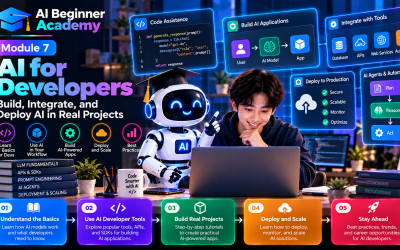
Now that you've learned how to create AI-powered videos, the next step is exploring how AI can help developers write, review, and maintain software.
In Module 7 – AI for Developers, you'll discover how coding assistants, AI-powered code generation, debugging tools, and intelligent workflows are transforming modern software development.
Final Thoughts
AI video generation is reshaping the creative industry.
Tasks that once required cameras, studios, editors, and weeks of production can now be completed in hours—or even minutes. While AI dramatically accelerates video creation, the most successful creators still rely on human creativity to craft compelling stories, define strategy, and ensure quality.
Think of AI as your production team: it handles repetitive work and speeds up execution, while you provide the vision, message, and creative direction.
By mastering AI video tools today, you'll be well prepared for the future of digital content creation.
Write Your Review
No reviews yet. Be the first to share your experience!