
Many people try AI for the first time, ask a simple question, receive an average answer, and conclude that AI is overrated.
In reality, the problem usually isn't the AI—it's the prompt.
Learning how to communicate effectively with AI is one of the most valuable skills in today's workplace. Whether you're using ChatGPT, Claude, Gemini, Copilot, or another AI assistant, the quality of your output depends heavily on the quality of your input.
This skill is known as Prompt Engineering.
The good news? You don't need to be an engineer to master it.
In this module, you'll learn how prompts work, how to structure them effectively, and how to consistently get better results from AI.
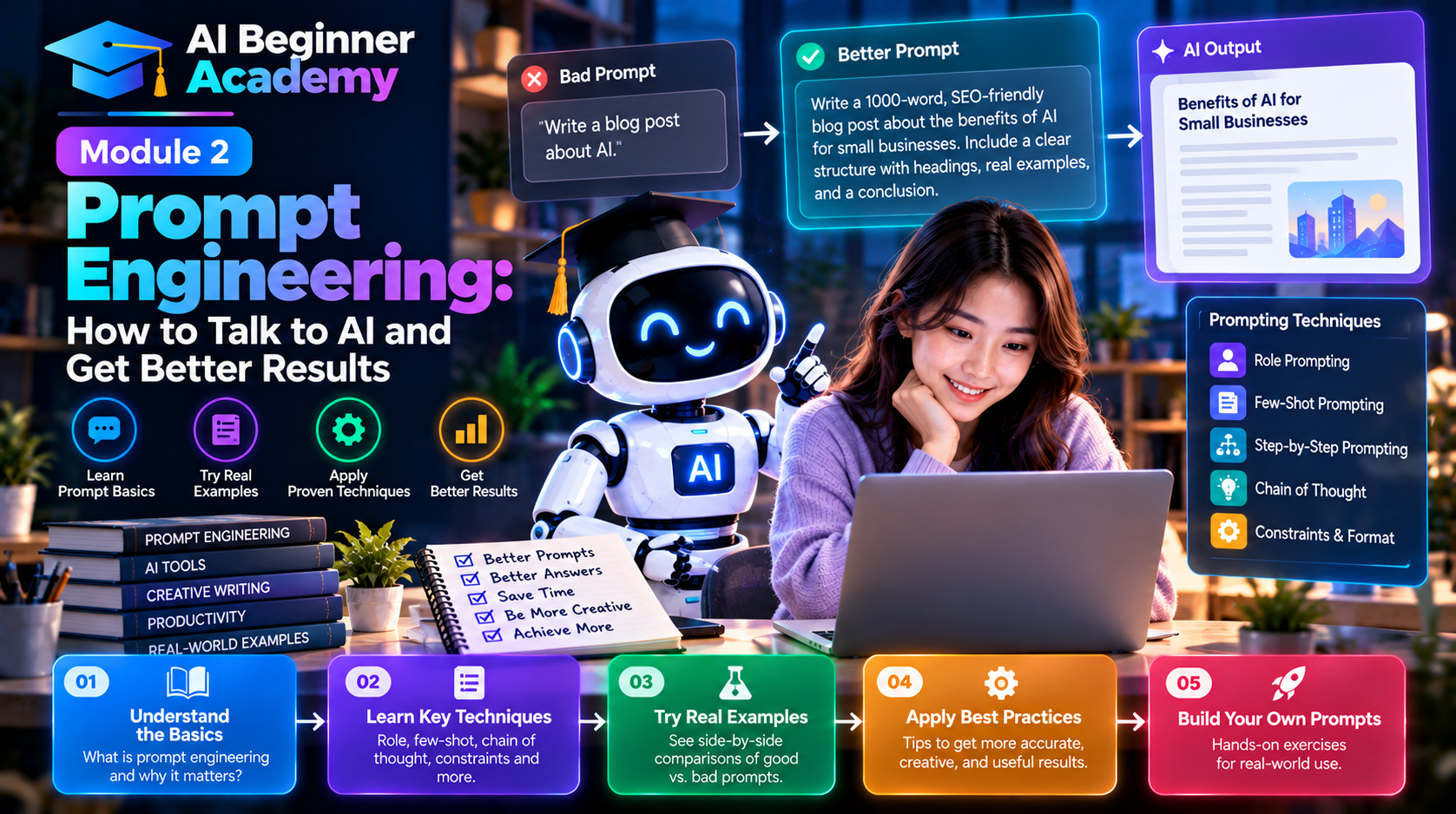
What Is a Prompt?
A prompt is any instruction, question, or request you give to an AI model.
Simple examples:
Write a professional email.
Summarize this article.
Explain cloud computing in simple terms.
Create a marketing strategy.
Generate Python code to sort a list.
Every conversation with AI begins with a prompt.
Why Prompt Quality Matters
Consider these two prompts.
Weak Prompt
Write about AI.
The AI doesn't know:
- Who the audience is
- How long the article should be
- What tone to use
- Which topics to include
The result will likely be generic.
Better Prompt
Write a 1,500-word beginner-friendly blog post explaining how AI is changing small businesses. Use simple English, include real-world examples, practical tips, and SEO-friendly headings.
The second prompt provides clear direction, allowing the AI to generate a much more useful response.
The more context you provide, the better the output.
The Five Elements of an Effective Prompt
A strong prompt usually contains five key components.
1. Role
Tell the AI who it should act as.
Examples:
- Marketing expert
- Software engineer
- SEO consultant
- Product manager
- Career coach
- Financial analyst
Example:
Act as an experienced digital marketing consultant.
2. Task
Clearly explain what you want the AI to do.
Examples:
- Write
- Summarize
- Compare
- Analyze
- Translate
- Explain
- Brainstorm
Example:
Write a product review.
3. Context
Provide background information.
Instead of saying:
Write a review.
Say:
Write a review of a project management platform for small businesses.
Context significantly improves relevance.
4. Constraints
Define your requirements.
Examples:
- 1,000 words
- Professional tone
- Beginner-friendly
- Bullet points
- Avoid technical jargon
- Include examples
Constraints help the AI tailor its response.
5. Output Format
Specify how you want the answer presented.
Examples:
- Markdown
- Table
- Checklist
- JSON
- HTML
- Step-by-step guide
Example:
Present the comparison in a table.
A Simple Prompt Framework
A reliable framework is:
Role

↓

Task

↓

Context

↓

Constraints

↓

Output Format
Example
Act as an SEO content strategist.
Write a beginner-friendly article explaining cloud computing.
The audience is small business owners with no technical background.
Use a conversational tone, include examples, keep it under 1,500 words.
Format the article using Markdown with headings, bullet points, and a conclusion.
This framework works across nearly every AI tool.
Common Prompting Techniques
Zero-Shot Prompting
Ask the AI to complete a task without examples.
Example:
Explain blockchain in simple terms.
One-Shot Prompting
Provide one example before asking the AI to continue.
Example:
Product Review Example:
Product: Smartwatch
Pros…
Cons…
Now write a review for a wireless keyboard using the same format.
Few-Shot Prompting
Provide several examples to establish a pattern.
This is especially useful for:
- Writing
- Customer support
- Data extraction
- Classification tasks
Chain-of-Thought Prompting
Break complex tasks into logical steps.
Example:
Analyze this business problem step by step.
Identify the root causes.
Evaluate possible solutions.
Recommend the best approach.
This often produces more structured and thoughtful responses.
Practical Prompt Templates
Writing an Email
Act as a business communication expert.
Write a professional email to a client explaining that the project deadline has been extended by one week.
Keep the tone polite and positive.
Writing a Blog Post
Act as an experienced SEO writer.
Write a 2,000-word article about AI productivity tools.
Include H2 headings, FAQs, and a conclusion.
Summarizing a Document
Summarize the following document in five bullet points.
Highlight the key decisions and action items.
Creating Social Media Content
Write five LinkedIn posts promoting AI productivity tips.
Use a professional but engaging tone.
Learning a New Topic
Explain Kubernetes as if you were teaching a complete beginner.
Use simple language and practical analogies.
Common Prompt Mistakes
Being Too Vague
❌ Explain AI.
✅ Explain how AI helps marketing teams automate repetitive tasks.
Asking Multiple Questions at Once
Large prompts with unrelated requests can produce confusing results.
Break them into smaller tasks.
Not Defining the Audience
Different audiences require different explanations.
Always specify whether you're writing for:
- Beginners
- Executives
- Developers
- Students
- Customers
Ignoring Output Format
If you need a table, ask for a table.
If you need Markdown, request Markdown.
Never assume the AI will choose the format you want.
Expecting Perfection
AI often improves through conversation.
Ask follow-up questions like:
Expand section three.
Add more examples.
Make it more technical.
Rewrite for beginners.
Iterative prompting is one of the most effective ways to refine results.
Advanced Prompting Tips
As you gain experience, try these techniques:
- Assign a specific expert role.
- Provide examples of the desired output.
- Specify tone and writing style.
- Set word limits.
- Ask the AI to think through complex problems step by step.
- Request multiple alternatives before selecting the best one.
- Ask the AI to review and improve its own answer.
These strategies often produce higher-quality responses.
Practice Exercises
Try these prompts yourself:
- Write a professional email announcing a product launch.
- Summarize a news article in five bullet points.
- Create a weekly meal plan for a family of four.
- Explain quantum computing to a high school student.
- Generate five blog ideas about artificial intelligence.
- Compare ChatGPT and Claude in a table.
- Create a study plan for learning Python in 30 days.
- Rewrite a paragraph in a more formal tone.
- Brainstorm ten startup ideas using AI.
- Translate an article into Spanish while preserving the original meaning.
The more you practice, the more naturally you'll write effective prompts.
What's Next?
Now that you understand how to communicate effectively with AI, it's time to learn about the tools themselves.
In Module 3 – Essential AI Tools Every Beginner Should Know, you'll explore the most useful AI applications across writing, research, coding, image generation, video creation, productivity, and automation.
You'll learn which tools are best for different tasks and how to build your own AI toolkit.
Final Thoughts
Prompt Engineering is not about memorizing complicated formulas—it's about learning to communicate clearly.
The best prompts provide context, define expectations, and guide the AI toward the desired outcome.
As AI becomes a standard part of everyday work, the ability to write effective prompts will become as valuable as knowing how to search the web or use office software.
Master this skill, and you'll unlock the full potential of every AI tool you use.









Write Your Review
No reviews yet. Be the first to share your experience!