
Choosing the right business phone system is an important step toward improving customer communication and team productivity. Whether you're building a sales department, launching a customer support center, or managing a remote workforce, a cloud-based phone solution can simplify communication while reducing operational costs.
CloudTalk.io is designed to make business calling easy. Unlike traditional PBX systems that require expensive hardware and lengthy installation, CloudTalk lets you set up a professional phone system in just a few steps.
This guide walks you through the entire onboarding process—from creating your account to making your first business call.
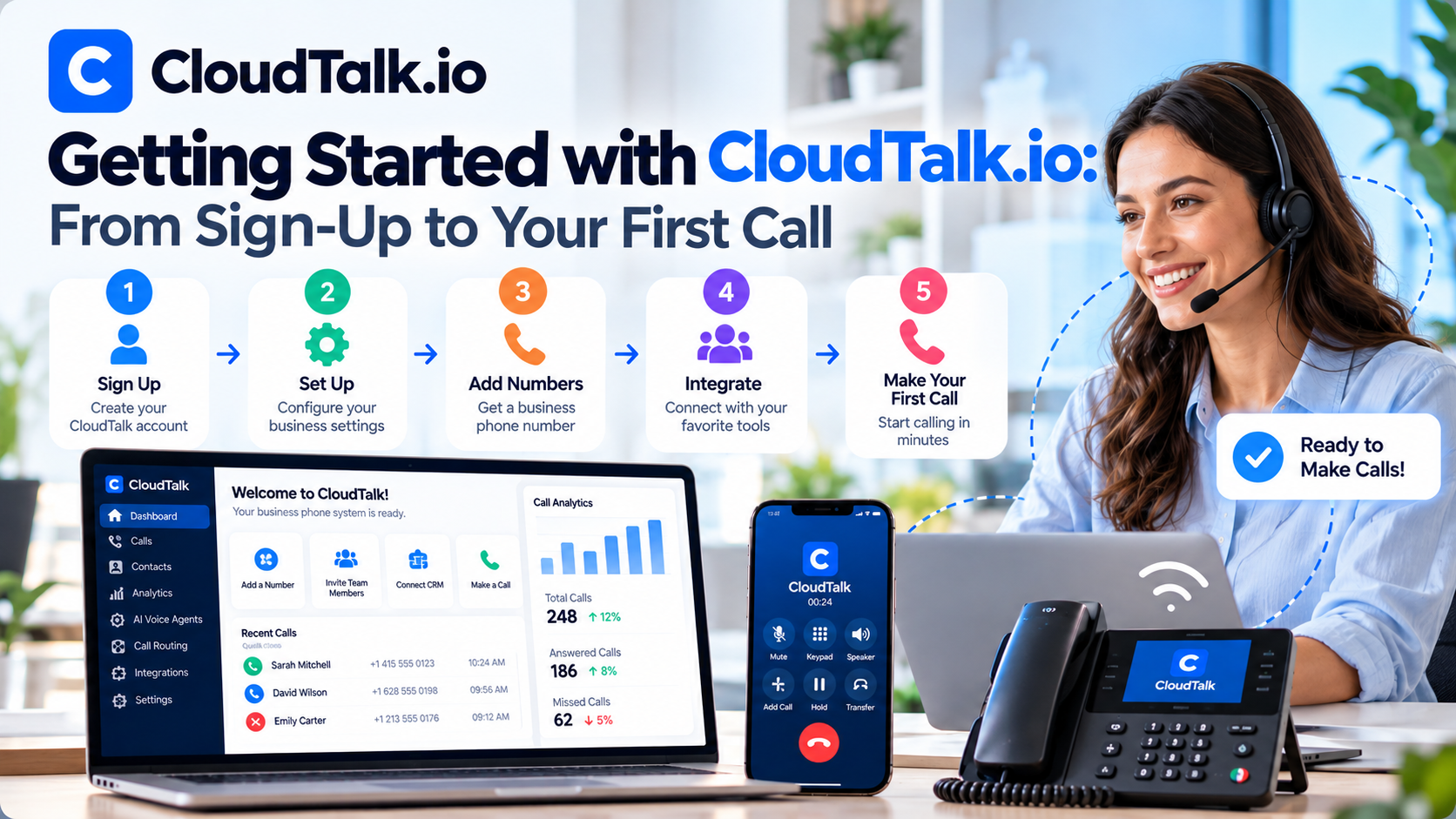
Why Choose CloudTalk?
Before diving into the setup process, it's worth understanding why many businesses choose CloudTalk over traditional phone systems.
CloudTalk offers:
- Cloud-based business calling
- AI Voice Agents
- Intelligent call routing
- Call recording
- CRM integrations
- AI conversation analytics
- International phone numbers
- Desktop and mobile apps
- Remote team support
Since everything operates in the cloud, there's no need for expensive office phone hardware or complicated IT installations.
Step 1: Create Your CloudTalk Account
The first step is creating your CloudTalk account.
After visiting the CloudTalk website, you can start a free trial by providing:
- Business email address
- Company name
- Password
- Team size
- Business information
CloudTalk offers a free trial, allowing you to explore the platform before purchasing a subscription.
Once your account is verified, you'll be taken to the administrator dashboard.
Step 2: Choose the Right Pricing Plan
CloudTalk offers multiple plans designed for businesses of different sizes.
Generally, you'll choose from:
Starter
Ideal for startups and small businesses that need essential calling features.
Essential
Designed for growing teams requiring advanced routing and integrations.
Expert
Best for businesses that rely heavily on sales automation, analytics, and AI capabilities.
Custom
Tailored for enterprise organizations with unique communication requirements.
If you're unsure which plan fits your business, starting with the free trial is an excellent way to evaluate the platform.
Step 3: Purchase Your Business Phone Number
Next, you'll need a business phone number.
CloudTalk allows you to purchase:
- Local numbers
- National numbers
- Mobile numbers
- Toll-free numbers
- International numbers
Businesses operating globally can purchase phone numbers in more than 160 countries, making it easy to establish a local presence in multiple markets.
For example:
- A U.S. company expanding into Europe can purchase UK or German phone numbers.
- An Australian business can create local numbers for customers in North America.
- A remote support team can manage international calls from a single CloudTalk account.
Step 4: Add Your Team Members
Once your phone numbers are ready, invite employees to the platform.
For each team member, you can assign:
- User accounts
- Departments
- Phone numbers
- Roles and permissions
- Business hours
- Ring groups
Each employee receives access through:
- Web browser
- Windows app
- macOS app
- Linux app
- iPhone app
- Android app
This flexibility allows your team to answer business calls from virtually anywhere.
Step 5: Configure Your Call Flow
One of CloudTalk's strengths is its customizable call routing system.
Instead of manually forwarding calls, administrators create automated call flows.
A typical setup might look like this:
Customer Calls
↓
Welcome Greeting
↓
IVR Menu
↓
Sales or Support
↓
Available Agent
↓
Call Connected
This ensures customers reach the correct department quickly while reducing unnecessary transfers.
Step 6: Set Up Intelligent Call Routing
CloudTalk provides several routing options.
These include:
Business Hours Routing
Automatically direct calls based on office hours.
Skill-Based Routing
Connect customers with agents who have the appropriate expertise.
Language Routing
Route callers to representatives who speak their preferred language.
VIP Routing
Provide premium customers with priority service.
Queue Management
Distribute incoming calls fairly among available agents.
Proper routing improves customer satisfaction while reducing wait times.
Step 7: Connect Your CRM
CloudTalk becomes even more powerful when integrated with your CRM.
Supported platforms include:
- Salesforce
- HubSpot
- Pipedrive
- Zoho CRM
- Zendesk
- Freshdesk
- Microsoft Dynamics
- Intercom
- Zapier
- Make
Once connected, CloudTalk automatically synchronizes:
- Contacts
- Call history
- Notes
- Recordings
- AI summaries
- Customer information
This eliminates duplicate data entry and keeps your sales or support team organized.
Step 8: Enable AI Features
CloudTalk offers several AI-powered tools that improve efficiency.
You can enable:
AI Voice Agents
Automate routine customer conversations, answer common questions, and qualify leads 24/7.
AI Conversation Intelligence
Automatically generate:
- Call transcripts
- AI summaries
- Sentiment analysis
- Keyword tracking
- Coaching insights
These features help managers review conversations more quickly and improve team performance.
Step 9: Make Your First Business Call
Now it's time to start calling.
CloudTalk supports both inbound and outbound communication.
Employees can:
- Dial customers directly
- Use click-to-call from CRM records
- Receive inbound calls
- Transfer calls
- Record conversations
- Start conference calls
- Leave voicemail messages
Sales teams can also take advantage of tools such as:
- Power Dialer
- Smart Dialer
- Local Presence Dialing
These features reduce manual work and increase daily calling capacity.
Step 10: Monitor Performance
Once your team begins using CloudTalk, administrators can monitor activity through real-time dashboards.
Available metrics include:
- Total calls
- Missed calls
- Average handling time
- Queue performance
- Agent productivity
- Call duration
- Customer wait time
- AI-generated insights
These reports help managers optimize staffing, improve customer service, and identify coaching opportunities.
Best Practices for New Users
To get the most value from CloudTalk, consider the following recommendations:
- Start with a small pilot team before company-wide deployment.
- Design clear IVR menus that are easy for customers to navigate.
- Integrate your CRM as early as possible.
- Enable call recording for quality assurance and training.
- Use AI summaries to reduce manual note-taking.
- Review analytics regularly to identify trends and improve performance.
- Train employees on features like Power Dialer and call routing.
- Keep greetings, voicemail messages, and business hours updated.
These practices will help your team adapt quickly and maximize productivity.
Common Beginner Mistakes to Avoid
When setting up CloudTalk for the first time, avoid these common pitfalls:
- Choosing the wrong subscription plan for your business size.
- Skipping CRM integration and relying on manual data entry.
- Creating overly complex IVR menus that frustrate callers.
- Ignoring call analytics and performance reports.
- Not configuring business hours correctly.
- Failing to test call routing before going live.
- Underutilizing AI features that can automate repetitive tasks.
Avoiding these mistakes will make onboarding smoother and improve the overall customer experience.









Write Your Review
No reviews yet. Be the first to share your experience!