
Reclaim.ai is an AI-powered calendar and scheduling platform designed to help individuals and teams manage their time more effectively. Rather than functioning as a traditional calendar application, Reclaim acts as an intelligent scheduling assistant that automatically organizes meetings, tasks, habits, and focus time based on priorities, deadlines, and real-time calendar availability.
The platform integrates with popular productivity tools and continuously optimizes schedules to maximize productivity while maintaining a healthy work-life balance.

Company Overview
- Website: https://reclaim.ai
- Category: AI Productivity Software
- Primary Focus: AI Calendar Scheduling & Time Management
- Founded: 2019
- Ideal Users: Freelancers, startups, small businesses, enterprises, and remote teams
- Core Value: Automate scheduling so users spend less time managing calendars and more time doing meaningful work.
Problems Reclaim.ai Solves
Modern professionals often struggle with:
- Overloaded calendars
- Constant meeting conflicts
- Lack of uninterrupted focus time
- Missed deadlines
- Manual calendar management
- Poor work-life balance
Reclaim.ai uses artificial intelligence to automatically schedule and adjust events, ensuring that important work receives the time it deserves without requiring constant manual planning.
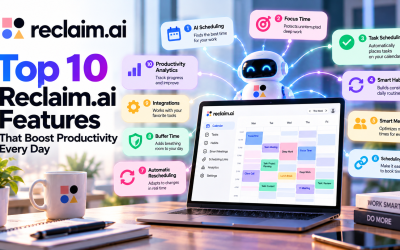
Key Features
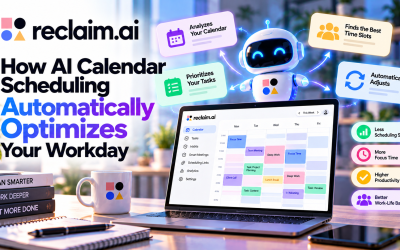
1. AI Calendar Scheduling
Reclaim continuously analyzes your calendar, meetings, priorities, deadlines, and available time.
Its AI automatically:
- Schedules work blocks
- Rearranges events when conflicts occur
- Protects important tasks
- Optimizes your daily schedule
2. Focus Time
One of Reclaim's most popular features is Focus Time.
Users can define productivity goals such as:
- 10 hours of deep work each week
- Daily coding sessions
- Creative work blocks
Reclaim automatically finds available time and protects these sessions from unnecessary meetings.
3. Smart Habits
Habits are recurring activities such as:
- Reading emails
- Exercise
- Lunch breaks
- Learning
- Daily planning
- Writing
Unlike traditional recurring calendar events, Smart Habits automatically move to different times if scheduling conflicts occur while still ensuring your weekly goals are met.
4. Smart Meetings
Reclaim intelligently manages meetings by:
- Finding the best available time
- Rescheduling recurring meetings
- Prioritizing important attendees
- Reducing scheduling conflicts
This minimizes manual coordination across teams.
5. Scheduling Links
Reclaim offers smart scheduling links similar to Calendly.
Instead of exposing every available calendar slot, the AI presents only the most appropriate meeting times based on workload and productivity goals.
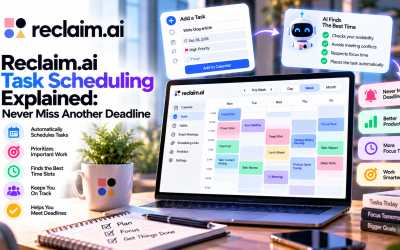
6. Task Management
Reclaim automatically schedules tasks based on:
- Priority
- Deadline
- Estimated duration
- Available calendar space
Large projects can be divided into multiple work sessions and scheduled before deadlines automatically.
7. Multi-Calendar Sync
The platform synchronizes multiple calendars, including:
- Google Calendar
- Outlook Calendar
- Personal calendars
- Work calendars
This helps eliminate double bookings and scheduling conflicts.
8. Buffer Time
Reclaim automatically creates buffer periods:
- Before meetings
- After meetings
- For preparation
- For travel
- For breaks
These buffers help reduce meeting fatigue and improve daily productivity.
9. Time Analytics
Reclaim provides insights into how time is spent across:
- Meetings
- Focus work
- Tasks
- Habits
- Breaks
Teams can also analyze workload distribution and productivity trends.
10. AI Assistant
The latest version of Reclaim includes an AI-powered assistant capable of:
- Answering calendar questions
- Creating meetings
- Scheduling tasks
- Recommending schedule improvements
- Automatically optimizing daily plans
AI Agents
Reclaim introduces specialized AI Agents that continuously optimize schedules, including:
- Focus Agent
- Meeting Agent
- Habit Agent
- Buffer Agent
- Scheduling Agent
These intelligent agents work in the background to adapt schedules whenever priorities or calendar events change.
Integrations
Reclaim integrates with many popular productivity platforms.
Calendar
- Google Calendar
- Microsoft Outlook Calendar
Project Management
- Asana
- ClickUp
- Jira
- Linear
- Todoist
- Google Tasks
Communication
- Slack
- Zoom
- Google Meet
- Microsoft Teams
AI & Automation
- ChatGPT
- Claude
- MCP-compatible tools
Who Should Use Reclaim.ai?
Reclaim is ideal for:
- Freelancers
- Software developers
- Product managers
- Marketing teams
- Sales professionals
- Consultants
- Agencies
- Startups
- Remote teams
- Enterprise organizations
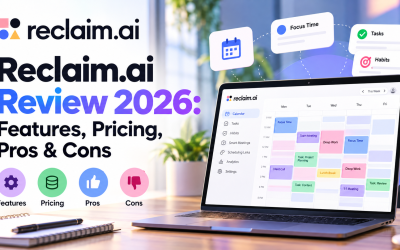
Pros
- Intelligent AI-powered scheduling
- Protects deep work and focus time
- Automatically resolves calendar conflicts
- Excellent multi-calendar synchronization
- Extensive integrations with productivity tools
- Easy-to-use interface
- Free plan available
Cons
- Best experience with Google Calendar or Outlook
- Initial setup requires configuring priorities and working hours
- Advanced AI features are available only on paid plans
Pricing
Reclaim.ai offers several pricing tiers:
- Lite (Free) – Individual users
- Starter – Small teams
- Business – Growing organizations
- Enterprise – Large companies with advanced security and administration requirements
Paid plans unlock advanced AI scheduling, team analytics, administrative controls, enterprise security, and additional integrations.
Overall Rating
| Category | Rating |
|---|---|
| Ease of Use | ⭐⭐⭐⭐⭐ |
| AI Scheduling | ⭐⭐⭐⭐⭐ |
| Productivity | ⭐⭐⭐⭐⭐ |
| Automation | ⭐⭐⭐⭐⭐ |
| Integrations | ⭐⭐⭐⭐⭐ |
| Value for Money | ⭐⭐⭐⭐⭐ |
Final Verdict
Reclaim.ai is one of the leading AI scheduling and calendar automation platforms available today. Its ability to intelligently manage meetings, tasks, habits, and focus time makes it an excellent solution for professionals and organizations looking to improve productivity while reducing the administrative burden of calendar management. Whether you're a freelancer managing multiple clients or a large enterprise coordinating distributed teams, Reclaim.ai offers a powerful and intelligent approach to time management.






Write Your Review
No reviews yet. Be the first to share your experience!