
Presentation software has evolved significantly over the past decade. While Microsoft PowerPoint has long been the industry standard for creating business presentations, a new generation of AI-powered tools is changing how professionals design and deliver content.
Among these modern platforms, Gamma.app has quickly gained popularity for its ability to generate presentations, documents, and webpages using artificial intelligence. Instead of manually building slides, users simply describe what they need, and Gamma creates a polished presentation in minutes.
So, which platform is the better choice in 2026?
The answer depends on your workflow, experience, and presentation goals. In this comparison, we'll examine the key differences between PowerPoint and Gamma.app, including ease of use, AI capabilities, collaboration, customization, pricing, and ideal use cases.
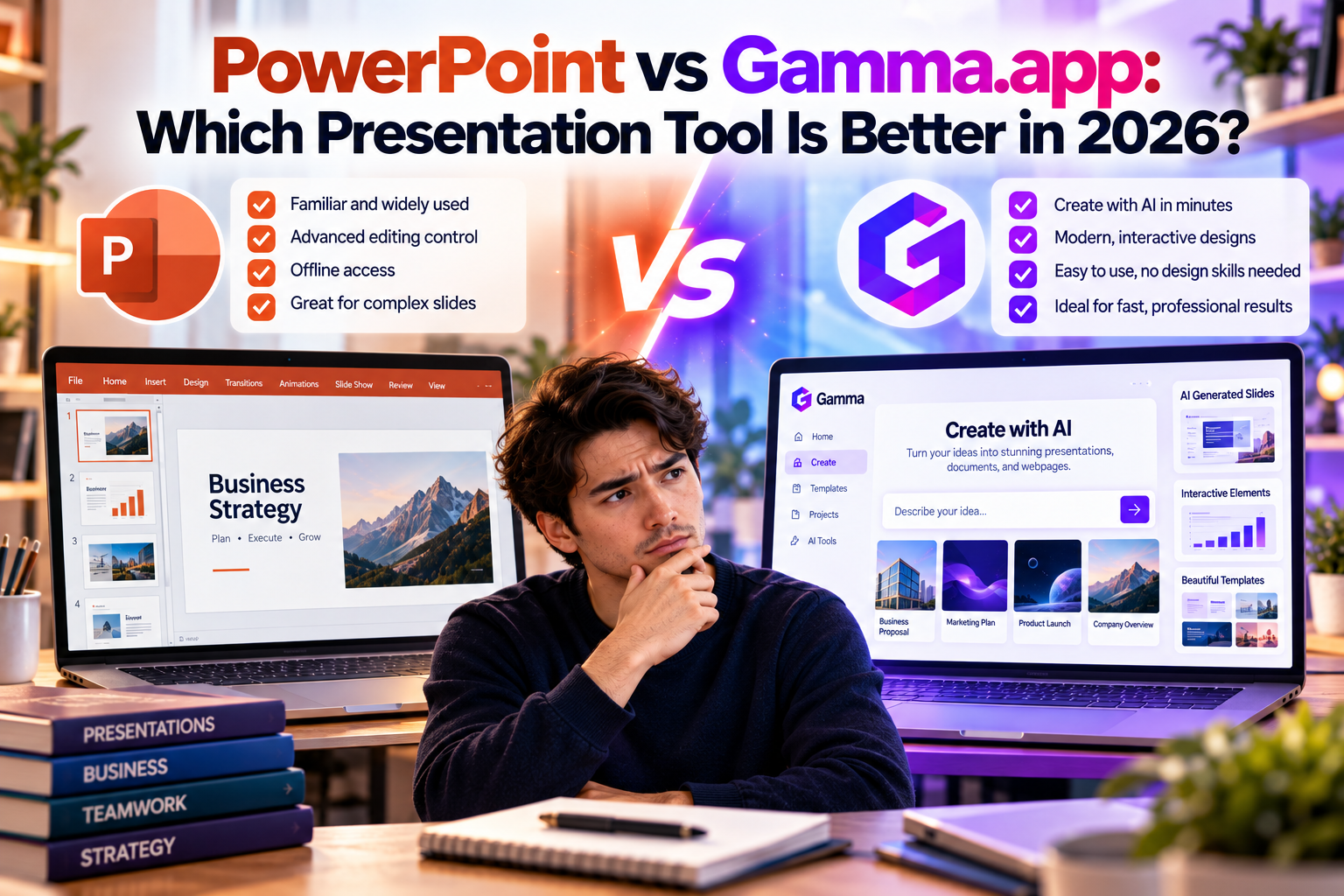
Overview
Microsoft PowerPoint
PowerPoint has been a trusted presentation tool for decades. It offers complete control over every slide, making it ideal for users who want advanced customization and precise design flexibility.
PowerPoint is widely used in businesses, schools, government organizations, and enterprises around the world.
Gamma.app
Gamma is an AI-first presentation platform designed for speed and simplicity.
Instead of focusing on manual slide creation, Gamma automates content generation, layouts, formatting, and design. It also supports interactive documents and webpages, making it more than just presentation software.
Ease of Use
PowerPoint
PowerPoint offers thousands of design options, animations, and formatting tools.
While this flexibility is powerful, it also comes with a learning curve. Beginners often spend significant time adjusting layouts, aligning objects, and choosing templates.
Gamma.app
Gamma dramatically simplifies the creation process.
Users simply enter a prompt such as:
Create a sales presentation for an AI CRM platform targeting small businesses.
Within minutes, Gamma generates an organized presentation complete with professional layouts and AI-written content.
Winner: Gamma.app
For users who prioritize speed and simplicity, Gamma provides a much easier experience.
AI Capabilities
PowerPoint has introduced Microsoft Copilot, bringing AI-assisted features into the platform. Users can generate outlines, summarize content, and receive writing suggestions.
However, AI remains an additional feature within a traditional presentation workflow.
Gamma was built around AI from the beginning.
It can:
- Generate complete presentations
- Write slide content
- Design layouts automatically
- Create webpages
- Build documents
- Rewrite content using Chat-Based Editing
- Adjust tone and structure with simple prompts
Winner: Gamma.app
Its AI capabilities are deeper and more integrated throughout the entire creation process.
Design Quality
PowerPoint
PowerPoint gives designers complete creative freedom.
Users can customize:
- Fonts
- Colors
- Animations
- Shapes
- Layouts
- Transitions
- SmartArt
- Charts
For experienced designers, PowerPoint remains extremely powerful.
Gamma.app
Gamma focuses on clean, modern, responsive layouts.
Instead of offering unlimited design controls, it automatically applies professional formatting that requires little manual adjustment.
This helps non-designers produce visually appealing presentations quickly.
Winner: Tie
PowerPoint excels in creative flexibility, while Gamma excels in automated professional design.
Collaboration
Modern teams often work remotely, making collaboration essential.
PowerPoint
PowerPoint supports cloud collaboration through Microsoft 365, allowing multiple users to edit presentations together.
Gamma.app
Gamma was designed as a browser-first collaborative platform.
Users can:
- Share live links
- Edit simultaneously
- Leave comments
- Present online
- Update presentations without sending new files
Its collaboration experience feels lightweight and intuitive.
Winner: Gamma.app
Beyond Presentations
PowerPoint is primarily focused on presentation creation.
Gamma offers a broader content creation platform.
Users can create:
- Presentations
- Business documents
- Reports
- Webpages
- Knowledge bases
- Training materials
- Client proposals
This makes Gamma useful across multiple business workflows.
Winner: Gamma.app
Customization
PowerPoint provides unmatched customization.
Users have precise control over:
- Every object
- Every animation
- Every transition
- Every layout
- Every visual element
Gamma intentionally limits some design flexibility in exchange for speed and simplicity.
For highly customized presentations with complex animations, PowerPoint remains the better choice.
Winner: PowerPoint
Productivity
When deadlines are tight, productivity matters.
Gamma can generate a professional presentation in minutes.
PowerPoint generally requires users to:
- Build slides
- Format layouts
- Write content
- Insert visuals
- Review consistency
Although templates help, manual work remains significant.
For busy professionals, Gamma dramatically reduces preparation time.
Winner: Gamma.app
Pricing Considerations
PowerPoint is typically included with Microsoft 365 subscriptions, making it a practical option for organizations already invested in the Microsoft ecosystem.
Gamma offers a free plan along with premium subscription tiers that unlock advanced AI features, higher usage limits, additional collaboration tools, and expanded export options.
For many individuals and startups, Gamma's pricing is competitive given the amount of time its AI automation can save.
Which Tool Is Best for Different Users?
Choose PowerPoint if you:
- Need advanced slide customization
- Frequently use animations and transitions
- Work within the Microsoft Office ecosystem
- Require detailed control over presentation design
- Create complex enterprise presentations
Choose Gamma.app if you:
- Want to create presentations quickly
- Use AI to generate first drafts
- Need business documents and webpages in addition to slides
- Collaborate with remote teams
- Prefer a modern, browser-based workflow
- Have little or no design experience
Comparison Summary
| Feature | PowerPoint | Gamma.app |
|---|---|---|
| AI Presentation Generation | Basic (with Copilot) | Excellent |
| Ease of Use | Good | Excellent |
| Design Flexibility | Excellent | Very Good |
| Collaboration | Very Good | Excellent |
| Document Creation | Limited | Excellent |
| Website Creation | No | Yes |
| Interactive Content | Limited | Excellent |
| Productivity | Good | Excellent |
| Learning Curve | Moderate | Low |
Final Verdict
PowerPoint remains one of the most powerful presentation tools ever created and continues to be the preferred choice for organizations that require maximum design flexibility, advanced animations, and deep integration with Microsoft Office.
However, the way people create presentations is changing. Professionals increasingly value speed, automation, collaboration, and AI assistance over manual slide design. This is where Gamma.app excels.
By combining AI-powered writing, automatic design, interactive content, collaborative editing, and support for presentations, documents, and webpages, Gamma offers a modern workflow that significantly reduces the time required to create professional content.
If your priority is complete creative control, Microsoft PowerPoint is still an outstanding choice.
If your priority is working faster, leveraging AI, and creating polished content with minimal effort, Gamma.app is one of the best presentation platforms available in 2026. For startups, marketers, consultants, educators, freelancers, and business teams, it represents the future of AI-powered content creation.







Write Your Review
No reviews yet. Be the first to share your experience!