
Providing fast and reliable customer support is no longer optional—it's a key factor in winning and retaining customers. Whether you're running an ecommerce store, a SaaS platform, or a service-based business, visitors expect instant answers whenever they have questions.
Tidio makes this possible by combining AI-powered live chat, chatbot automation, a shared inbox, and help desk tools into one easy-to-use platform. Even if you've never used a customer support solution before, Tidio's intuitive interface allows you to get started in just a few minutes.
This beginner's guide walks you through the basics of Tidio, from account setup to launching your first AI-powered live chat.

What Is Tidio?
Tidio is a cloud-based customer communication platform designed to help businesses engage with website visitors, automate support, and increase sales.
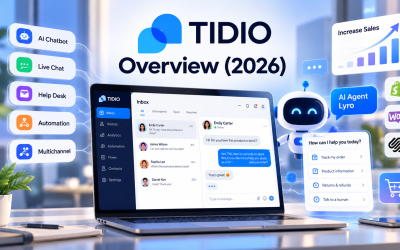
Unlike traditional live chat software, Tidio combines several tools in one dashboard:
- AI-powered chatbot (Lyro AI Agent)
- Live chat
- Help desk
- Workflow automation
- Shared inbox
- Multichannel messaging
This all-in-one approach makes customer support more efficient while improving the overall customer experience.
Step 1: Create Your Tidio Account
Getting started is simple.
After signing up, you'll be guided through a quick onboarding process where you can:
- Enter your business information
- Choose your website platform
- Select your industry
- Customize basic chat settings
The setup wizard helps new users configure essential features without requiring technical knowledge.
Step 2: Install the Live Chat Widget
The next step is adding the Tidio chat widget to your website.
Tidio supports many popular platforms, including:
- Shopify
- WooCommerce
- WordPress
- Wix
- Squarespace
- BigCommerce
Most integrations require only a few clicks, while custom websites can install the widget using a simple JavaScript snippet.
Once installed, visitors will immediately see the chat widget on your website.
Step 3: Customize Your Chat Widget
A customized chat widget creates a more professional customer experience.
You can personalize:
- Brand colors
- Company logo
- Welcome message
- Widget position
- Agent profile photos
- Language settings
Keeping the widget consistent with your website design helps build trust with visitors.
Step 4: Train Lyro AI Agent
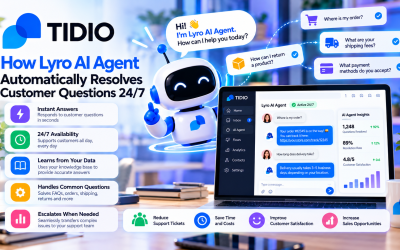
One of Tidio's most valuable features is Lyro AI Agent, which can automatically answer customer questions.
To improve response accuracy, provide the AI with information such as:
- Frequently asked questions
- Shipping policies
- Return and refund policies
- Product information
- Company documentation
- Knowledge base articles
The more accurate your knowledge base, the more helpful your AI assistant becomes.
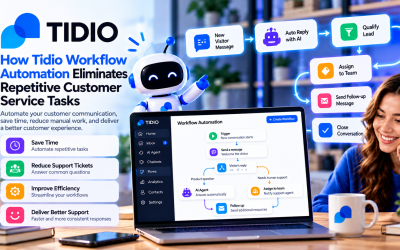
Step 5: Create Your First Automation
Tidio includes a visual, no-code automation builder that lets you create workflows without programming.
Popular beginner automations include:
Welcome New Visitors
Automatically greet visitors when they arrive on your website.
Example:
“Welcome! Let us know if you have any questions.”
Answer Frequently Asked Questions
Automatically respond to common inquiries such as:
- Shipping information
- Business hours
- Pricing
- Payment methods
- Return policies
Capture Leads
Collect visitor information when support agents are unavailable.
For example:
- Name
- Email address
- Company name
- Phone number
This ensures every inquiry is captured, even outside business hours.
Step 6: Enable Live Chat
AI handles many conversations, but some situations require human support.
With live chat enabled, support agents can:
- Join ongoing conversations
- View customer history
- Respond instantly
- Transfer chats to teammates
- Share files and links
The seamless handoff between AI and human agents ensures customers always receive appropriate assistance.
Step 7: Connect Additional Communication Channels
Tidio becomes even more powerful when connected to other customer communication channels.
Supported channels include:
- Facebook Messenger
- WhatsApp (where supported)
Instead of checking multiple platforms, your team can manage conversations from one shared inbox.
Best Practices for Beginners
To get the most from Tidio, consider these tips:
Start Simple
Avoid creating too many chatbot flows initially.
Focus on answering your most common customer questions first.
Use AI for Repetitive Tasks
Allow Lyro AI to handle routine inquiries while your team focuses on complex customer issues.
Keep Responses Natural
Write friendly and conversational chatbot messages that reflect your brand's tone of voice.
Monitor Conversations
Review chat transcripts regularly to identify:
- New customer questions
- Missing knowledge base content
- Opportunities to improve chatbot responses
Continuous improvement helps increase AI accuracy over time.
Test Your Workflows
Before publishing automations, test every conversation path to ensure customers receive the correct responses.
Common Beginner Mistakes
Many new users make avoidable mistakes, including:
- Overcomplicating chatbot workflows
- Providing incomplete knowledge base content
- Ignoring analytics
- Forgetting to customize the chat widget
- Relying entirely on AI without offering human support
A balanced approach usually delivers the best customer experience.
Who Should Use Tidio?
Tidio is ideal for:
- Ecommerce businesses
- SaaS companies
- Small businesses
- Startups
- Marketing agencies
- Customer service teams
- Online retailers
Its ease of use makes it especially attractive for businesses implementing AI customer support for the first time.
Final Verdict
Tidio is one of the easiest AI-powered customer support platforms to set up and use. Its combination of live chat, Lyro AI Agent, workflow automation, and multichannel messaging allows businesses to improve customer service without requiring technical expertise or a large support team.
For beginners, the platform offers an excellent balance between simplicity and powerful functionality. You can start with a basic live chat widget, gradually introduce AI automation, and scale your customer support as your business grows.
If you're looking for a straightforward way to provide faster responses, automate repetitive tasks, and deliver a better customer experience, Tidio is an excellent place to begin in 2026.






Write Your Review
No reviews yet. Be the first to share your experience!