
Artificial intelligence has changed the way professionals work. In 2026, AI is no longer just a technology trend—it has become an essential productivity partner for individuals, freelancers, and businesses.
However, with hundreds of AI tools available, one important question remains:
Which AI tool is the best choice for your daily job?
The answer depends on your profession, workflow, and specific goals. A content creator may need AI writing assistance, while a developer needs coding support, and a business manager may prioritize automation and data analysis.
This guide compares the most useful AI tools for different professions and explains how each tool can improve daily productivity.
Why Choosing the Right AI Tool Matters
Not every AI tool solves the same problem.
Some tools are designed for:
- Writing and communication
- Research and analysis
- Project management
- Design and creativity
- Software development
- Business automation
- Customer support
Choosing the right AI assistant helps professionals:
- Save hours every week
- Reduce repetitive tasks
- Improve work quality
- Make faster decisions
- Focus on higher-value activities
The goal is not to use the most popular AI tool—it is to use the tool that best matches your workflow.
Best AI Tools for Different Jobs
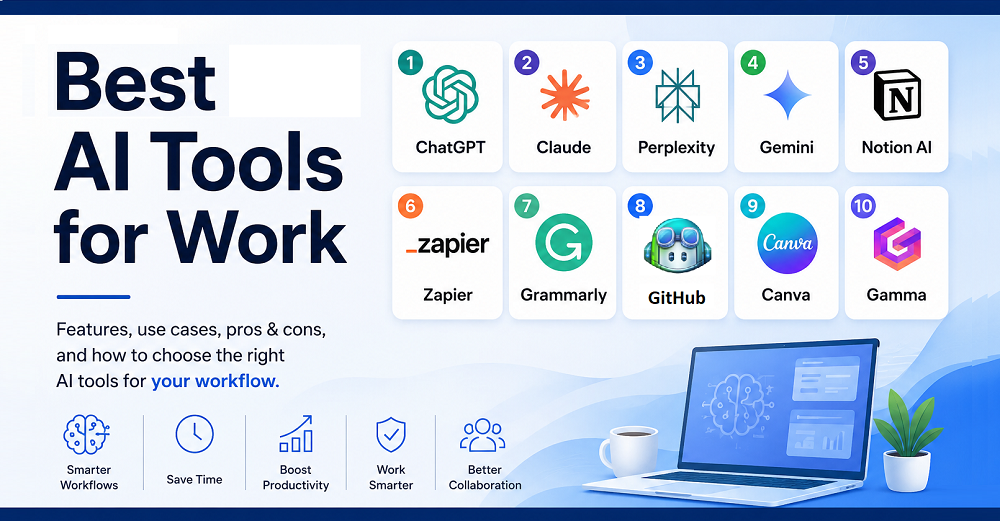
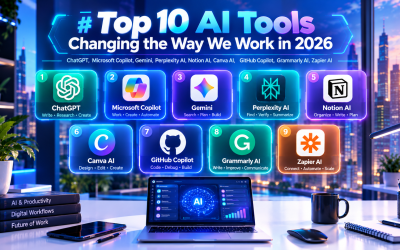
1. ChatGPT — Best All-Purpose AI Assistant
OpenAI
Best for: Professionals, freelancers, marketers, entrepreneurs, students
ChatGPT is one of the most versatile AI assistants available. It can support a wide range of daily tasks, including:
- Writing emails
- Creating reports
- Brainstorming ideas
- Analyzing information
- Generating business plans
- Creating marketing content
- Learning new skills
- Solving technical problems
Why professionals choose ChatGPT:
✓ Works across multiple industries
✓ Strong conversational ability
✓ Useful for both simple and complex tasks
✓ Helps transform ideas into structured outputs
Best suited for:
People who need one AI assistant capable of handling many different responsibilities.
2. Microsoft Copilot — Best for Office Professionals
Microsoft
Best for: Business users, managers, corporate teams
Microsoft Copilot integrates AI directly into workplace applications such as:
- Word
- Excel
- PowerPoint
- Outlook
- Teams
It helps professionals:
- Create documents faster
- Analyze spreadsheets
- Build presentations
- Summarize meetings
- Manage emails
Example:
A manager can ask Copilot to summarize a 50-page business report and create a presentation outline within minutes.
Best suited for:
Professionals who spend most of their day working inside Microsoft 365.
3. Google Gemini — Best for Google Workspace Users
Best for: Teams using Gmail, Docs, Sheets, and Google services
Gemini helps users:
- Draft emails
- Summarize documents
- Analyze information
- Generate ideas
- Assist with research
Its advantage comes from integration with the Google ecosystem.
Best suited for:
- Marketing teams
- Remote workers
- Google Workspace users
- Businesses already using Google tools
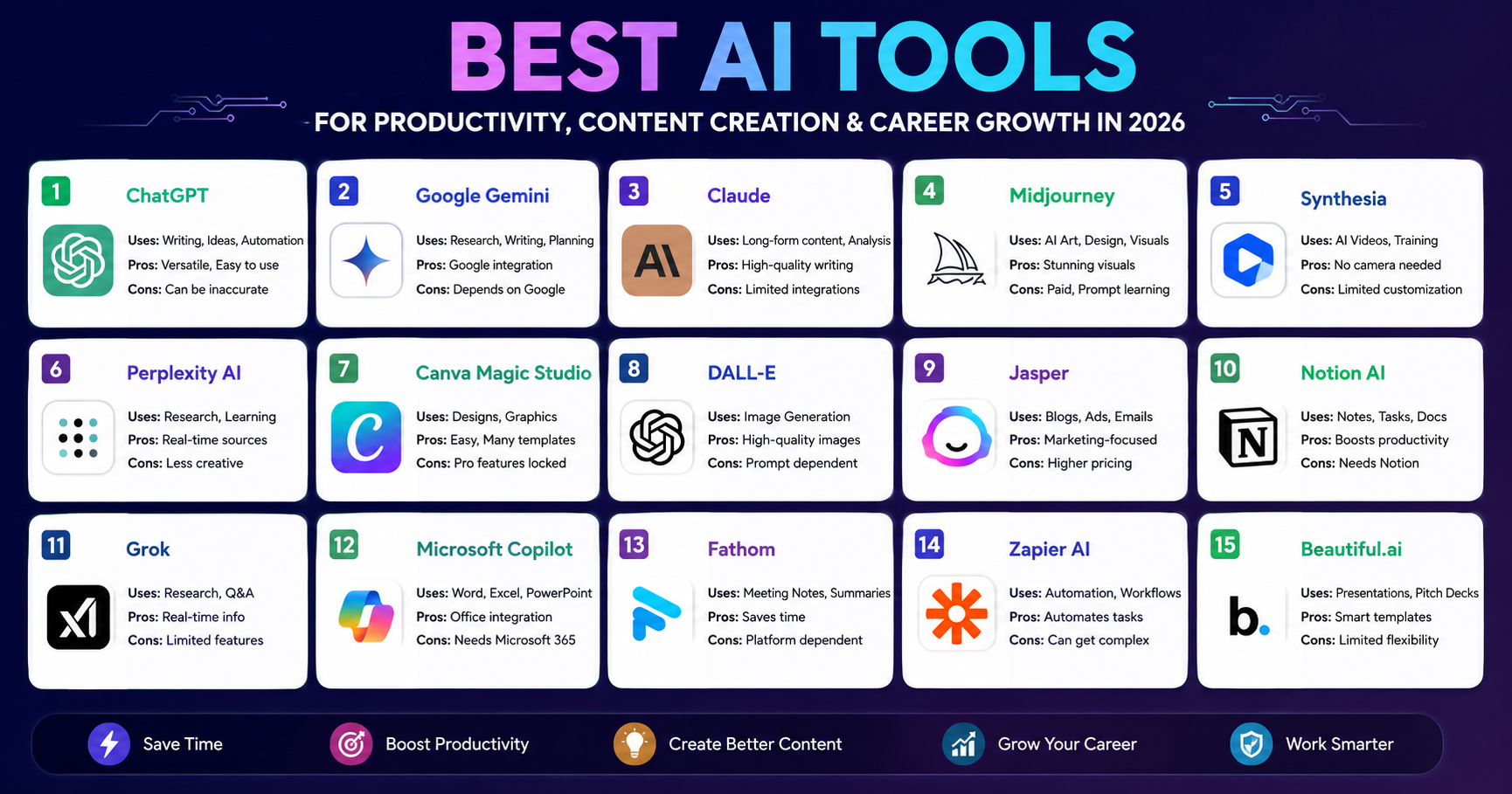
4. Claude — Best for Long Documents and Analysis
Anthropic
Best for: Researchers, analysts, writers, consultants
Claude is particularly useful for handling large amounts of text.
It helps with:
- Reviewing documents
- Summarizing reports
- Analyzing complex information
- Writing detailed content
- Extracting key insights
Best suited for:
Professionals who regularly work with:
- Research papers
- Legal documents
- Business reports
- Long-form content
5. Perplexity AI — Best for Research and Information Discovery
Perplexity AI
Best for: Researchers, marketers, analysts, students
Perplexity combines AI with search capabilities to help users:
- Find information quickly
- Explore industry trends
- Compare products
- Research competitors
- Discover market insights
Best suited for:
Professionals who need fast research with organized answers.
6. Notion AI — Best for Productivity and Knowledge Management
Notion Labs
Best for: Teams, project managers, entrepreneurs
Notion AI transforms workspace management by helping users:
- Create documentation
- Summarize notes
- Organize projects
- Generate task lists
- Manage company knowledge
Best suited for:
Teams that need a centralized workspace for information and collaboration.
7. GitHub Copilot — Best for Developers
GitHub
Best for: Software engineers and developers
GitHub Copilot helps developers:
- Generate code
- Explain programming concepts
- Detect errors
- Write documentation
- Speed up development
Benefits:
- Faster coding
- Less repetitive programming
- Improved developer productivity
Best suited for:
Developers who want an AI coding partner.
8. Canva AI — Best for Designers and Content Creators
Canva
Best for: Marketers, social media creators, small businesses
Canva AI helps create:
- Social media graphics
- Presentations
- Marketing materials
- Visual content
- Brand designs
Best suited for:
Users who need professional visuals without advanced design skills.
9. Grammarly AI — Best for Professional Writing
Grammarly
Best for: Writers, professionals, students
Grammarly AI improves:
- Grammar
- Writing style
- Professional tone
- Email communication
- Content clarity
Best suited for:
Anyone who writes frequently at work.
10. Zapier AI — Best for Business Automation
Zapier
Best for: Entrepreneurs, operations teams, marketers
Zapier AI connects different applications and automates workflows.
Examples:
- Automatically organize customer leads
- Send notifications
- Update databases
- Create reports
- Manage repetitive tasks
Best suited for:
Businesses looking to automate daily operations.
AI Tool Comparison by Profession
| Profession | Recommended AI Tools | Main Benefits |
|---|---|---|
| Freelancer | ChatGPT, Claude, Canva AI | Content, research, design |
| Marketer | ChatGPT, Perplexity, Canva AI | Campaigns, SEO, creativity |
| Writer | ChatGPT, Claude, Grammarly | Writing and editing |
| Developer | GitHub Copilot, ChatGPT | Coding assistance |
| Manager | Microsoft Copilot, Notion AI | Productivity and planning |
| Sales Professional | ChatGPT, Zapier AI | Customer communication |
| HR Specialist | ChatGPT, Notion AI | Recruitment and documentation |
| Business Owner | ChatGPT, Copilot, Zapier AI | Automation and strategy |
How to Choose the Right AI Tool
Before selecting an AI tool, consider:
1. What tasks consume the most time?
Identify repetitive activities such as:
- Writing
- Research
- Data entry
- Reporting
- Scheduling
2. Which platforms do you already use?
Choose AI tools that integrate with your existing workflow.
Examples:
- Microsoft users → Copilot
- Google users → Gemini
- Developers → GitHub Copilot
- Content creators → ChatGPT + Canva AI
3. What is your main productivity goal?
Do you want to:
- Save time?
- Create content faster?
- Automate workflows?
- Analyze data?
- Improve communication?
Your goal determines the best AI solution.
The Future of AI Tools at Work
The future workplace will not rely on one AI tool but on connected AI assistants working together.
A professional workflow may look like:
- ChatGPT creates ideas
- Perplexity researches information
- Canva AI designs visuals
- Zapier automates tasks
- Notion AI organizes knowledge
- Copilot manages business documents
The most productive professionals will combine multiple AI tools into personalized workflows.
Conclusion
There is no single “best” AI tool for everyone. The right choice depends on your profession, responsibilities, and daily challenges.
For general productivity, ChatGPT remains one of the most flexible options. For business environments, Microsoft Copilot and Gemini provide strong workplace integration. For specialized tasks, tools like GitHub Copilot, Canva AI, Claude, and Zapier AI offer powerful advantages.
The future belongs to professionals who know how to combine human expertise with AI capabilities. By choosing the right AI assistant, you can reduce repetitive work, improve efficiency, and achieve significantly more every day.




Write Your Review
No reviews yet. Be the first to share your experience!