
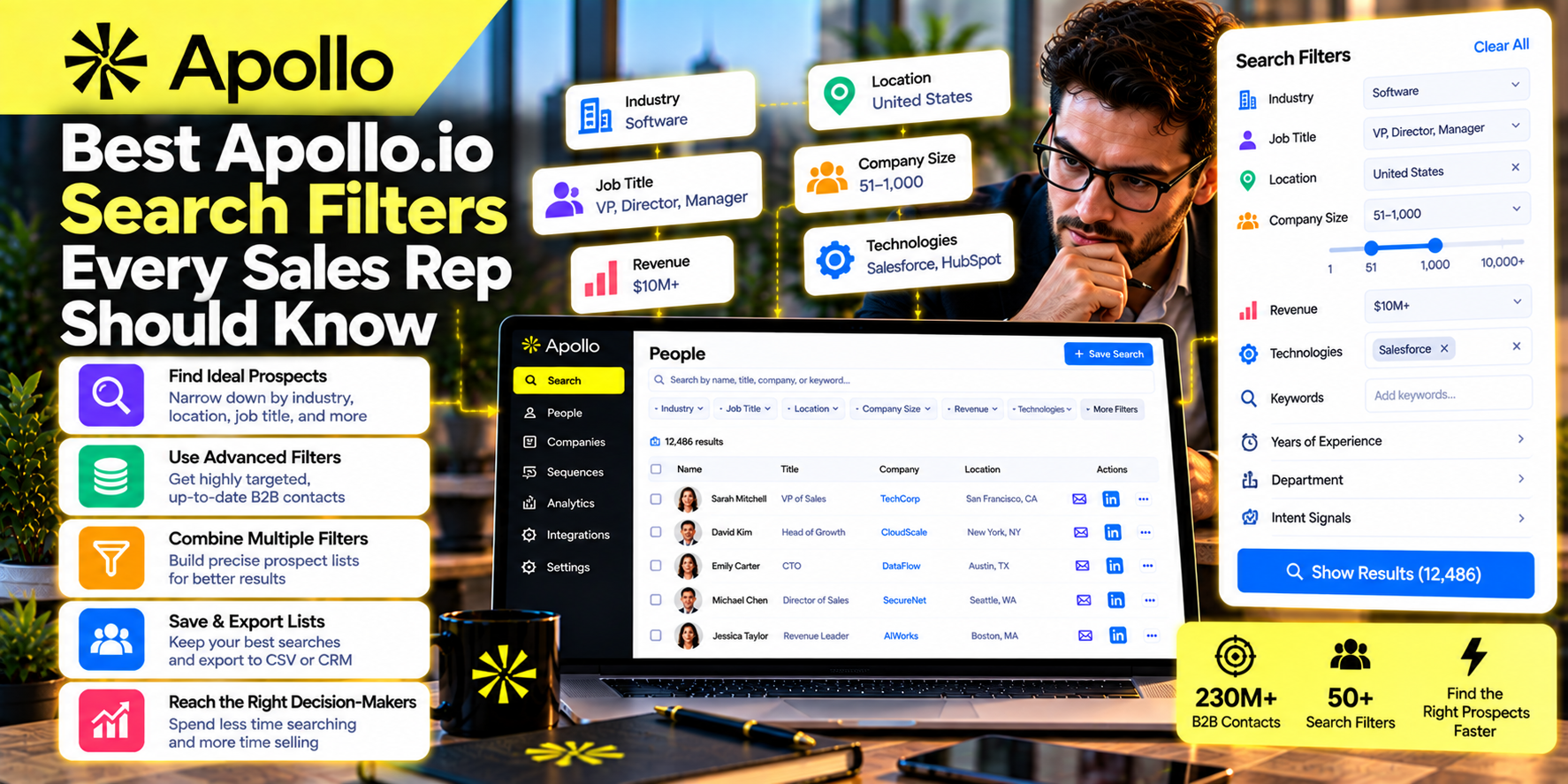
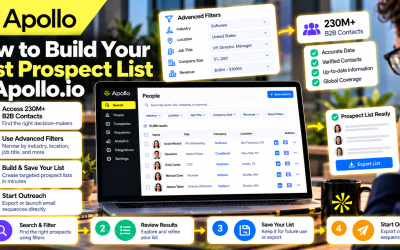
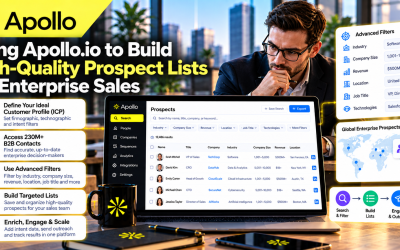
One of Apollo.io's greatest strengths is its advanced search engine. While many sales professionals use the platform simply to find email addresses or company contacts, experienced users know that the real power of Apollo.io lies in its search filters.
Instead of searching through millions of businesses manually, sales representatives can narrow their results to companies and decision-makers that closely match their Ideal Customer Profile (ICP). This targeted approach improves prospect quality, increases response rates, and reduces time spent on unqualified leads.
Whether you're a Sales Development Representative (SDR), Account Executive (AE), founder, recruiter, or marketing agency, understanding Apollo.io's search filters can dramatically improve your prospecting efficiency.
In this guide, we'll explore the most valuable Apollo.io search filters and explain how to use them to build better prospect lists.
Why Search Filters Matter
Many new users perform broad searches such as “software companies” or “marketing agencies.”
The result is often thousands of contacts with varying levels of relevance.
Advanced search filters help you:
- Identify ideal customers faster
- Reduce manual research
- Improve outreach quality
- Build segmented prospect lists
- Increase conversion rates
- Focus on high-value opportunities
Quality always outperforms quantity in B2B sales.
1. Industry Filter
The Industry filter is one of the first filters every sales representative should use.
Instead of targeting every business, narrow your search to industries that benefit most from your solution.
Examples include:
- Software
- Healthcare
- Financial Services
- Manufacturing
- Marketing & Advertising
- Education
- Real Estate
- Retail
A cybersecurity vendor, for example, may prioritize finance and healthcare companies due to their strict security requirements.
Combining industry with additional filters creates much more targeted prospect lists.
2. Company Size Filter
Not every product is suitable for every business.
Apollo.io allows you to filter companies by employee count.
Common ranges include:
- 1–10 employees
- 11–50 employees
- 51–200 employees
- 201–500 employees
- 501–1,000 employees
- 1,000+ employees
A startup selling affordable CRM software might focus on small and medium-sized businesses, while an enterprise SaaS provider may target organizations with more than 1,000 employees.
Choosing the right company size improves product-market fit and sales efficiency.
3. Revenue Filter
Revenue provides another useful way to qualify prospects.
Businesses with higher annual revenue often have:
- Larger budgets
- Bigger teams
- More complex operations
- Greater purchasing power
Filtering by revenue helps sales teams focus on companies that can realistically afford their solution.
For premium SaaS products, this filter is particularly valuable.
4. Job Title Filter
Finding the correct company is only the beginning.
You also need to reach the right person.
Apollo.io lets you search by specific job titles such as:
- CEO
- Founder
- VP of Sales
- Marketing Director
- Operations Manager
- HR Director
- IT Manager
- Chief Technology Officer
Using precise job titles ensures your outreach reaches individuals with purchasing authority or direct influence over buying decisions.
5. Department Filter
Sometimes job titles vary across organizations.
Filtering by department helps broaden your search while keeping it relevant.
Popular departments include:
- Sales
- Marketing
- Human Resources
- Operations
- Information Technology
- Finance
- Procurement
- Customer Success
This filter is especially useful when companies use unique internal job titles.
6. Seniority Filter
Enterprise sales often require communication with decision-makers.
Apollo.io allows users to filter contacts by seniority levels such as:
- Owner
- Founder
- Director
- Vice President
- C-Level Executive
- Manager
This helps eliminate junior contacts who may not have purchasing authority.
Targeting senior decision-makers typically shortens the sales process.
7. Geographic Location Filter
Location remains important for many businesses.
Apollo.io allows prospect searches by:
- Country
- State
- Province
- Region
- City
Geographic targeting is useful for:
- Regional sales teams
- Local service providers
- International expansion
- Territory management
- Language-specific campaigns
Combining location with industry filters creates highly relevant prospect segments.
8. Technology Stack Filter
One of Apollo.io's most powerful features is technology filtering.
Sales teams can identify companies already using specific software platforms or technologies.
Examples include:
- HubSpot
- Salesforce
- Shopify
- Microsoft 365
- Google Workspace
- AWS
- Slack
Technology data helps businesses identify organizations that may benefit from complementary products or integrations.
For SaaS companies, this is one of the most valuable prospecting filters available.
9. Hiring Activity Filter
Growing companies often invest in new software and services.
Apollo.io allows users to identify businesses actively hiring.
Hiring activity may indicate:
- Business expansion
- Department growth
- Increased budgets
- Operational scaling
Recruitment agencies, HR software vendors, and B2B SaaS companies frequently use this filter to identify high-potential prospects.
10. Funding Stage Filter
Startups that recently secured funding often increase spending on technology, marketing, and operational tools.
Apollo.io enables users to search based on funding information.
Examples include:
- Seed
- Series A
- Series B
- Series C
- Private Equity
Targeting recently funded businesses can improve response rates because these organizations are often actively investing in growth.
Combining Filters for Better Results
The true power of Apollo.io comes from combining multiple filters.
For example:
Industry: SaaS
Employee Count: 100–500
Revenue: $10M–$100M
Job Title: VP of Sales
Technology: HubSpot
Location: United States
This search is far more valuable than simply searching for “software companies.”
Highly targeted searches produce better prospect lists and stronger outreach campaigns.
Common Search Mistakes
Avoid these common errors:
Using Too Few Filters
Broad searches generate low-quality leads.
Filtering Too Aggressively
Adding too many restrictions may eliminate valuable prospects.
Ignoring Decision-Makers
Always verify you're contacting someone with purchasing influence.
Forgetting to Save Searches
Saving successful searches allows you to reuse them for future campaigns.
Failing to Refresh Lists
Businesses change over time.
Review your searches regularly to keep your prospect database current.
Best Practices for Apollo.io Search
To maximize search performance:
- Start with a clearly defined Ideal Customer Profile.
- Combine multiple filters strategically.
- Review company profiles before outreach.
- Organize prospects into segmented lists.
- Test different search combinations.
- Monitor campaign results.
- Update searches as your target market evolves.
These practices help sales teams maintain high-quality prospect databases over time.
Final Thoughts
Apollo.io's search filters are much more than simple database tools—they are the foundation of effective B2B prospecting. By combining filters such as industry, company size, job title, seniority, technology stack, hiring activity, and funding stage, sales professionals can identify organizations that closely match their Ideal Customer Profile and focus their efforts where they are most likely to succeed.
Whether you're building your first prospect list or managing enterprise-level outbound campaigns, mastering Apollo.io's advanced search capabilities can significantly improve lead quality, outreach relevance, and overall sales performance.
Key Takeaway: The best Apollo.io users don't search for more prospects—they search for the right prospects. By leveraging advanced search filters strategically, sales teams can build higher-quality pipelines, improve response rates, and achieve more predictable B2B growth.



Write Your Review
No reviews yet. Be the first to share your experience!