
Your email domain is one of the most valuable assets in your outbound sales strategy. Even the most personalized cold email won't generate results if it lands in the spam folder. That's why connecting your email domain to lemlist correctly is essential.
A secure and properly configured email domain improves deliverability, protects your sender reputation, and increases the likelihood that your emails reach your prospects' inboxes. In this guide, you'll learn the best practices for connecting your email domain to lemlist while maintaining a healthy sending reputation.
Step 1: Use a Business Email Domain
Before connecting your mailbox, make sure you're using a professional business domain.
For example:
- Good: [email protected]
- Avoid: [email protected]
Using your own domain builds trust with prospects and gives you full control over your email authentication settings.
Many businesses also create a dedicated outreach domain (such as getyourcompany.com or hello-yourcompany.com) to separate sales campaigns from everyday business communication.
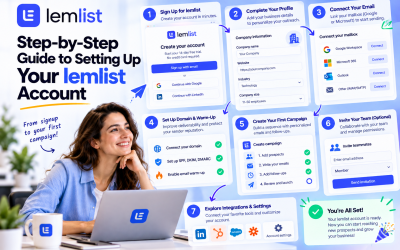
Step 2: Connect Your Mailbox
lemlist supports several email providers, including:
- Google Workspace
- Microsoft 365
- Outlook
- SMTP/IMAP servers
From the Settings section, select Connect Mailbox and choose your email provider.
Authorize lemlist using the secure authentication process. Once connected, the platform can send emails, receive replies, and automatically manage follow-up sequences.
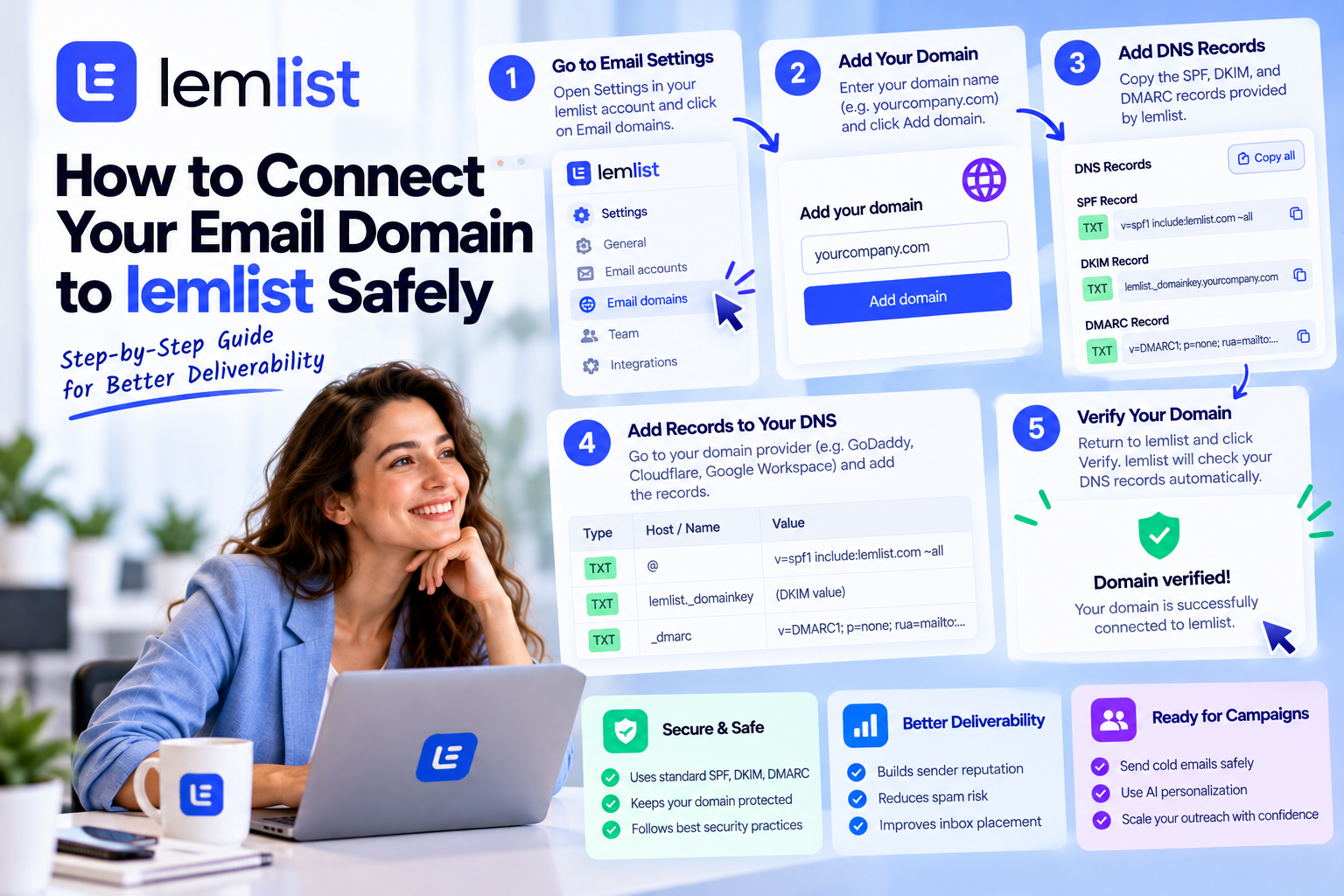
Step 3: Configure Email Authentication
Email authentication helps receiving mail servers verify that your messages are legitimate.
Three records are especially important:
SPF (Sender Policy Framework)
SPF specifies which servers are allowed to send emails on behalf of your domain.
A correctly configured SPF record helps reduce spoofing and improves sender credibility.
DKIM (DomainKeys Identified Mail)
DKIM adds a digital signature to every outgoing email.
This signature confirms that your message hasn't been modified during delivery and increases trust with email providers.
DMARC (Domain-based Message Authentication, Reporting, and Conformance)
DMARC works alongside SPF and DKIM by telling receiving servers how to handle messages that fail authentication.
It also provides reports that help you monitor your domain's email security.
Together, these three authentication methods significantly improve email deliverability.
Step 4: Verify Your DNS Settings
After adding your authentication records, allow time for DNS propagation.
You should verify that:
- SPF passes validation.
- DKIM signatures are active.
- DMARC policy is correctly published.
- Your domain resolves properly.
Taking time to confirm these settings before launching campaigns can prevent unnecessary delivery issues.
Step 5: Enable Email Warm-Up
Connecting your domain is only the beginning.
If you're using a new email account or a recently registered domain, avoid sending hundreds of emails immediately.
Instead, enable lemlist's email warm-up feature to gradually build your sender reputation through natural email activity.
A warmed-up mailbox is far more likely to achieve consistent inbox placement.
Step 6: Set Safe Sending Limits
Protecting your domain also means avoiding aggressive sending behavior.
For new outreach accounts:
- Start with a low daily sending volume.
- Increase sending gradually over several weeks.
- Personalize every email.
- Avoid sending identical messages to large lists.
Gradual growth looks more natural to email providers and reduces the likelihood of spam filtering.
Common Mistakes to Avoid
Many deliverability problems are caused by avoidable mistakes, including:
- Using free email providers for cold outreach.
- Skipping SPF, DKIM, or DMARC configuration.
- Sending large volumes from a brand-new mailbox.
- Purchasing low-quality email lists.
- Ignoring bounce rates and spam complaints.
- Using misleading subject lines or spam-trigger words.
Avoiding these mistakes will help maintain a strong sender reputation over time.
Best Practices for Long-Term Success
To keep your email domain healthy:
- Use verified business email addresses.
- Keep your contact lists clean and up to date.
- Monitor campaign performance regularly.
- Remove invalid or inactive contacts.
- Continue warming new mailboxes before scaling outreach.
- Review your DNS configuration whenever you change email providers.
These habits contribute to higher deliverability and more reliable campaign performance.
Final Thoughts
Connecting your email domain to lemlist safely is one of the most important steps in building a successful outbound sales system. A properly authenticated domain, secure mailbox connection, and gradual sending strategy help ensure that your emails reach the inbox instead of the spam folder.
By following these best practices, you'll establish a strong sender reputation, improve deliverability, and create a solid foundation for every future cold email campaign you launch with lemlist.





Write Your Review
No reviews yet. Be the first to share your experience!